Documentation Search for SaaS: The Complete Guide + Why Simplagents Is the Best Solution
Created: 05/12/2025
Introduction
In SaaS, great documentation isn’t optional; it's part of your product. But great documentation is useless if customers can’t find what they need quickly. That’s where Documentation Search becomes critical.
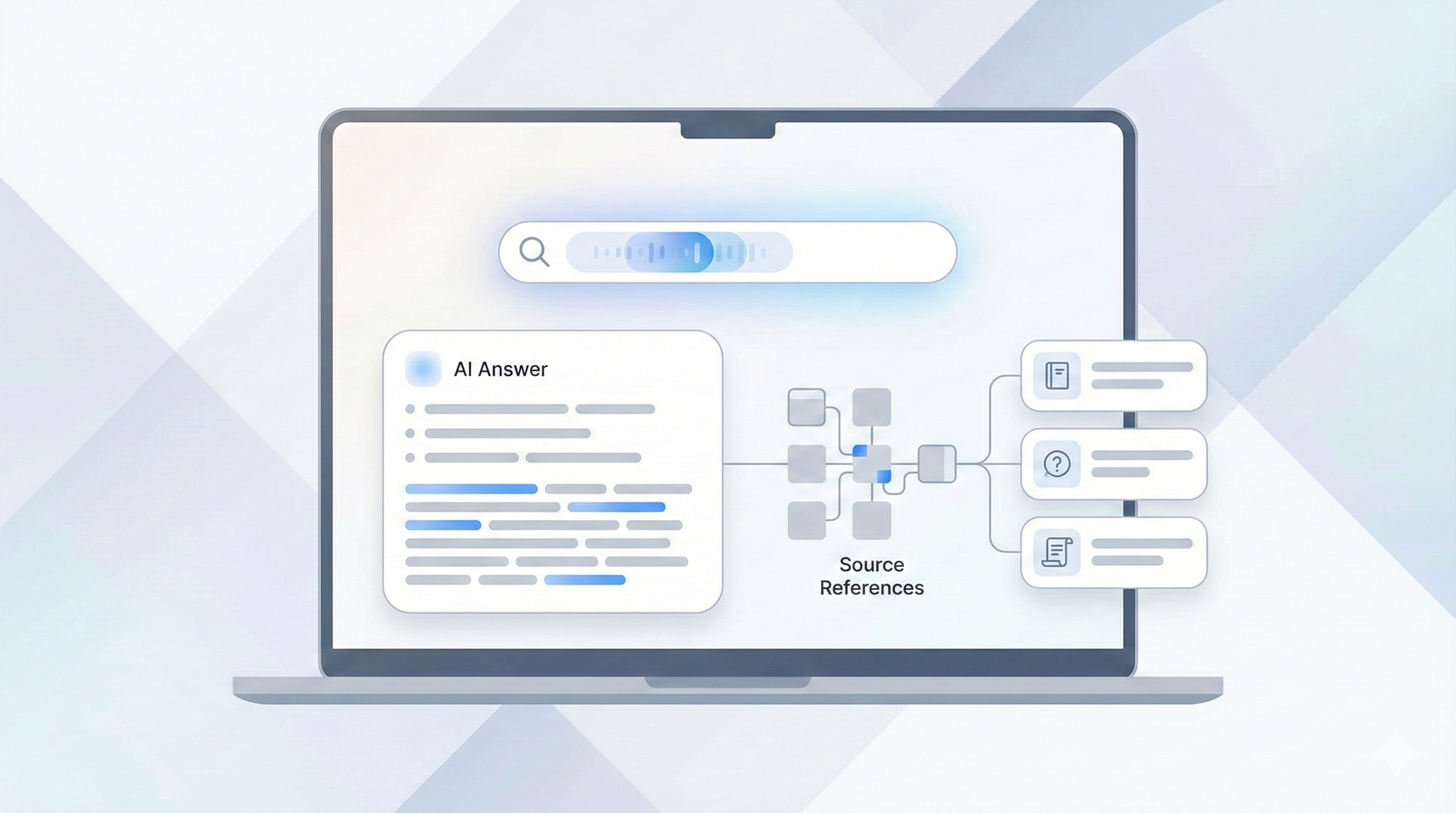
Simplagents offers a powerful, AI-driven documentation search system that lets users instantly find answers, guides, FAQs, and troubleshooting steps across your entire knowledge base without frustration.
Whether you run a startup or a scaling SaaS platform, Simplagents helps you deliver faster support, better onboarding, and a world-class self-service experience.
Why Documentation Search Matters for SaaS
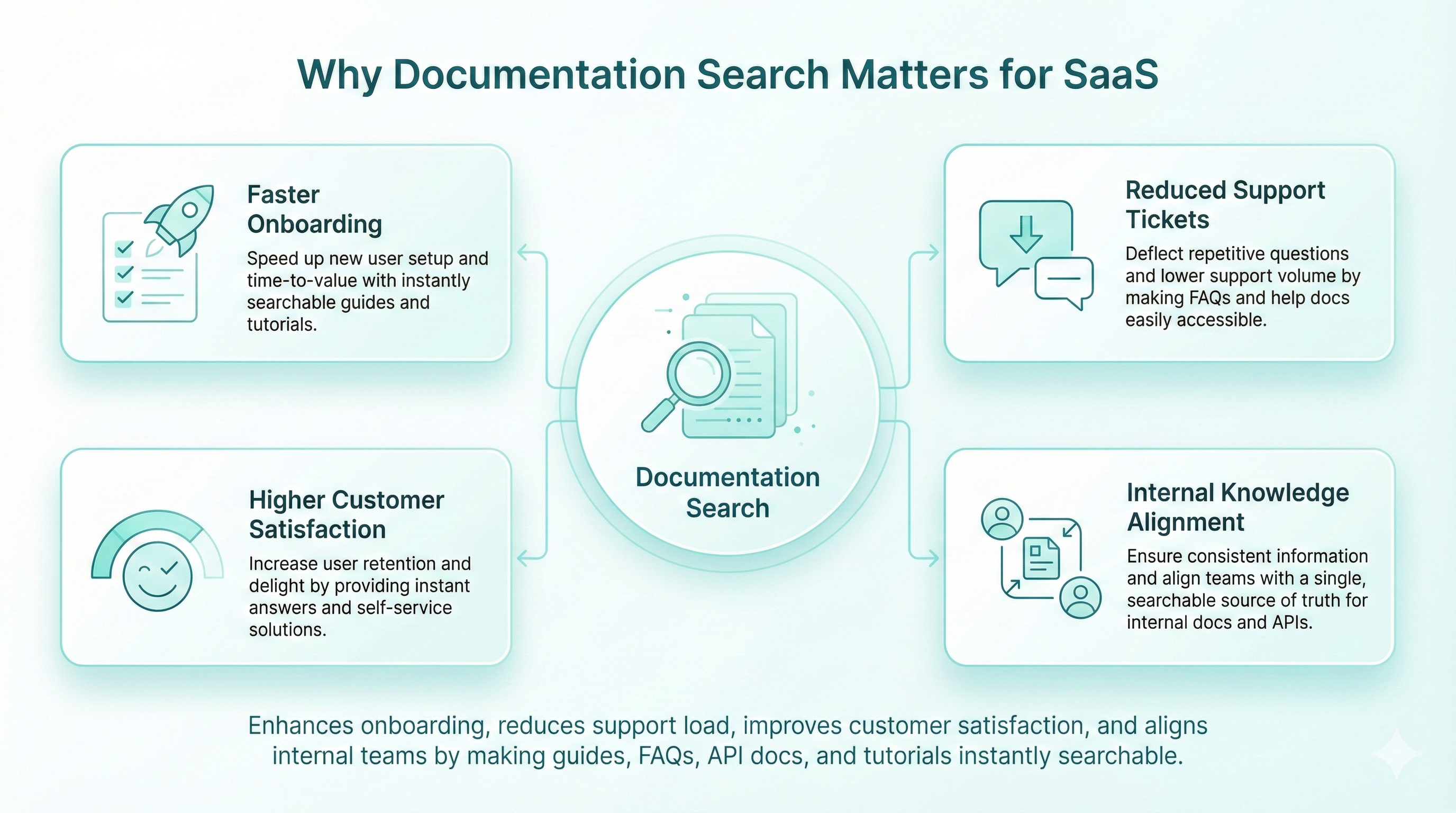
1. Faster Onboarding
New users often feel lost during setup. With Simplagents documentation search embedded inside your SaaS product, users can search “How to connect API” or “How to set up automation” and get instant results. This reduces onboarding friction and increases activation rates.
2. Reduced Support Tickets
Most support queries are repetitive. A strong documentation search engine reduces up to 40–60 percent of common tickets by helping users self-serve.
3. Higher Customer Satisfaction
Users love tools that are easy to navigate. When they can find answers instantly, their trust in your product grows. Simplagents improves the overall experience with fast, relevant, AI-filtered results.
4. Internal Knowledge Alignment
Your product team, support agents, and developers also benefit. With Simplagents central knowledge search, everyone stays aligned and can find internal documentation, SOPs, or changelogs instantly.
Ready to Upgrade Your Documentation Search?
Create an AI agent that helps users find answers faster.
What Is Documentation Search (And How Simplagents Enhances It)
Documentation Search is a system that indexes all your SaaS documentation user guides, FAQs, API docs, tutorials, and release notes and makes them searchable in milliseconds.
Simplagents takes this further by offering:
• AI-powered semantic search (finds results even if keywords don’t match)
• Vector search for deeper accuracy and natural-language understanding
• Instant indexing to keep your documentation always updated
• Embeddable search widgets for your SaaS dashboard or website
• Multi-source search (Docs, FAQ chatbot, support articles, help center pages)
This transforms your documentation from a passive resource into an intelligent help system.
Simplagents’s Vector-Based Documentation Search: How It Works
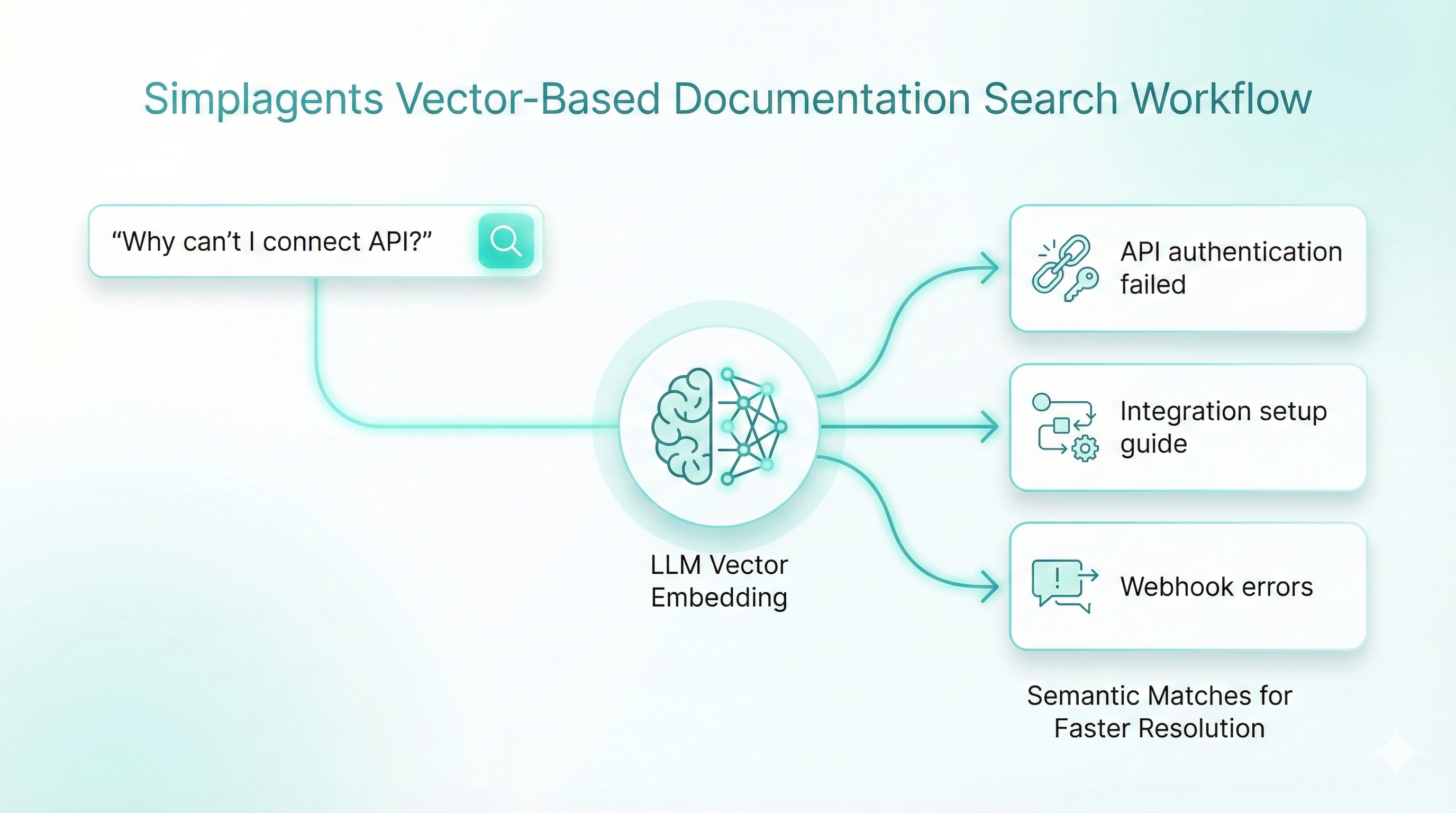
Simplagents uses vector search, the same technology powering modern LLMs.
Instead of matching exact words, vector search understands meaning.
For example:
A user searches “Why can’t I connect API?”
Simplagents also retrieves docs related to:
• “API authentication failed”
• “Integration setup guide”
• “Webhook errors”
This leads to dramatically better discovery, improved troubleshooting, and faster problem resolution.
Key Benefits of Using Simplagents for Documentation Search
✔ AI Understanding of Queries
Even if users misspell words or ask in natural language (“My automation is stuck”), Simplagents shows the most relevant documentation.
✔ Searches Across All Documentation Sources
Import your:
• Help center pages
• FAQ chatbot data
• Guides and tutorials
• Release notes
• API docs
• Internal SOPs
One search → all answers.
✔ Embeddable and Customizable
You can embed Simplagent’s search bar anywhere:
• Inside your app
• In your dashboard
• On your documentation portal
• On customer support pages
Brand it with your colors, icons, and UX.
✔ Reduces Support Load
Support agents no longer need to repeatedly answer “Where do I find this?”
Users self-serve. Support focuses on complex issues.
✔ Improves Retention
When customers understand your product clearly, they stay longer.
Good documentation search = higher retention + fewer cancellations.
Improve Your Documentation Search with AI
Create an AI-powered documentation search that helps users find answers instantly across guides, FAQs, and help docs.
3 Month Free Trail
Best Practices for SaaS Documentation Search (Made Easy with Simplagents)
1. Keep documentation structured
Simplagents automatically organizes your content with categories, tags, and relevance scores.
2. Keep documentation updated
Simplagents syncs changes instantly, no manual updates needed.
3. Use semantic and vector search
Already built into Simplagents. No engineering work required.
4. Make the search easy to access
Add the Simplagents search widget in your product header, help menu, or onboarding flow.
5. Analyze user search behavior
Simplagents offers analytics so you can learn:
• What users search for
• Which docs solve their problems
• Which topics need new articles
This helps you continuously improve your product and documentation.
Why SaaS Companies Choose Simplagents
Simplagents is built like “the Canva of AI agents”, meaning you get ready-to-use templates and automations, including Documentation Search Agents, without writing any code.
SaaS businesses choose Simplagents because it:
• Works instantly
• Requires zero engineering time
• Improves onboarding & support
• Uses modern AI search technology
• Integrates with your FAQ chatbot & help center
• Scales as your user base grows
If you want your SaaS to be easier, smarter, and more user-friendly, documentation search powered by Simplagents is the simplest and highest ROI upgrade.
Conclusion
In today's competitive SaaS landscape, great documentation is a competitive advantage but only if customers can find it.
With Simplagents AI-powered documentation search, your users get instant answers, your support team gets fewer repetitive tickets, and your product becomes dramatically easier to understand.
Turn Your Docs Into Instant Answers
Create an AI-powered documentation search that helps users find answers instantly across guides, FAQs, and help docs.