Available Pre Built Agents
Created: 05/08/2025
Available Pre-Built Agents
Shambho.ai offers ready-to-use AI Agent types, designed to help you get started quickly with automation across support, workflows, and tool execution without building from scratch.
Functional Agent (Action Agent)
Overview & Capabilities
The Functional Agent is designed to perform real actions like calling APIs, sending emails, or processing data based on the user’s query. It understands user intent, validates inputs, and executes workflows with real-world impact.
Setup & Configuration Guide
· Add the Functional Agent node to your agent flow.
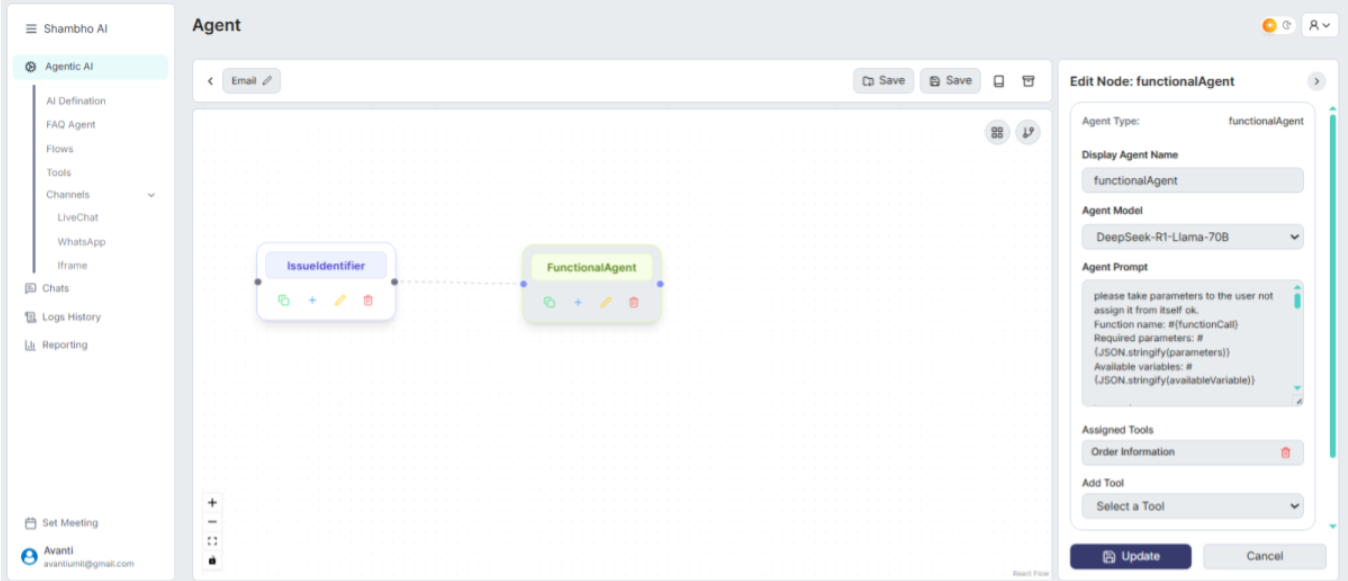
• Define the agent’s purpose with a clear prompt.
• Assign a tool (API, Email, or Message config) from the Tools tab.
• Set required parameters (like name, email, etc.) and logic for execution.
• Save and connect it to other nodes (e.g., IssueIdentifier).
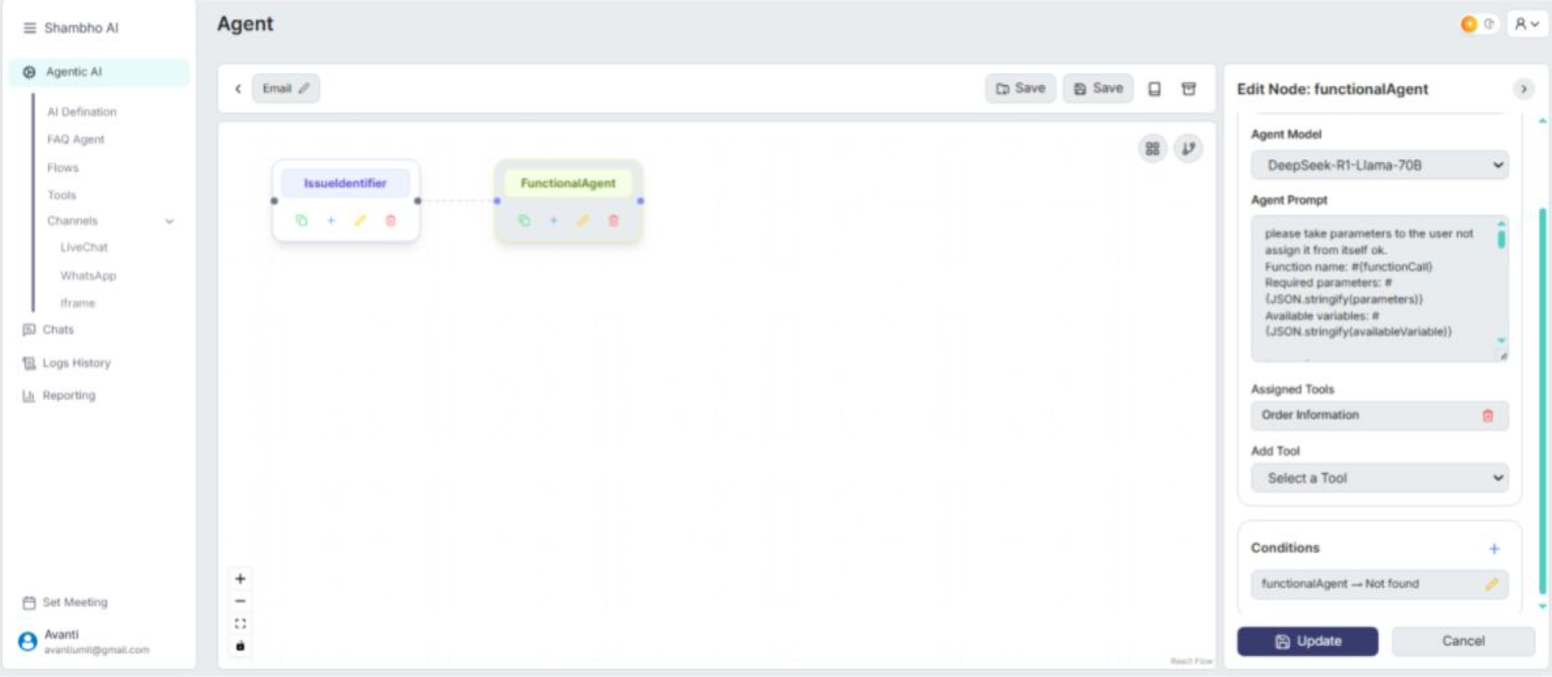
Common Use Cases
• User registration or login verification
• Order tracking or product search
• Fetching and processing backend data
• Booking or scheduling workflows
Integration with External Systems
Supports API calls, message triggers, and email workflows. You can configure endpoints and payloads using the no-code tool builder in the Tools tab.
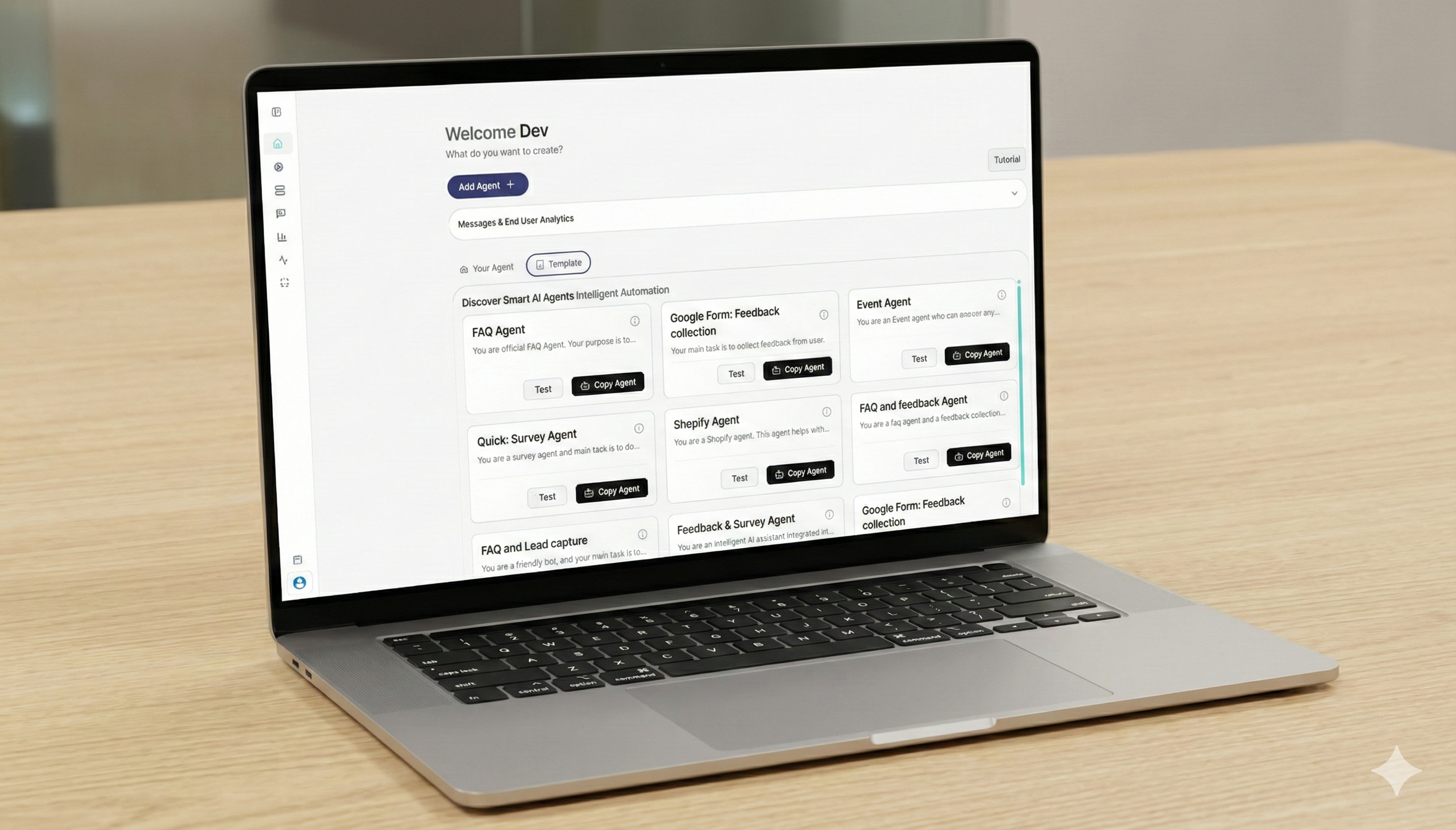
Explore AI Agents at Your Pace
Start with a simplagents and build from there. No rush. No complex setup. Just a clear way to see what AI agents can do for your business.
Customization Options
• Modify prompt behavior to suit your brand tone
• Validate user inputs using custom rules
• Add multiple tools or switch between logic paths
FAQ Agent (Knowledge Chatbot)
Setting Up the Knowledge Base
Upload your business documents, manuals, or FAQs directly from the dashboard. Supported formats include PDF, DOCX, and XLSX.
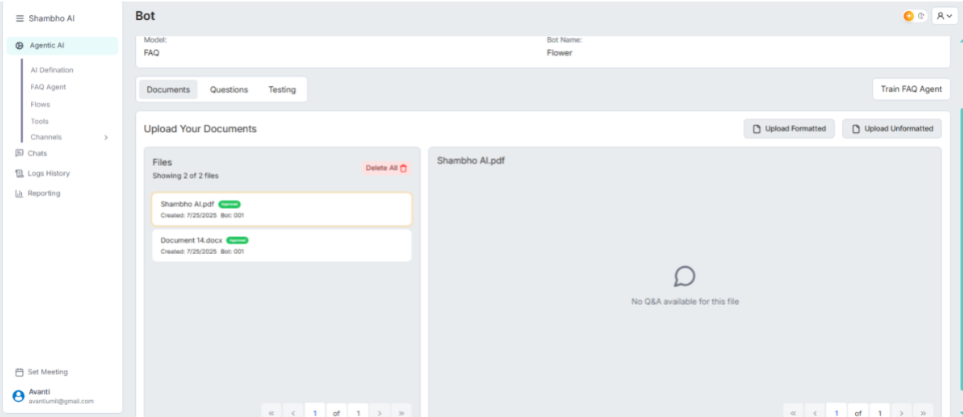
Training the Agent with Company-Specific Information
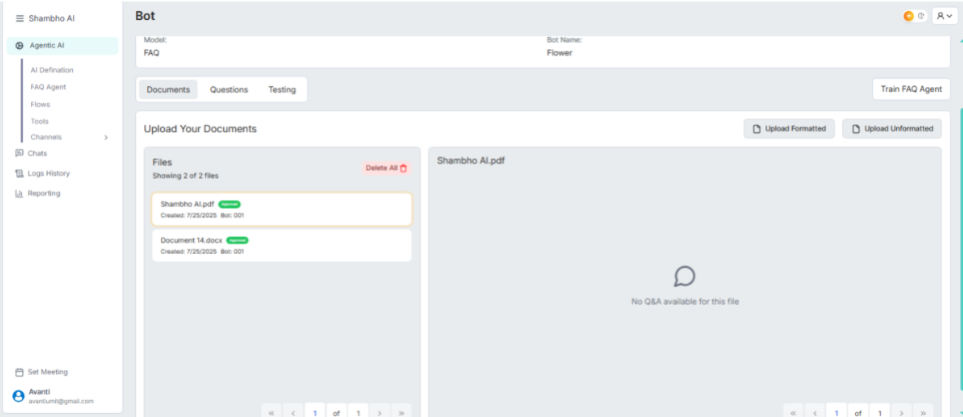
Add structured FAQ entries manually, or feed documents for the AI to understand and respond based on that information. You can tag questions and answers for context The chatbot gets trained once we click on “Train FAQ Agent” in the mid – right corner of the panel
Connecting to Support Channels
Once trained, connect the FAQ Agent to WhatsApp, website chat, or other communication platforms via Shambho’s Channels menu.
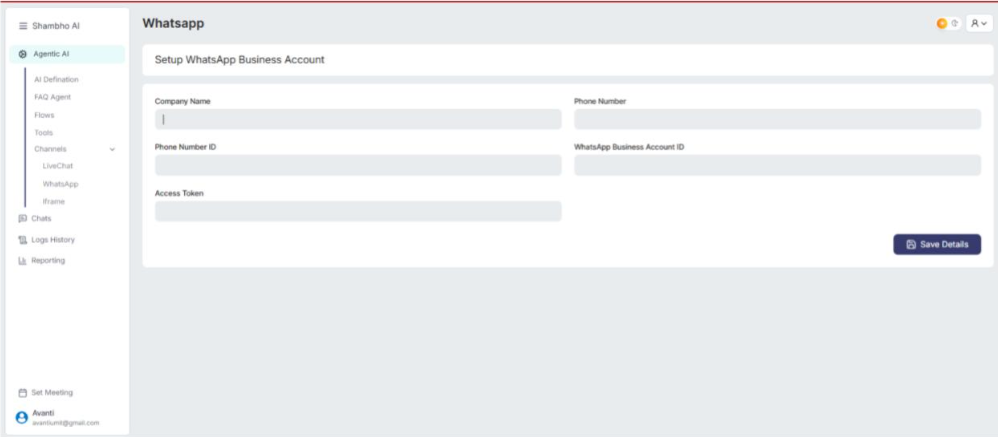
Improving Response Accuracy
Use high-quality, relevant documents and update them regularly. You can also test the agent’s output and tweak prompts or training content.
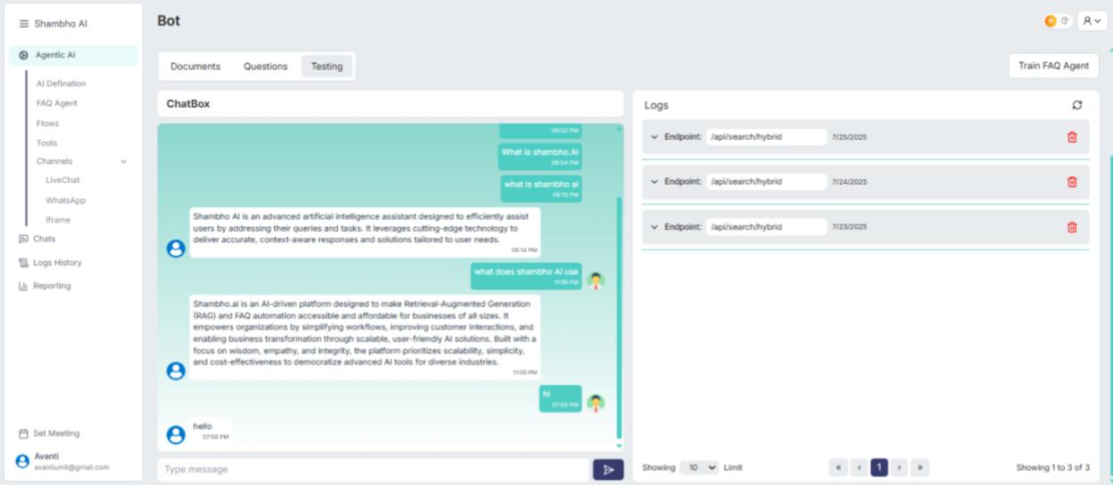
Analytics & Interaction Tracking
Use the analytics dashboard to see conversation logs, agent confidence, and performance. This helps identify where responses can be optimized further.
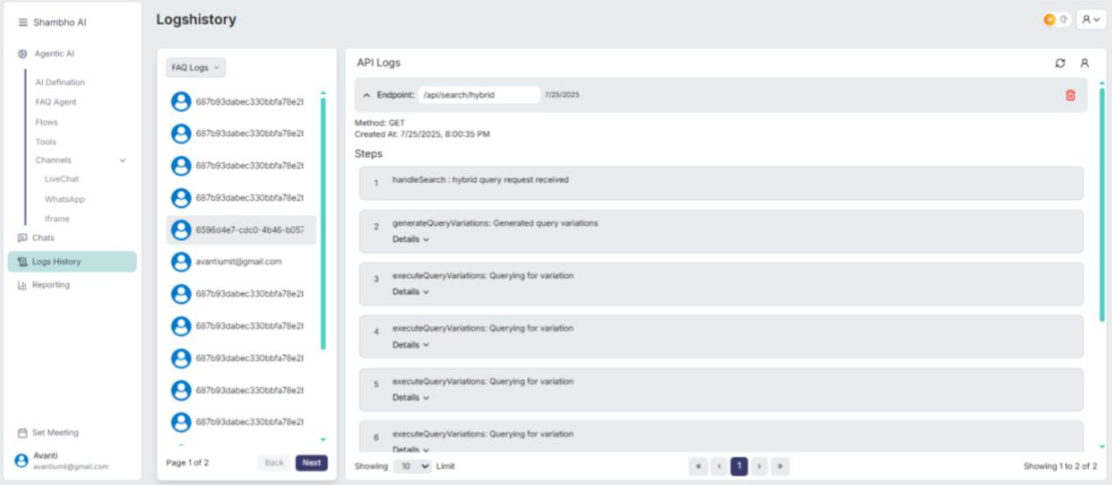
Issue Identifier Agent (Thought Agent)
Overview
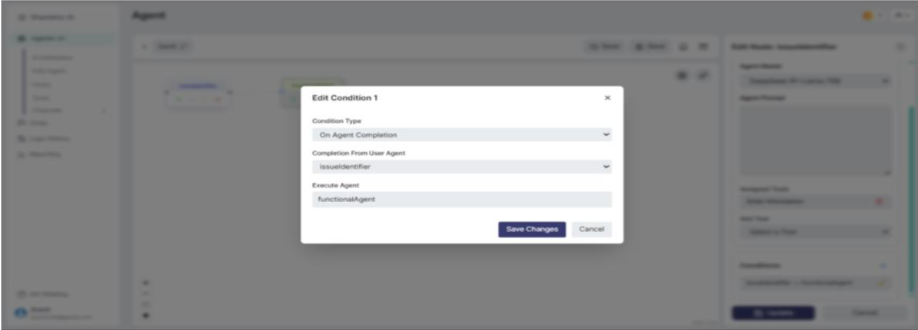
The Issue Identifier Agent acts like the brain of your AI flow. It interprets the user's intent from their message and determines which function or tool should handle the request. It doesn't execute actions it routes the request to the correct agent (like FunctionalAgent or FAQAgent).
Setup Instructions
1. Go to Flows in the Agentic AI panel.
2. Add the IssueIdentifier node.
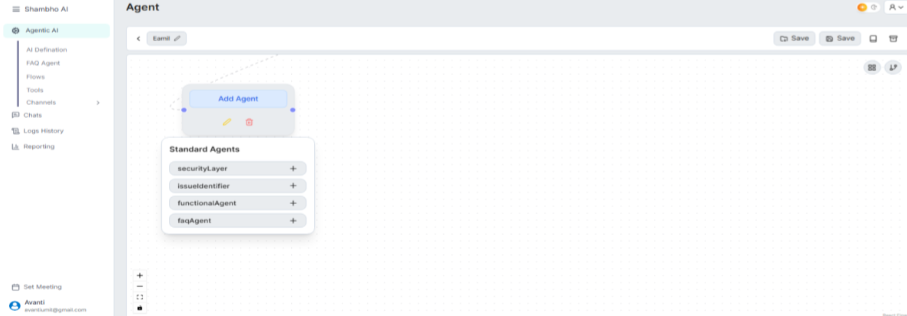
3. Assign tools (functions) based on what kind of queries it should detect (e.g., “Order Info”, “Register User”).
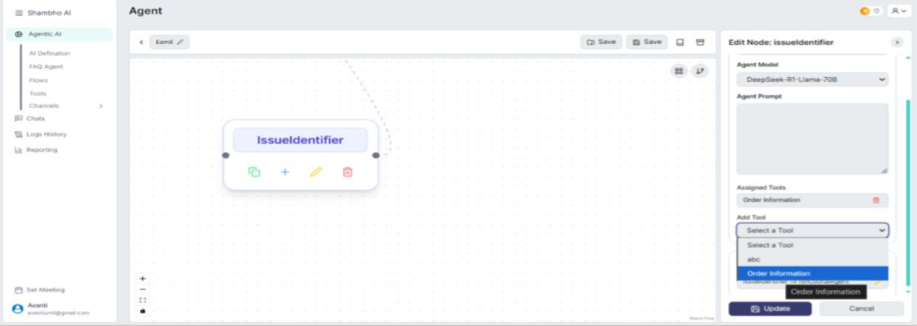
4. Add a prompt if needed to guide how the agent interprets user input.
5. Link it to a FunctionalAgent or other agent using conditions (e.g., "On Agent Completion").
Real-World Use Cases
• Ticket Routing: Detect whether a user needs technical help, billing support, or general queries.
• Error Categorization: Classify system issues and pass to relevant teams.
• Intent Sorting: Decide whether a question should be answered via the knowledge base or requires live processing.
Security Layer Agent (Observation Agent)
Overview & Purpose
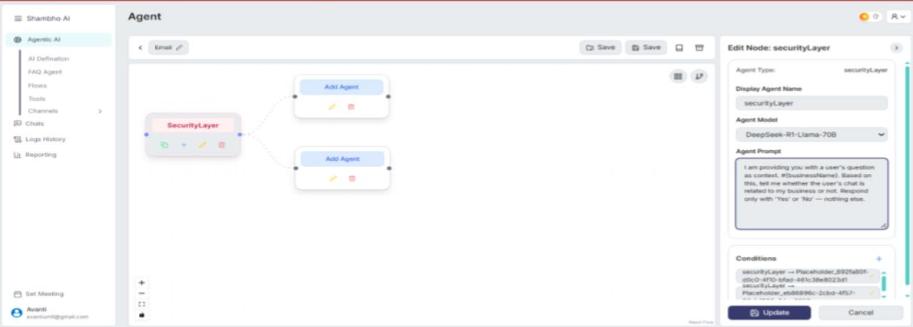
The Security Layer Agent is the first checkpoint in a conversation. It filters out irrelevant, spammy, or non-business queries before they reach your main agents. Its goal is to keep the system focused and reduce unnecessary processing.
Setup Instructions
1. In your flow, add the SecurityLayer as the first node (ideally at the beginning of the workflow).
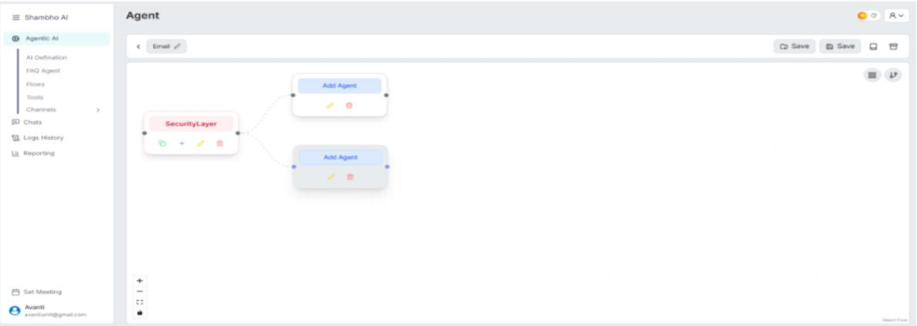
2. Configure any logic in the prompt to define what kinds of input are allowed or not.
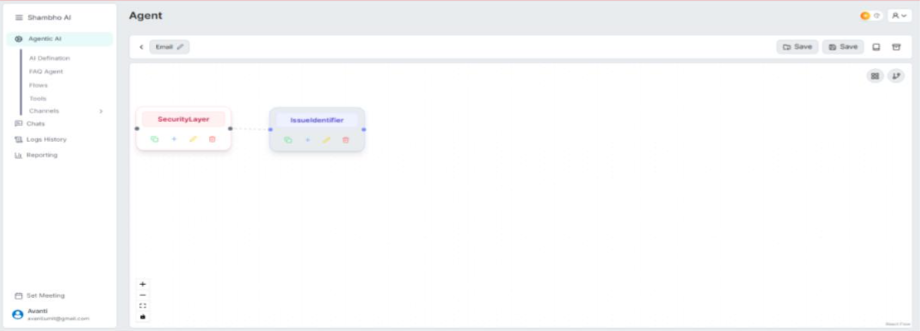
3. Connect it to the next agent only if the query passes validation (e.g., IssueIdentifier)
Use Cases
• Access Control: Allow only business-related inputs (e.g., no jokes or spam).
• Behavior Flagging: Identify offensive or irrelevant messages.
• Load Management: Avoid wasting resources on unnecessary queries.
What You Can Do with Shambho Agents
1. Automate Customer Support
Shambho Agents can instantly reply to common questions, track orders, or handle complaints without human involvement.
2. Handle Operations
You can connect agents with APIs or tools to perform tasks like user registration, form submission, sending emails, or data collection.
3. Identify & Flag Issues
The system can recognize technical errors, failed logins, or user complaints and route them to the correct team or escalate.
4. Enforce Security Protocols
Security Layer ensures bots don’t waste time on spam, off-topic questions, or inappropriate language—only valid queries are processed.
5. Integrate with CRMs, Helpdesks, or Other Tools
Agents can connect directly to your systems (like HubSpot, Freshdesk, etc.) via APIs to fetch, update, or process data in real time.
Create Your AI Agent Today
Build an AI agent that answers questions, supports users, and works across your website. Set it up in minutes and adjust it anytime as your needs change.