LLM-Based Conversational Forms vs Static Forms: What's the Real Difference
Created: 04/03/2026
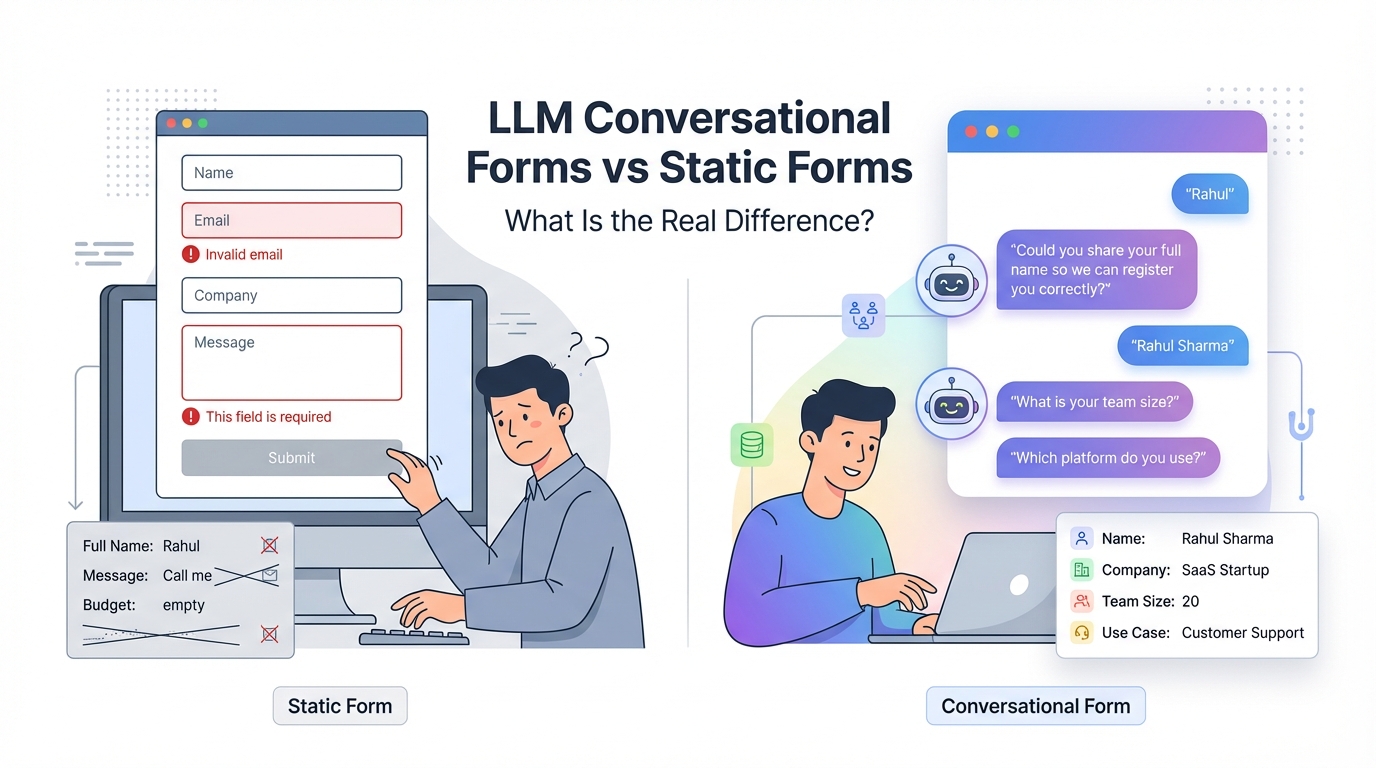
Most websites still use static forms.
Name.
Email.
Company.
Message.
Submit.
It works. But it also leaks leads.
You see traffic in analytics. You see fewer submissions in your CRM. The gap sits there. Quiet.
The problem is not traffic. It is friction.
Let’s break down what actually separates static forms from LLM-based conversational forms and why it matters for lead quality, completion rates, and data accuracy.
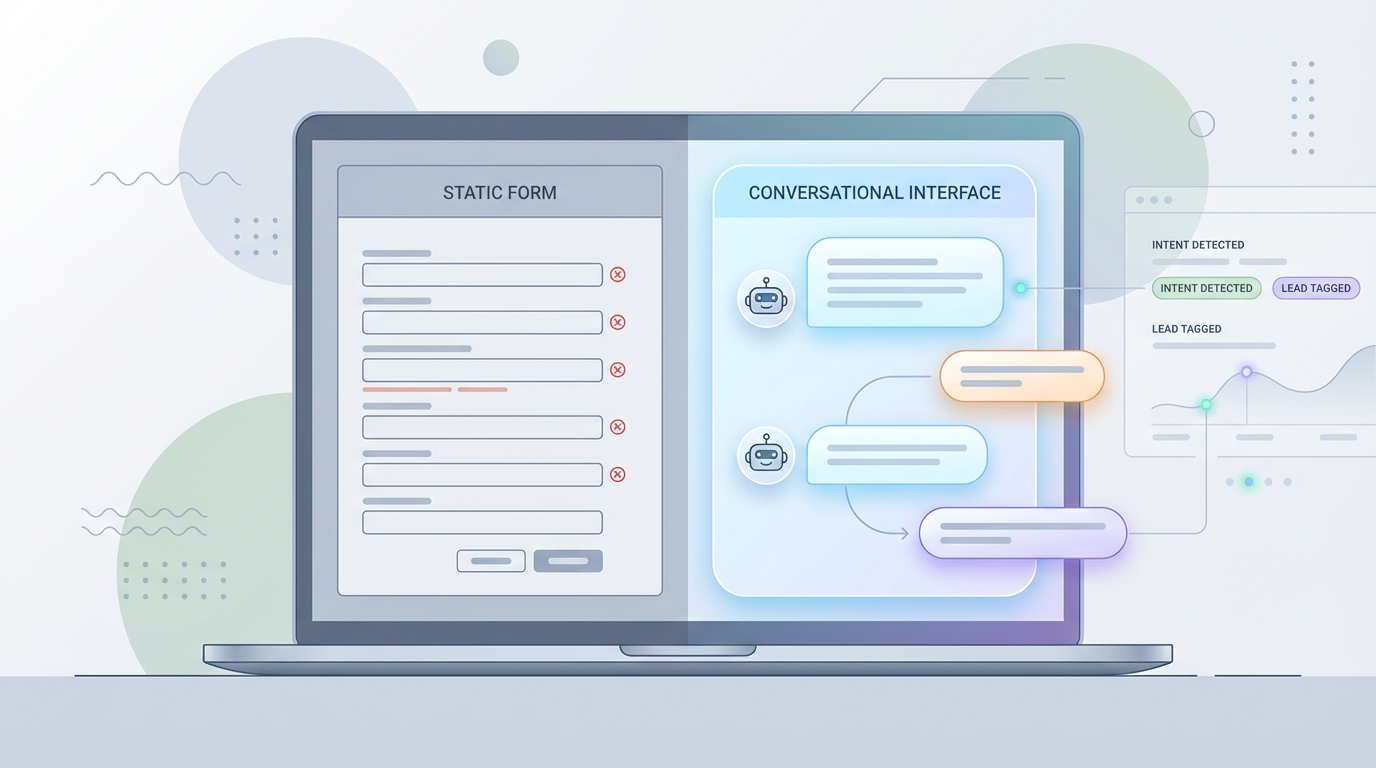
Reduce Form Friction and Increase Completion
Ask one question at a time and adapt based on answers instead of forcing visitors through rigid fields.
How Static Forms Work
Static forms follow a fixed script.
Every visitor gets the same fields in the same order.
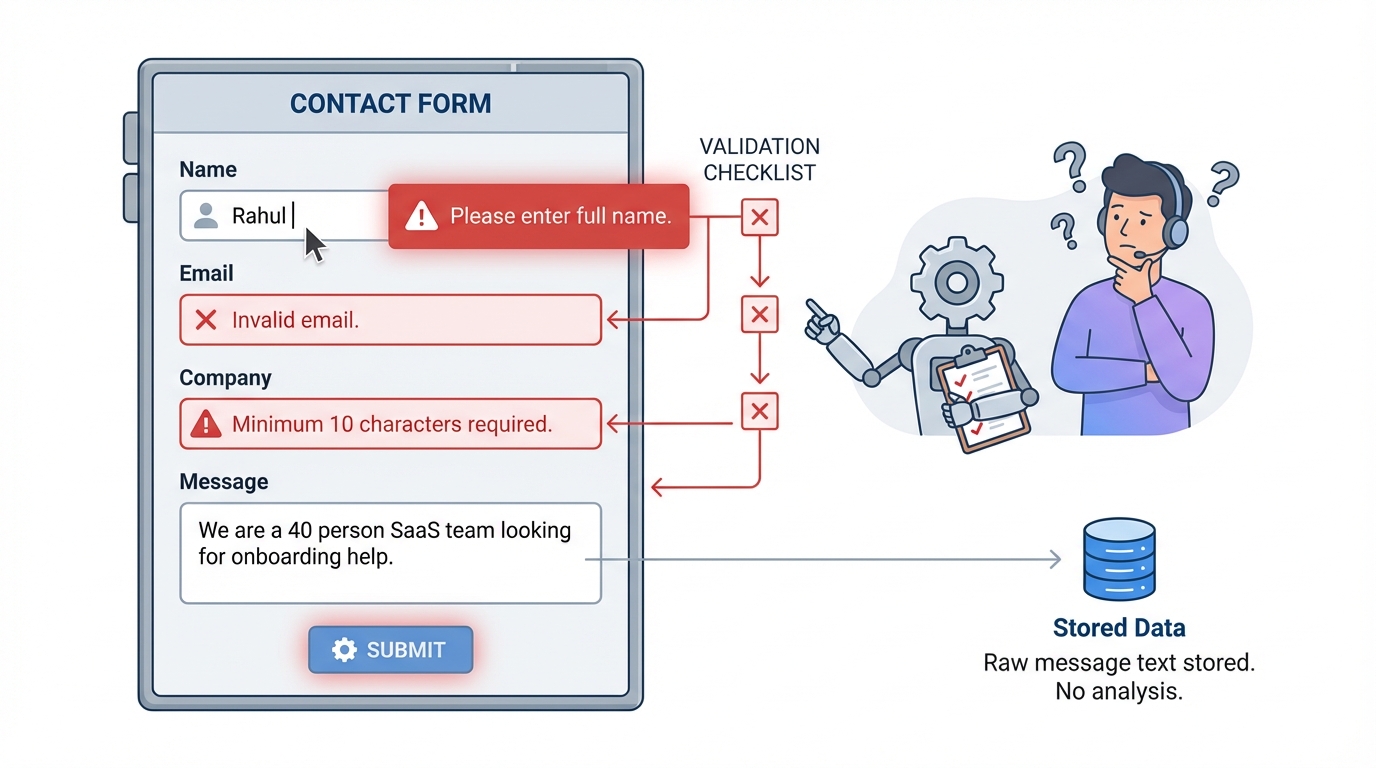
If a user makes a mistake, the system throws a rule-based error:
• Invalid email
• This field is required
• Minimum 10 characters
The form does not understand context. It checks patterns.
If someone types only “Rahul” in a Full Name field, it either accepts it or throws a generic error. It cannot ask for clarification in a natural way.
And if someone writes, “We are a 40-person SaaS team looking for onboarding help,” the form stores it as plain text. No qualification. No follow-up logic.
It collects data. It does not interpret it.
How LLM Based Conversational Forms Work
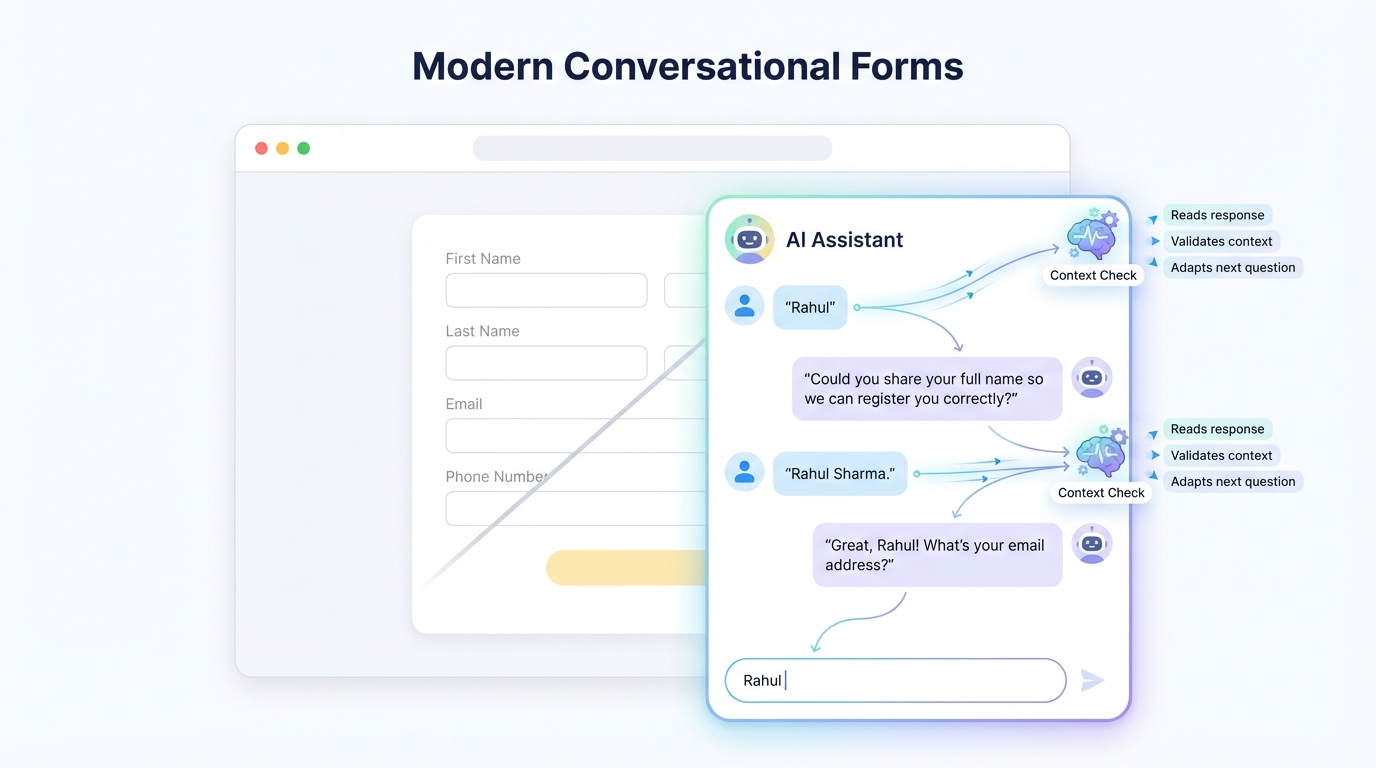
An LLM-based form behaves more like a trained website chatbot.
It reads responses.
It adapts questions.
It validates context.
Instead of a rigid field sequence, it runs a guided conversation based on prompts you define.
Example.
You set a field called Full Name.
Validation rule: must include first and last name.
User types: “Rahul”
Instead of a red error, the chatbot replies:
“Could you share your full name so we can register you correctly?”
If the user then types “Rahul Sharma,” it moves forward.
That small shift changes the experience. The system reacts like a person reviewing the form, not like a script rejecting input.
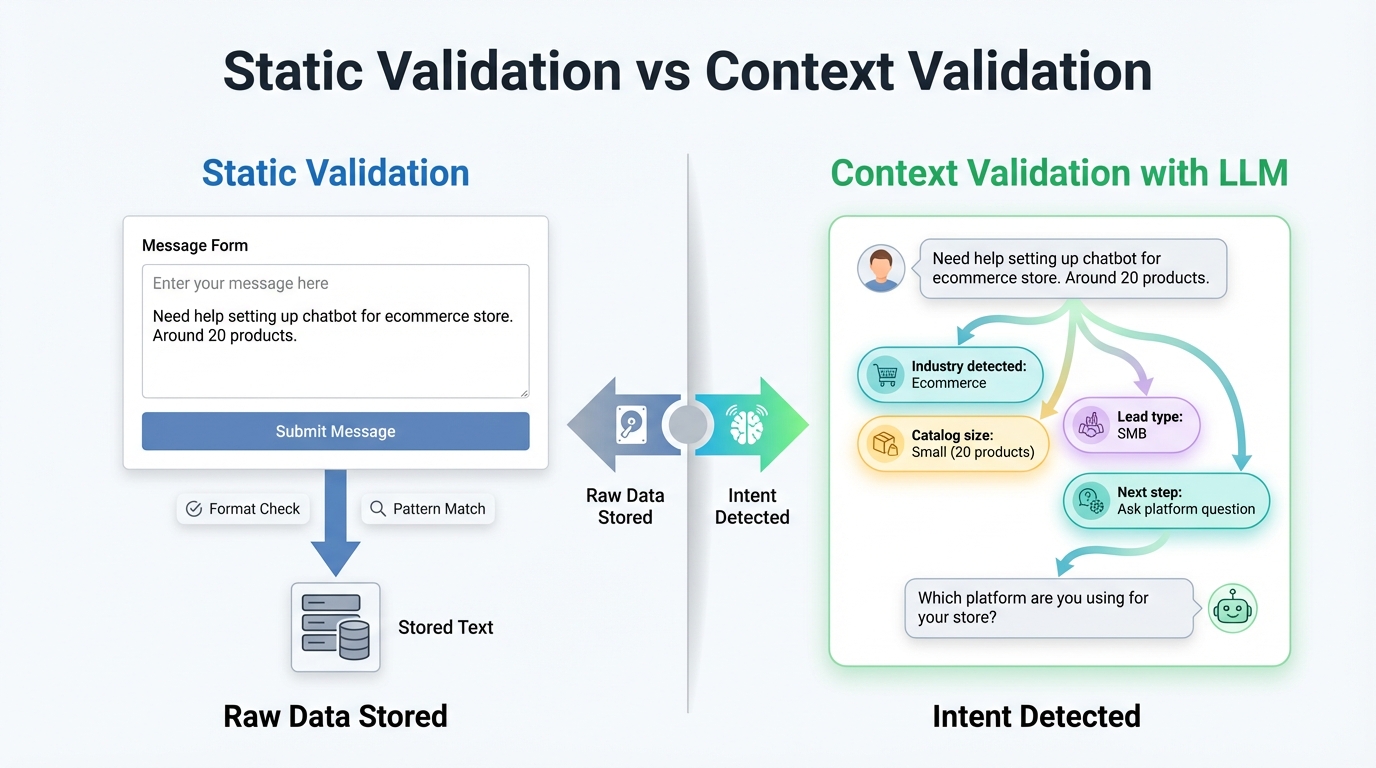
Static Validation vs Context Validation
Static validation checks the format.
LLM validation checks the meaning.
Let’s say your form asks:
“What are you looking for?”
User response:
“Need help setting up a chatbot for an e-commerce store. Around 20 products.”
A static form stores that as text.
An LLM-based conversational form can:
• Detect that this is an e-commerce
• Identify a small catalog size
• Trigger follow-up questions about the platform
• Route lead as SMB instead of enterprise
The difference is in interpretation.
One stores raw data.
The other extracts intent.
Adaptive Question Flow
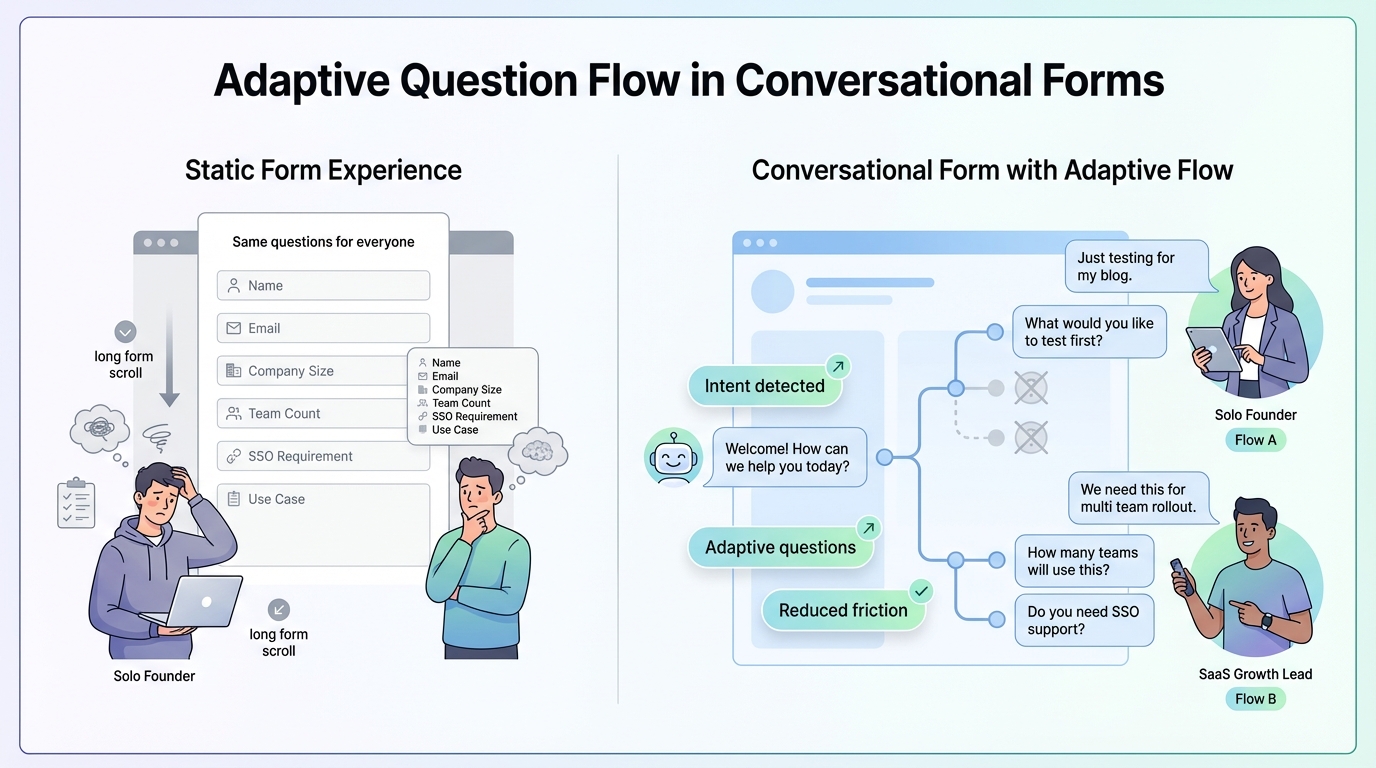
Static forms assume every visitor is equal.
They are not.
Consider two visitors:
Visitor A: Solo founder exploring options.
Visitor B: Head of growth at a 60-person SaaS company.
A static form shows both the same questions.
An LLM-based form can adapt.
If the user mentions “enterprise” or “multi-team rollout,” the chatbot can ask:
“How many teams will use this?”
“Do you need SSO support?”
If the user says, “Just testing for my blog,” it can skip advanced questions.
You reduce unnecessary fields. You reduce fatigue.
And completion improves.
According to Baymard Institute research, long or complicated checkout processes are a leading cause of abandonment. While their data focuses on ecommerce, the principle applies to lead forms. Extra friction reduces completion.\
Adaptive questioning removes that friction.
Cleaner CRM Data
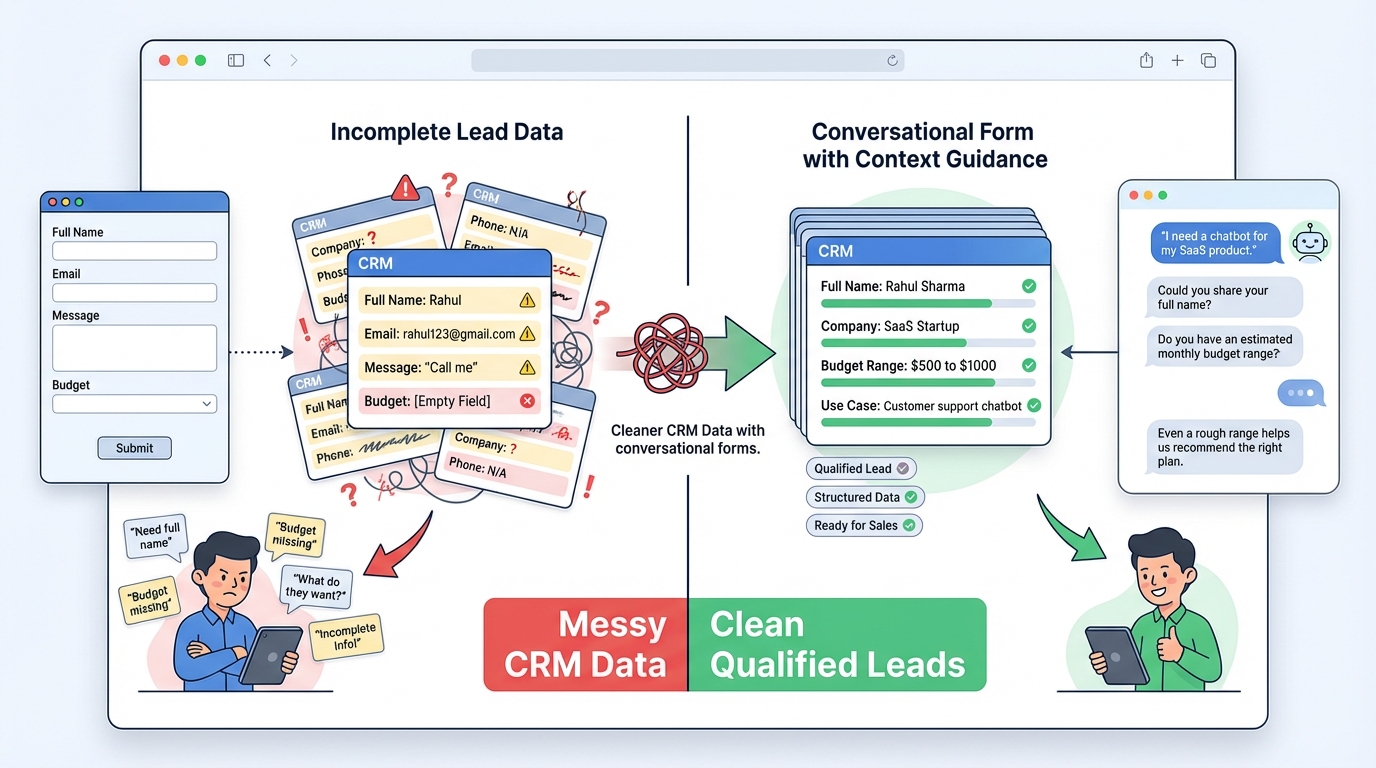
Here is what usually happens with static forms:
• First name in the full name field
• Work email mixed with personal email
• Vague messages like “call me.”
• Budget left blank
Sales teams then chase incomplete data.
An LLM trained on your own company data can guide users toward structured, usable answers.
If a budget is required for qualification, the chatbot can ask:
“Do you have an estimated monthly budget range?”
If someone avoids answering, it can rephrase:
“Even a rough range helps us recommend the right plan.”
That conversational nudge often gets better answers than a required field with a red star.
Better input leads to better routing. Better routing leads to faster response time. And faster response time improves close rates.
Harvard Business Review has reported that companies responding within an hour are far more likely to qualify leads compared to those that wait longer. Clean data speeds that response.
Training on Your Own Data
This is where the gap widens.
A generic chatbot answers generic questions.
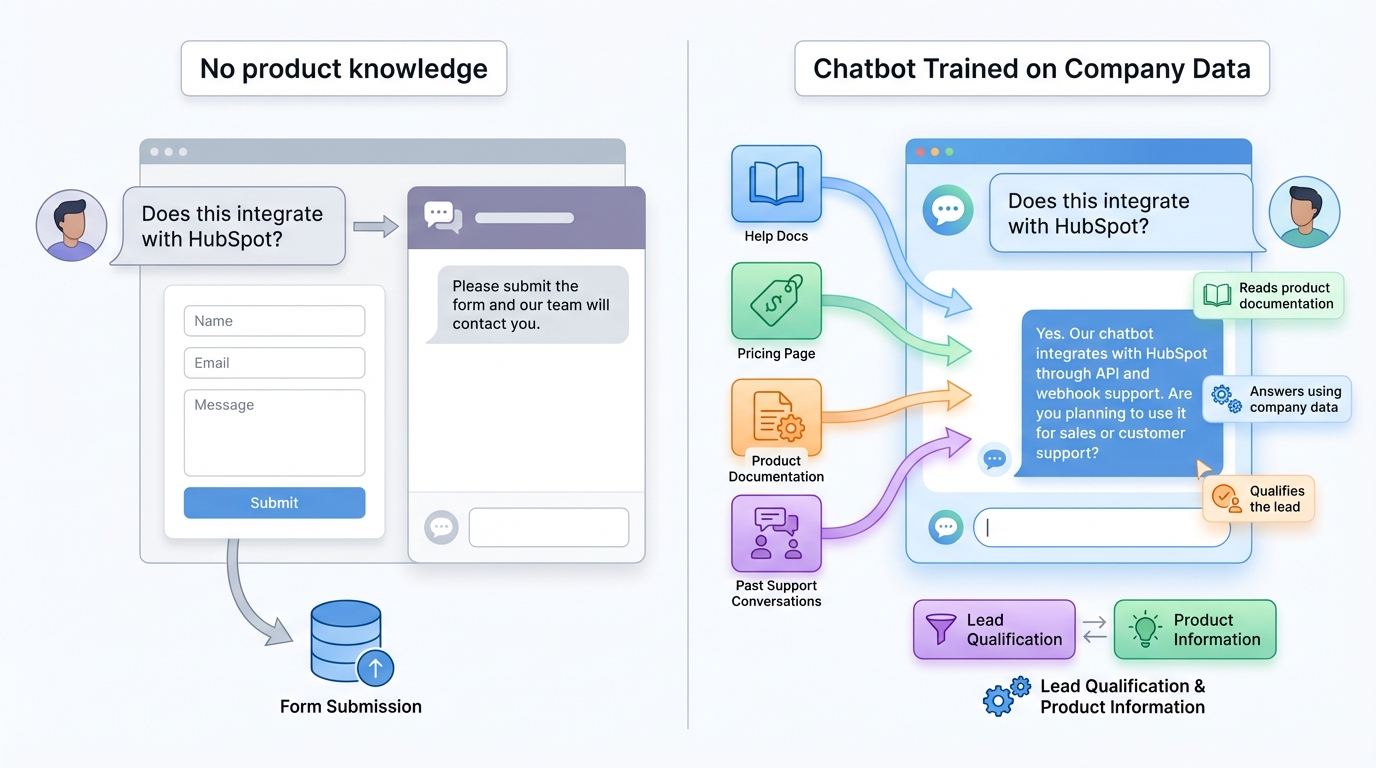
But a chatbot trained on your help docs, pricing pages, onboarding flows, and past conversations can:
• Explain your plans accurately
• Clarify feature limits
• Handle objections
• Suggest the right plan based on team size
If someone asks during the form:
“Does this integrate with HubSpot?”
The system can respond based on your documentation.
A static form cannot answer anything. It just waits for submission.
With a trained website chatbot, the form itself becomes a qualification layer and an information layer at the same time.
Data Story: What Changes in Practice
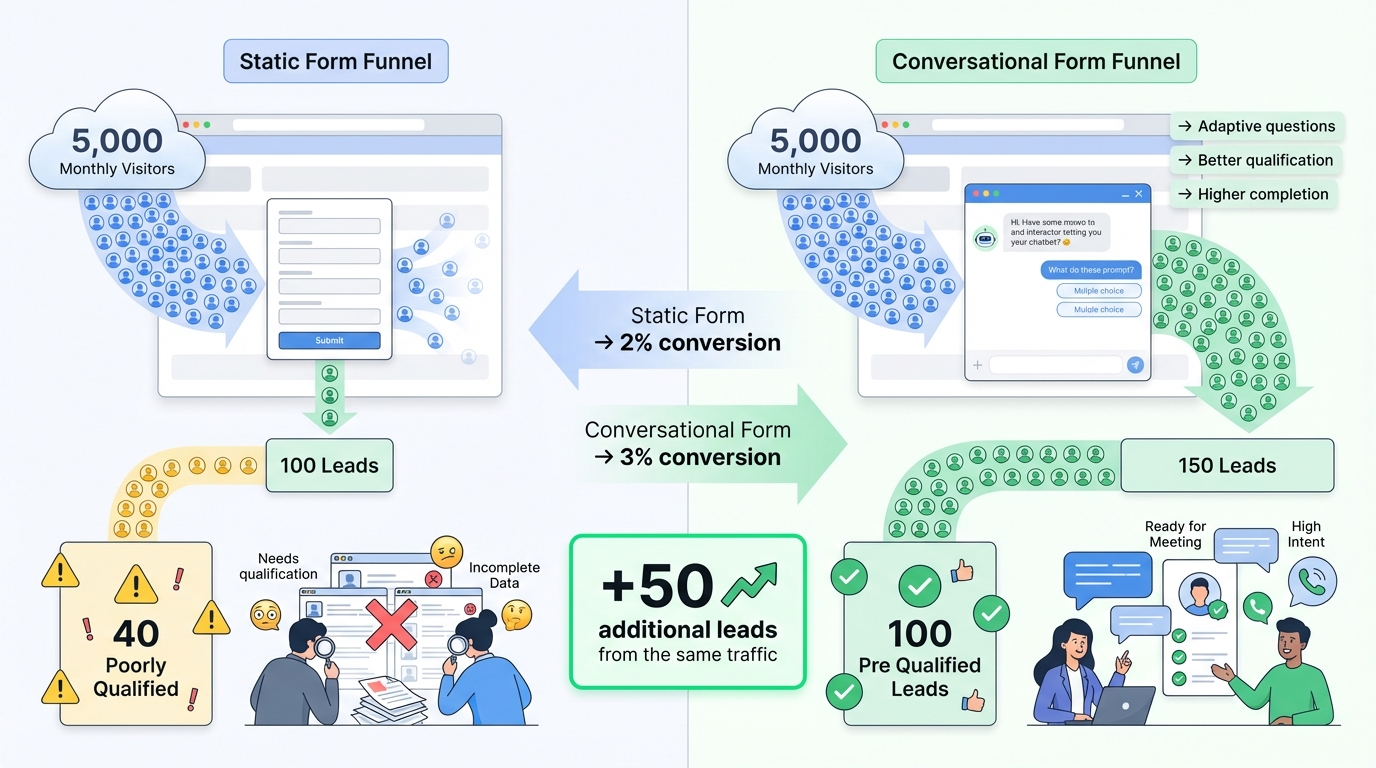
Let’s say your website gets 5,000 monthly visitors.
Static form:
• 2 percent submit
• 100 leads
• 40 poorly qualified
• The sales team spends time filtering
Conversational form:
• 3 percent complete due to adaptive flow
• 150 leads
• 100 pre-qualified through dynamic questions
• Sales focuses on high-intent prospects
Even a one percent lift in completion means 50 extra leads at the same traffic level.
And when those leads are structured and tagged properly, the sales cycle shortens.
The gain is not theoretical. It shows up in time saved and conversations started.
When Static Forms Still Make Sense
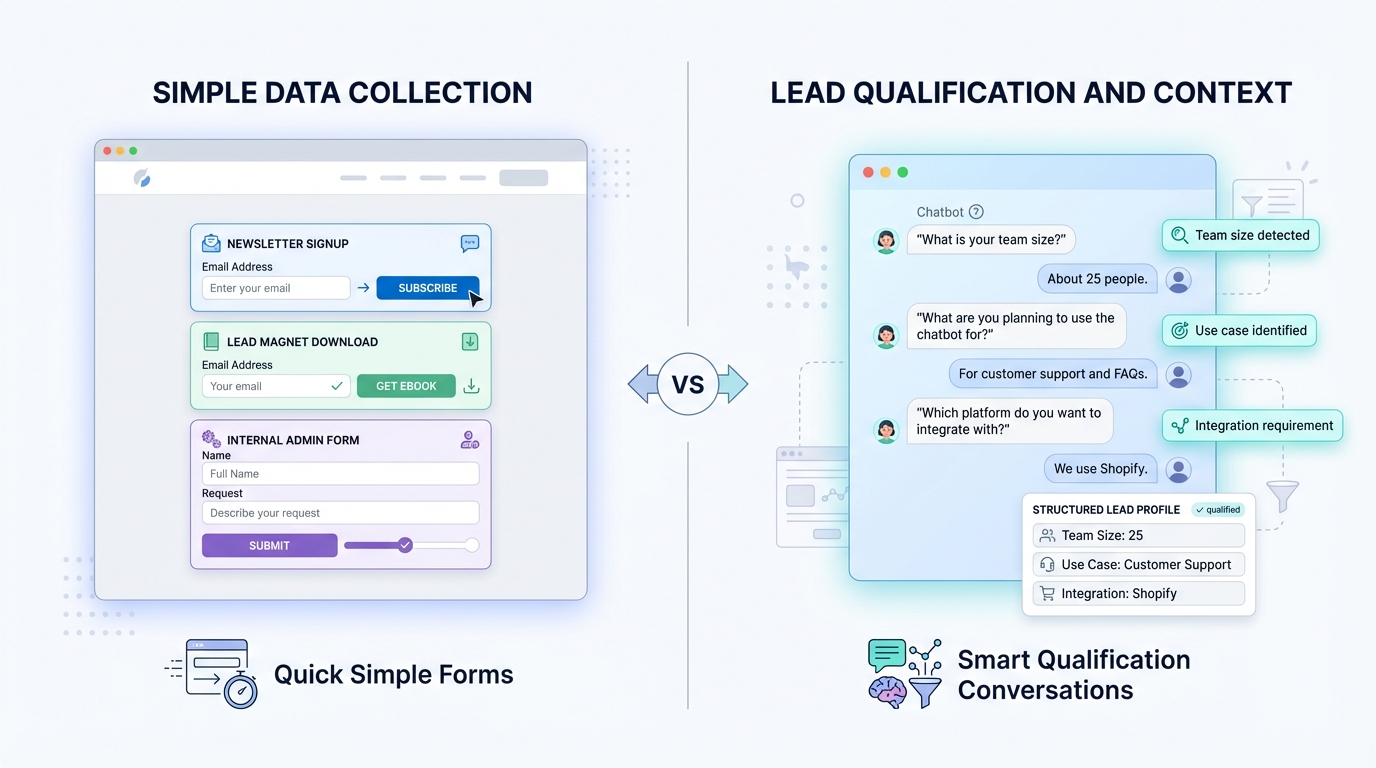
If you need:
• Simple newsletter signup
• One field lead magnet
• Internal admin forms
• Static forms are fine.
But if your sales cycle involves qualification, budget, team size, use case, or integration needs, a conversational format fits better.
What to Look for in an LLM Based Form
1. Ability to define prompts and flow logic
2. Context-aware validation
3. Training on your own documents and data
4. CRM integration with structured output
5. Control over tone and question style
Without these, it is just a chat interface on top of a form.
The Real Difference
Static forms collect answers.
LLM-based conversational forms interpret them.
Static forms reject wrong input.
Conversational forms guide users to correct input.
Static forms wait for submission.
A trained website chatbot interacts, qualifies, and informs in real time.
That shift changes how leads enter your pipeline.
And when lead capture improves without increasing traffic spend, marketing ROI improves by default.
If your goal is better conversations with the right prospects, the format you use to collect data matters more than most teams think.
Turn Your Static Form Into a Smart Conversation
Use an LLM-powered conversational form that understands responses, asks follow-up questions, and qualifies leads automatically.