Simplagents Conversational Form vs Google Forms
Created: 25/05/2026
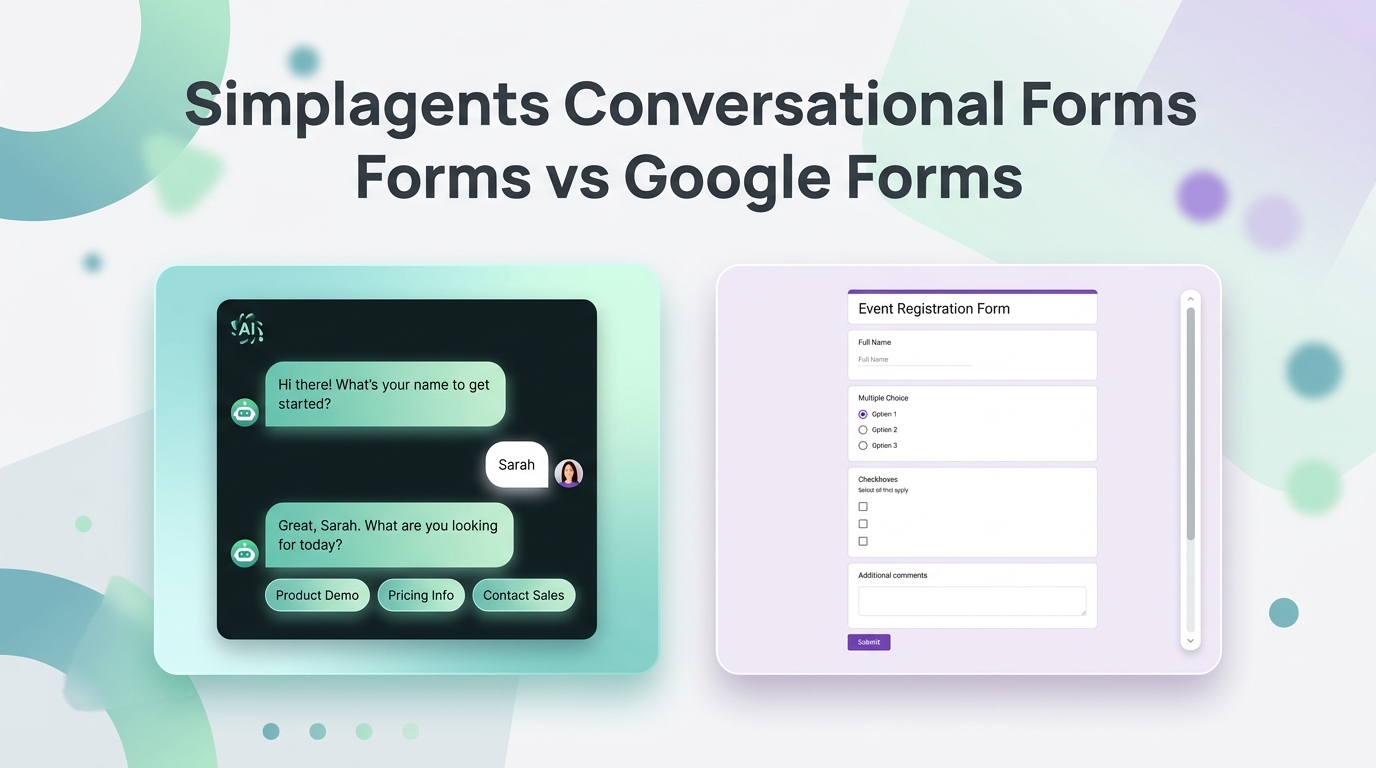
Google Forms became popular because it is simple.
Open a template.
Add questions.
Share the link.
Done.
For basic data collection, it still works well.
But most forms today have a bigger problem.
People do not enjoy filling them out.
Long pages, repetitive fields, and static layouts often reduce completion rates. That is why conversational forms are becoming more common.
Instead of showing everything at once, conversational forms guide users step by step like a real conversation.
That is where Simplagents takes a very different approach from Google Forms.
What Google Forms Does Well
Google Forms works well for:
• Surveys
• School assignments
• Registrations
• Internal company forms
• Quick questionnaires
It is fast, free, and familiar.
Example:
A teacher collecting assignment submissions or a company running an internal survey can create a form within minutes.
The workflow is simple and practical.
Where Google Forms Feels Outdated
Traditional forms still feel like paperwork.
Users open a page and immediately see:
• Multiple fields
• Long sections
• Large blocks of text
• Endless scrolling
That creates friction, especially on mobile devices.
Businesses collecting leads often struggle because visitors leave before finishing the form.
The issue is not always the questions.
It is the experience.
Why Simplagents Conversational Forms Feel Better
Simplagents focuses on conversation first forms.
Instead of displaying everything at once, the form interacts with users naturally one step at a time.
The experience feels closer to chat than form-filling.
Example:
A marketing agency can ask:
• What service are you looking for?
• What is your monthly budget?
• Are you already running ads?
• What results are you trying to improve?
Each response smoothly leads into the next question.
That keeps users engaged longer.
Better for Mobile Users
This matters more than many businesses realize.
A large percentage of users fill forms from phones.
Traditional forms often feel frustrating on small screens.
Conversational forms reduce that friction because users only focus on one question at a time.
The process feels lighter and easier to complete.
More Natural for Lead Generation
Google Forms mainly collects information.
Conversational forms help guide the interaction.
Example:
An e-commerce brand can ask:
• Shopping for yourself or as a gift?
• What type of product are you looking for?
• What budget range works for you?
That interaction feels more personal than static dropdown fields.
Which One Should You Choose?
Choose Google Forms if:
• You need basic data collection
• You want a free and simple form builder
• Your forms are internal or educational
• User experience is not your main priority
Choose Simplagents if:
• You want conversational lead capture
• You care about engagement and completion rates
• You want forms that feel more interactive
• You want a modern chat style experience on your website
Final Thoughts
Google Forms still works for basic workflows.
But user expectations have changed.
People respond better to interaction than long pages filled with input fields.
That is why conversational forms continue growing across modern websites and landing pages.
If your goal is simple form collection, Google Forms is enough.
But if you want forms that feel more engaging and natural for visitors, Simplagents conversational forms create a smoother experience.
Create Online Forms With AI For Free
Describe the form you need, and AI builds it in seconds. Customize every field, publish anywhere, and start collecting responses for free.