Loading Navbar...
Get Started
How to Add a Tool to an Agent
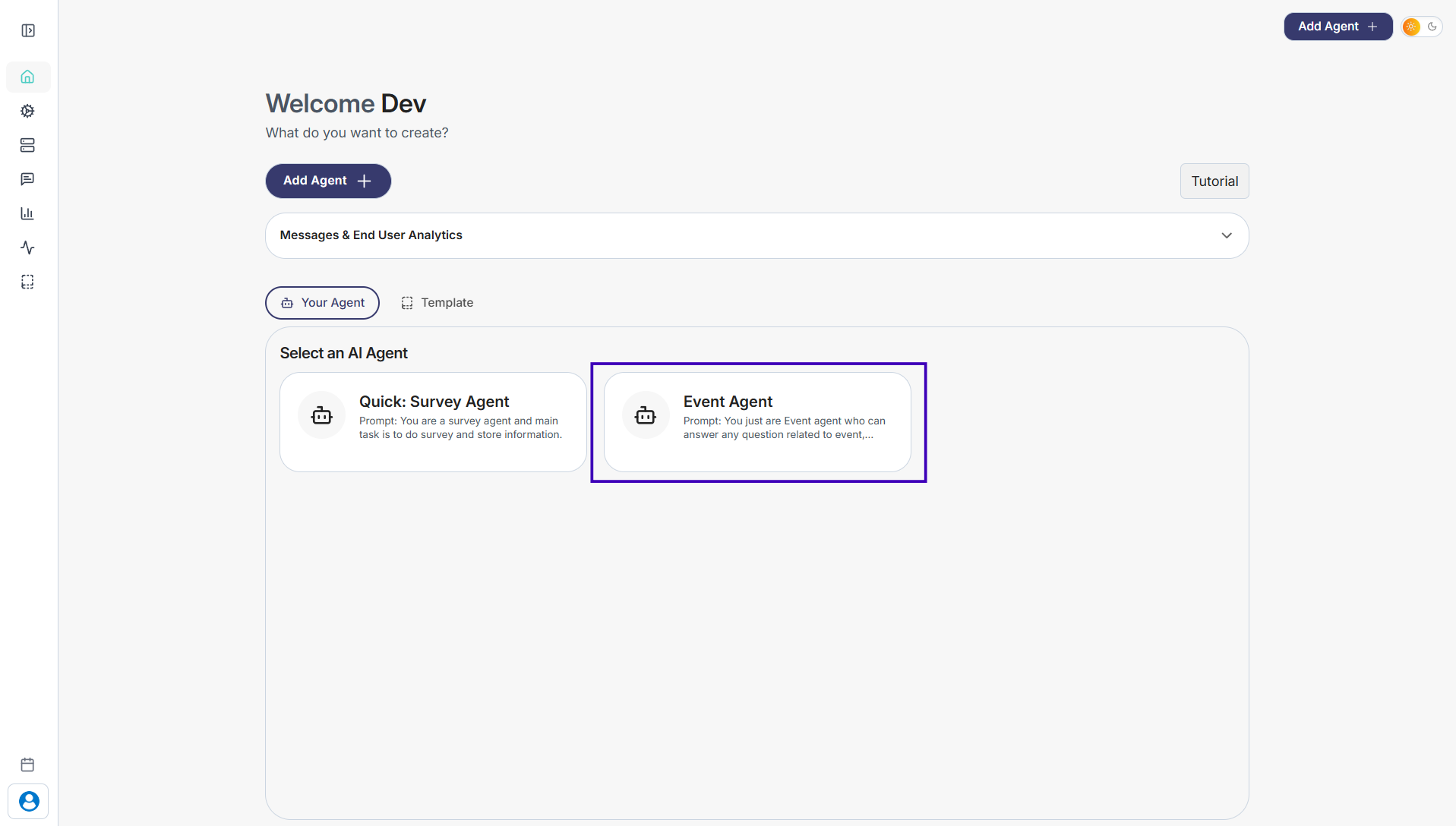
Step 1: Go to Your Agents from the dashboard
Step 2: Select the agent you want to update
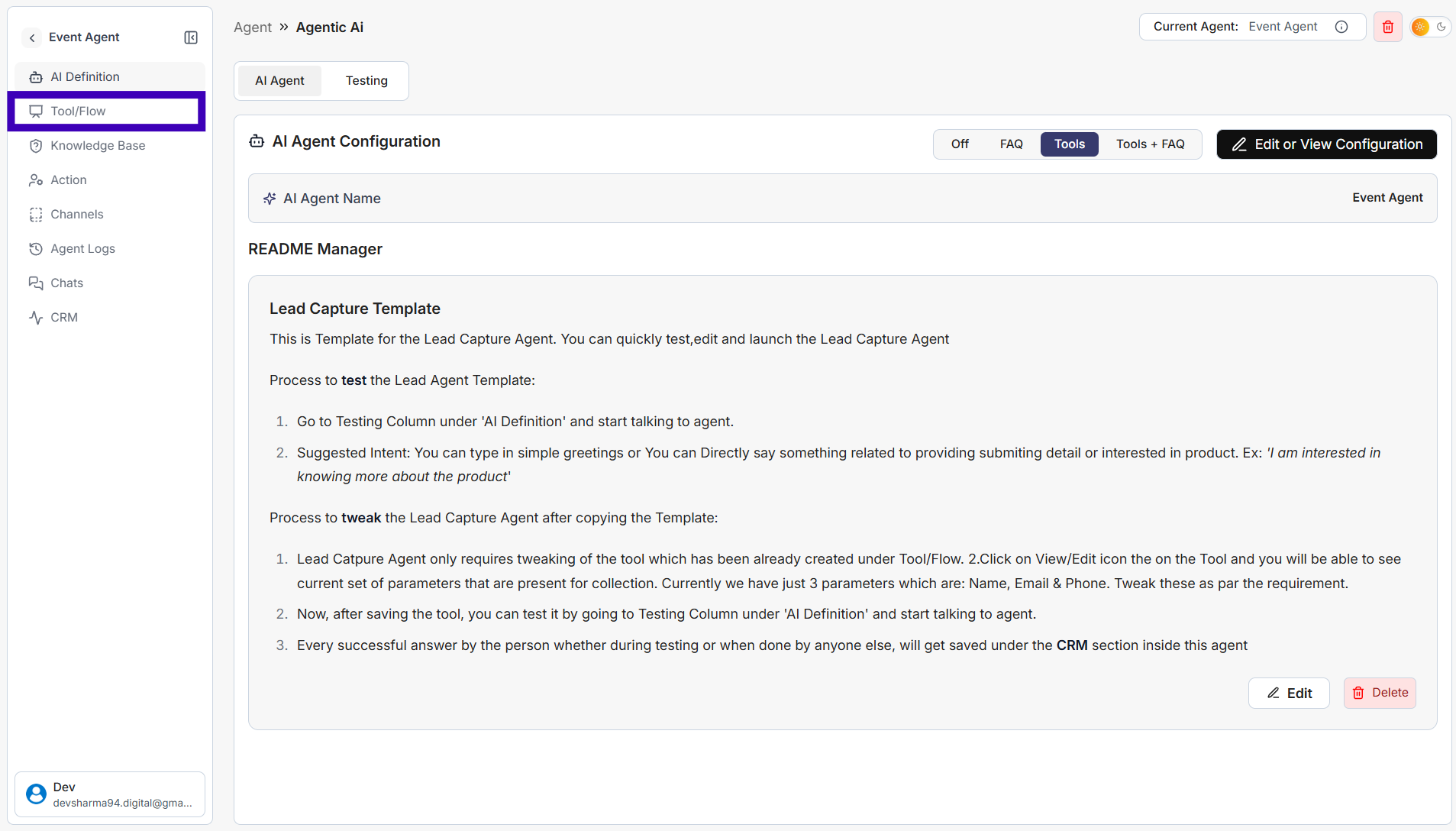
Step 3: In the left sidebar, click Tool/Flow
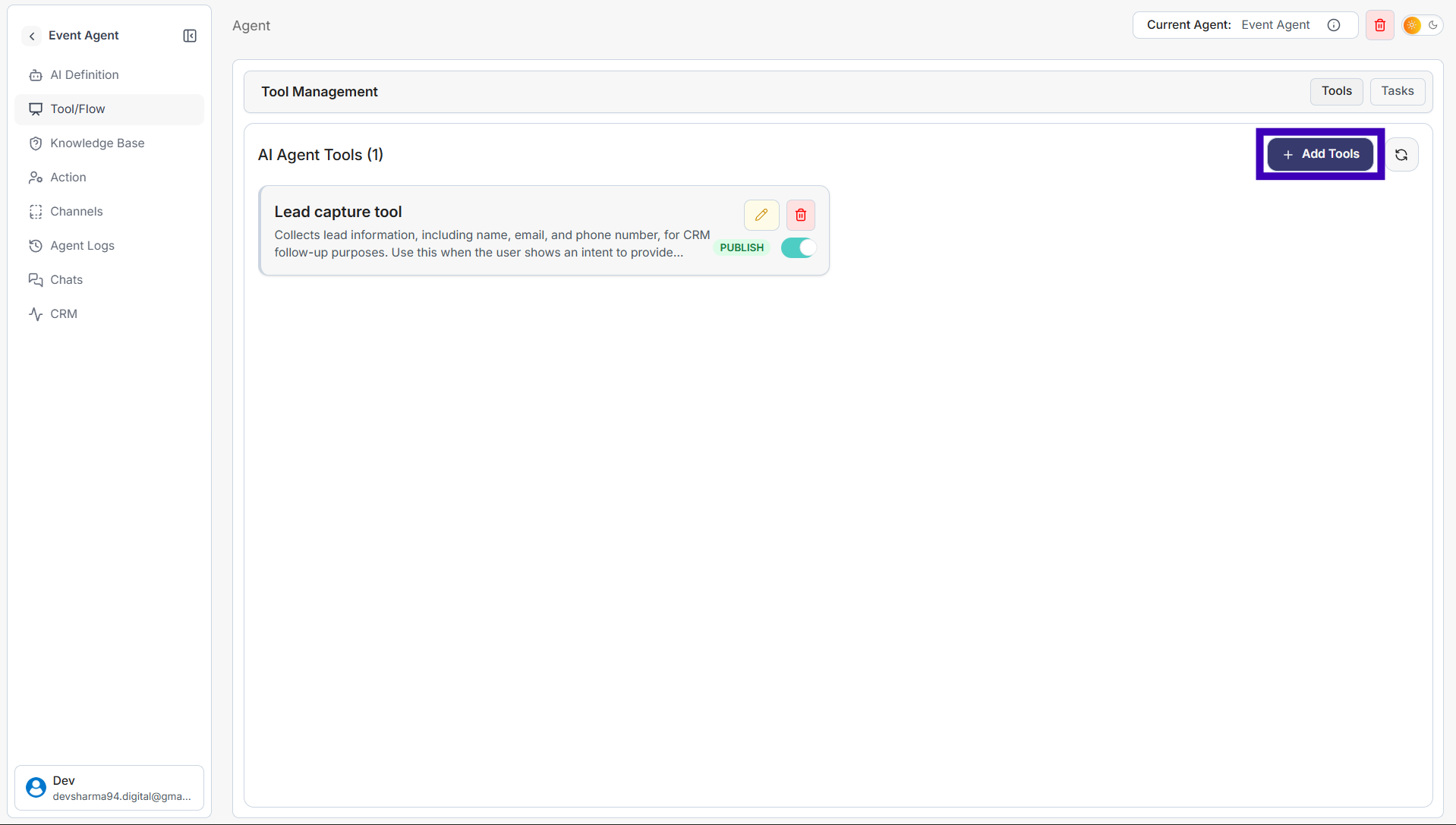
Step 4: On the right side, click Add Tools
Step 5: Configure the tool as needed
Previous
Next
simplagents
Home
Product
Pricing
Resources
Login
Sign Up
simplagents
Home
Product
Technology
Resources
Documentation
Login
Sign Up