How to Add Company Details
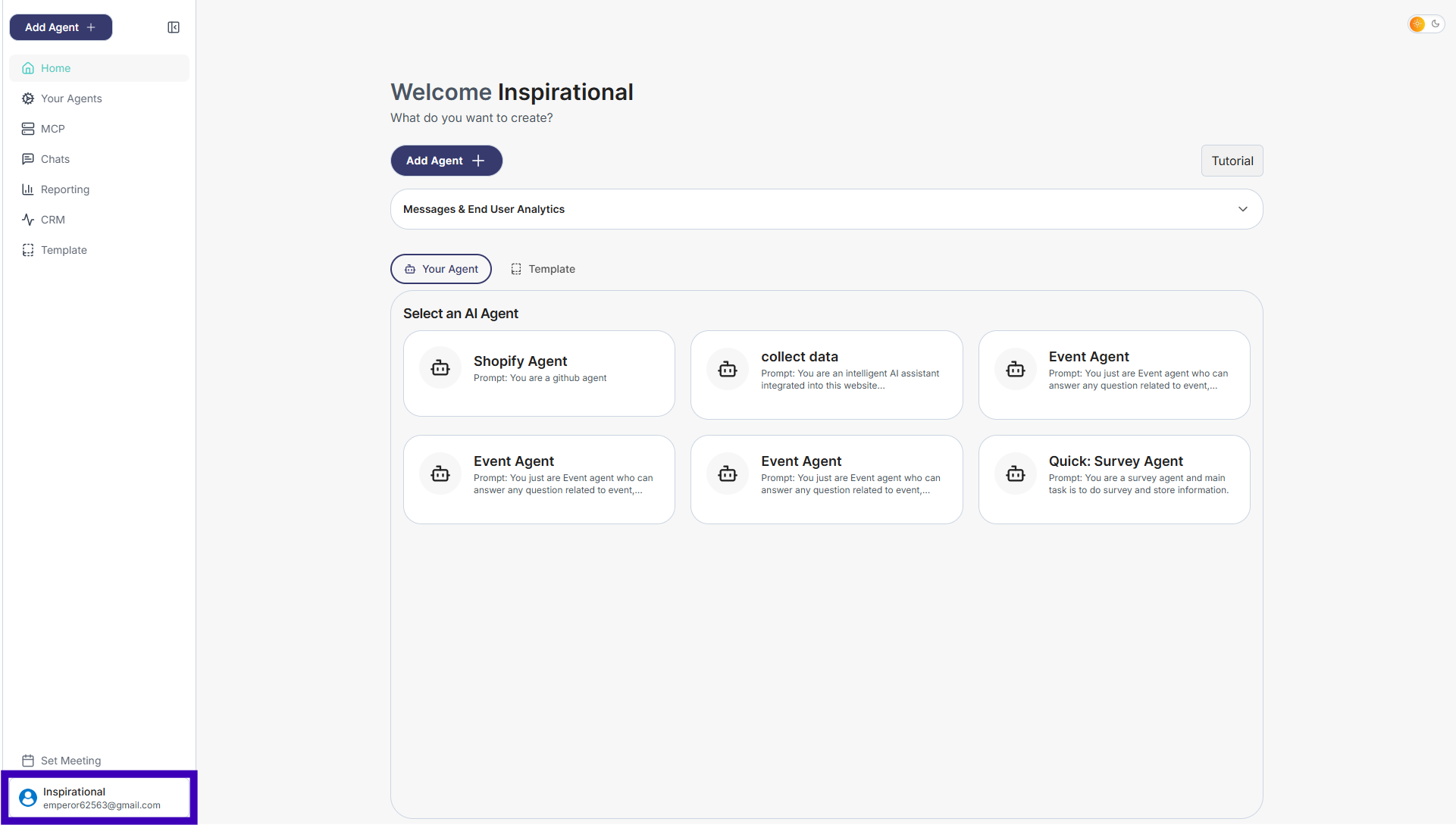
Step 1: From the main dashboard, go to the bottom-left corner where your name is shown.
Step 2: Click your name to open the menu.
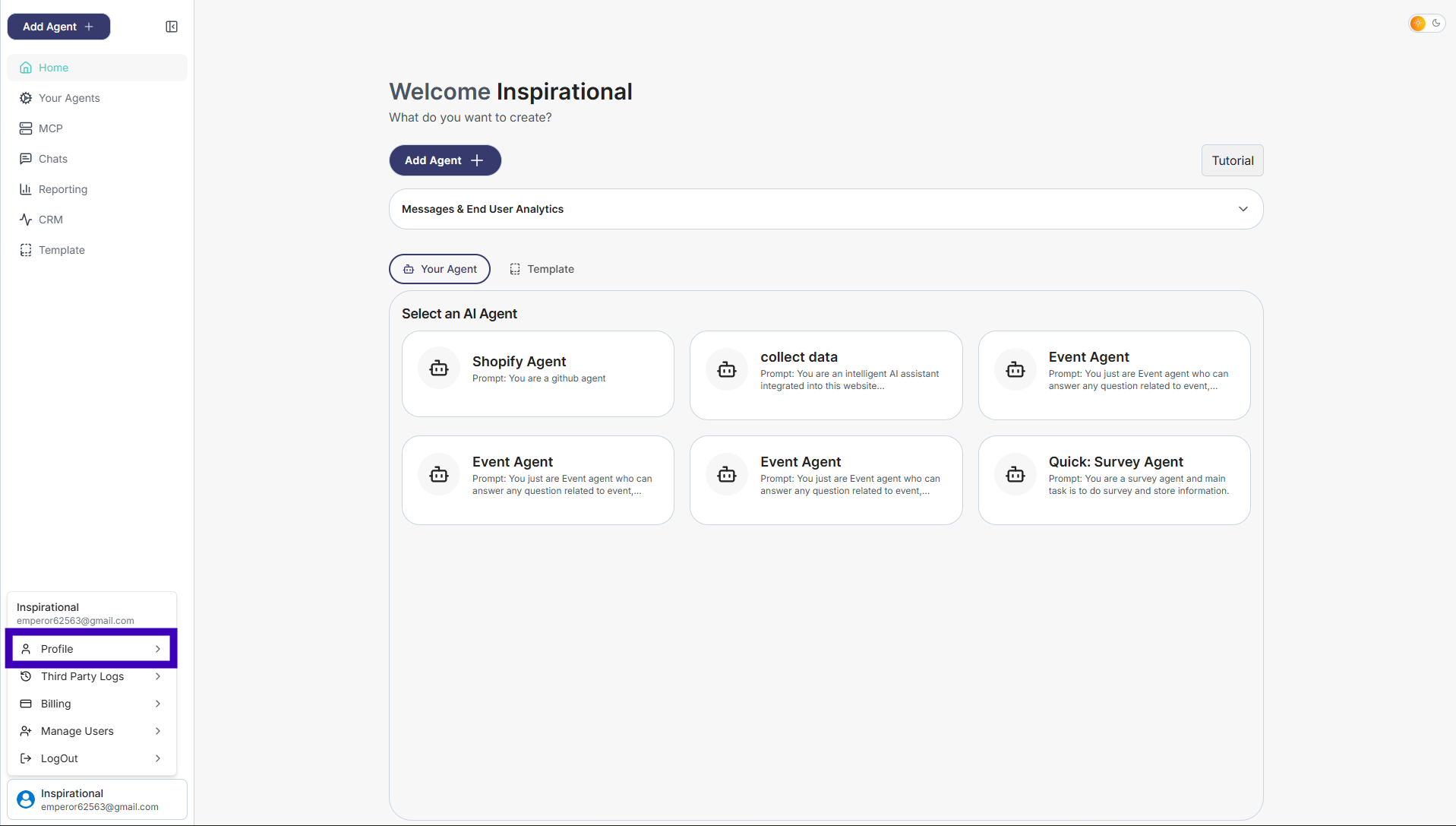
Step 3: Click on profile button
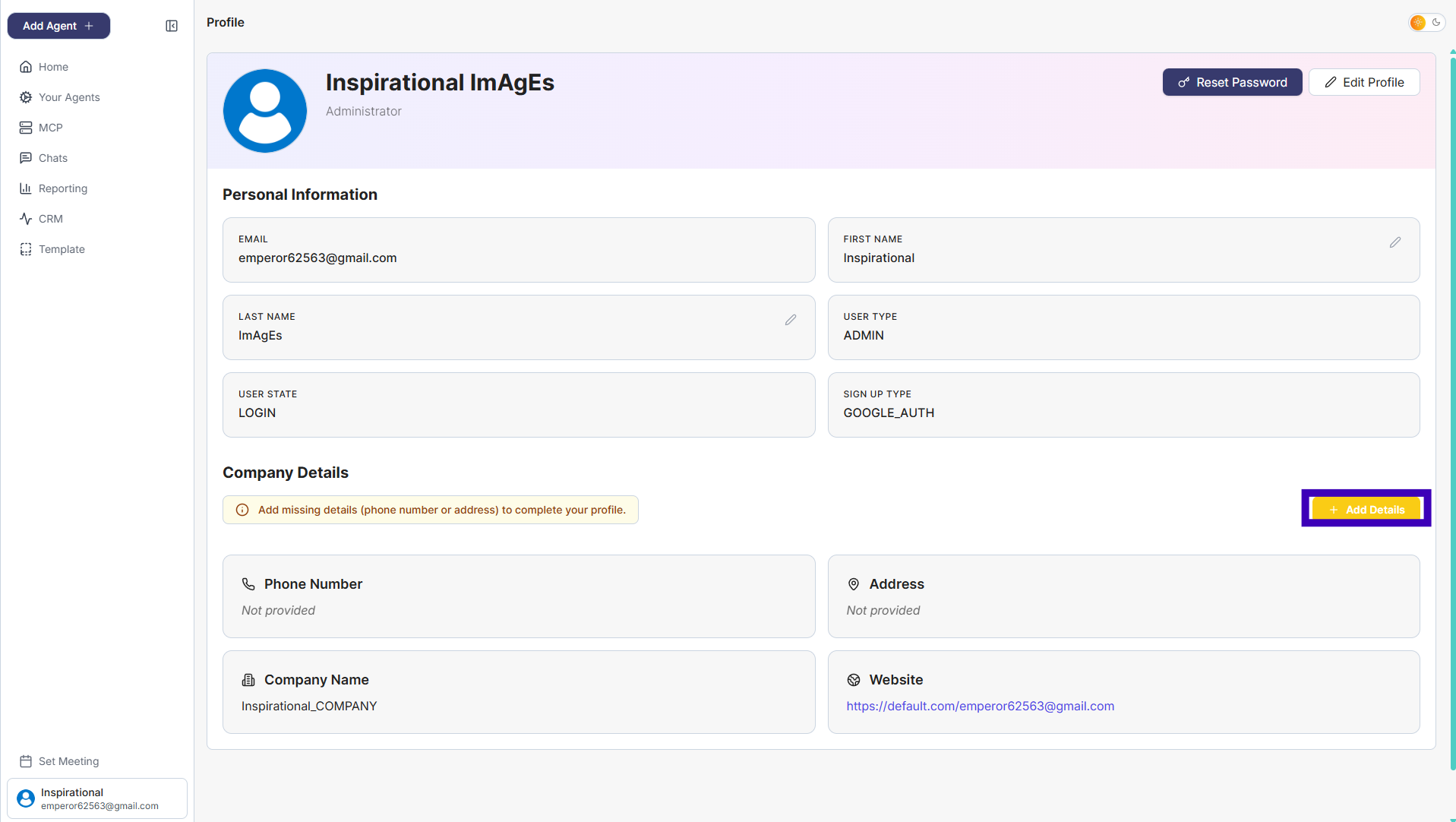
Step 4: On the right side, click Add Details Button.
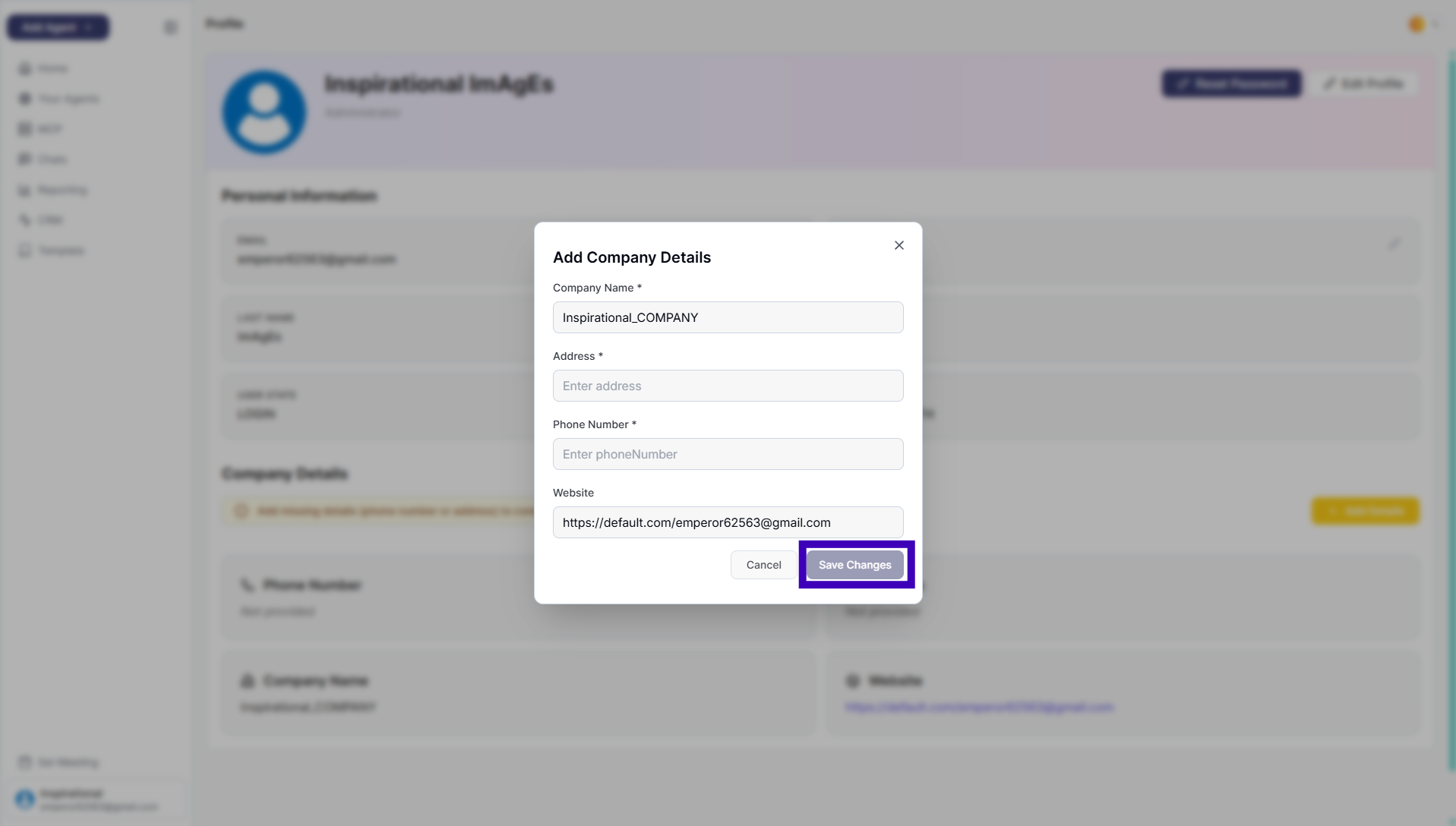
Step 5: Enter your company information: • Company name • Address • Phone number • Website (optional) • Click Save Changes.