How to Add Questions and Answers to Agent Knowledge
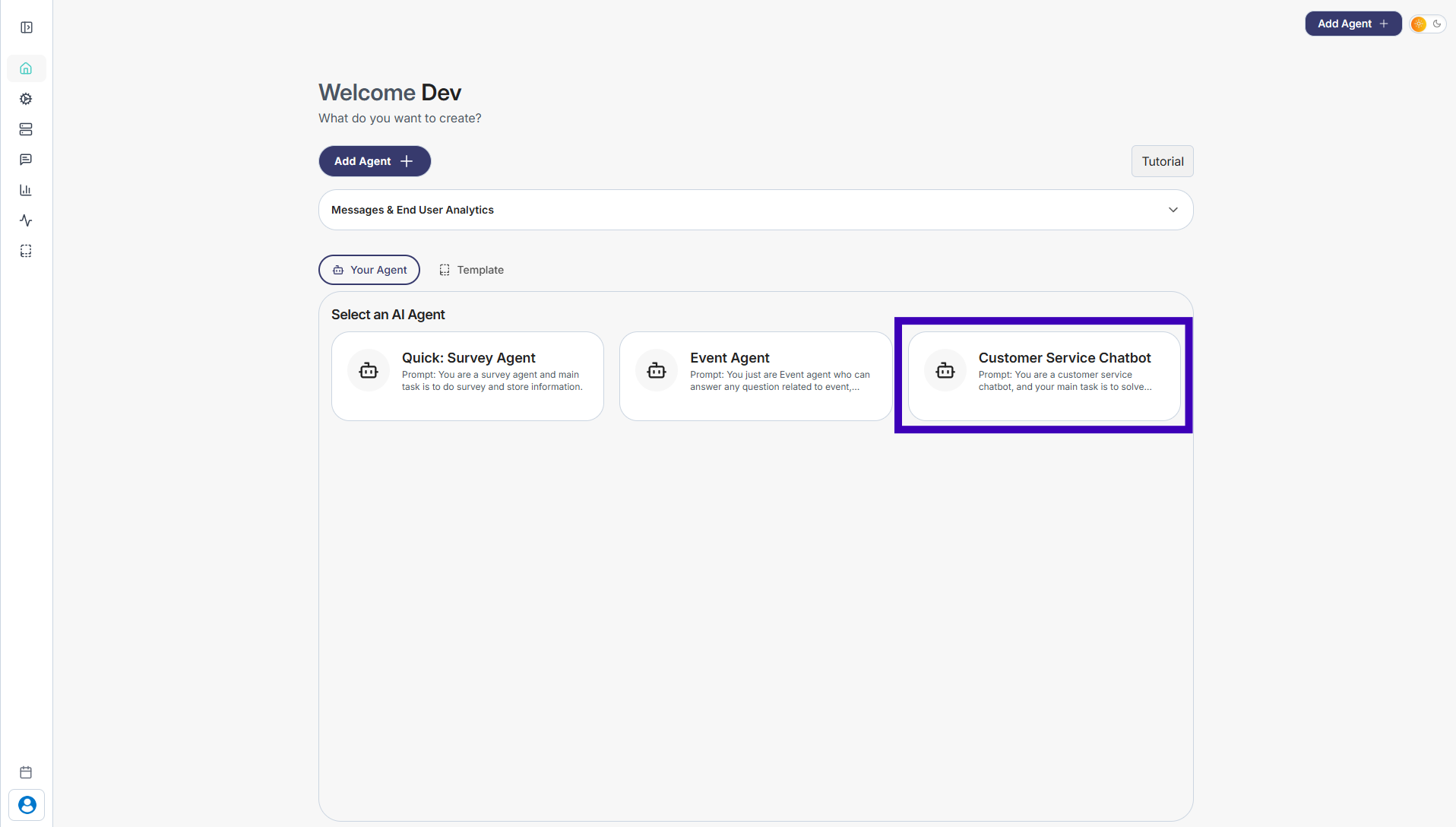
Step 1: Go to Your Agents from the dashboard
Step 2: Select the agent where you want to add questions or answers
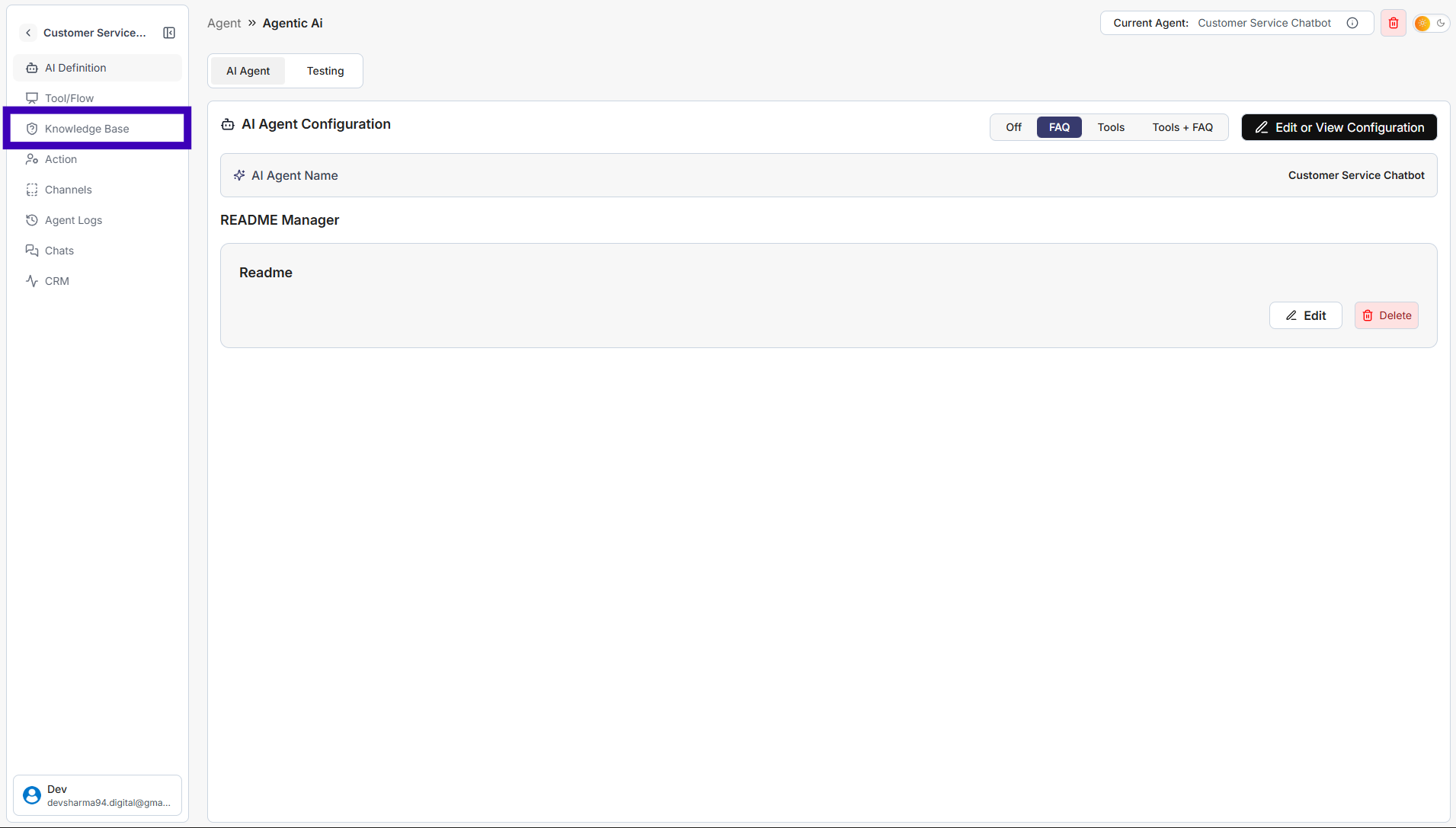
Step 3: From the left sidebar, click Knowledge Base
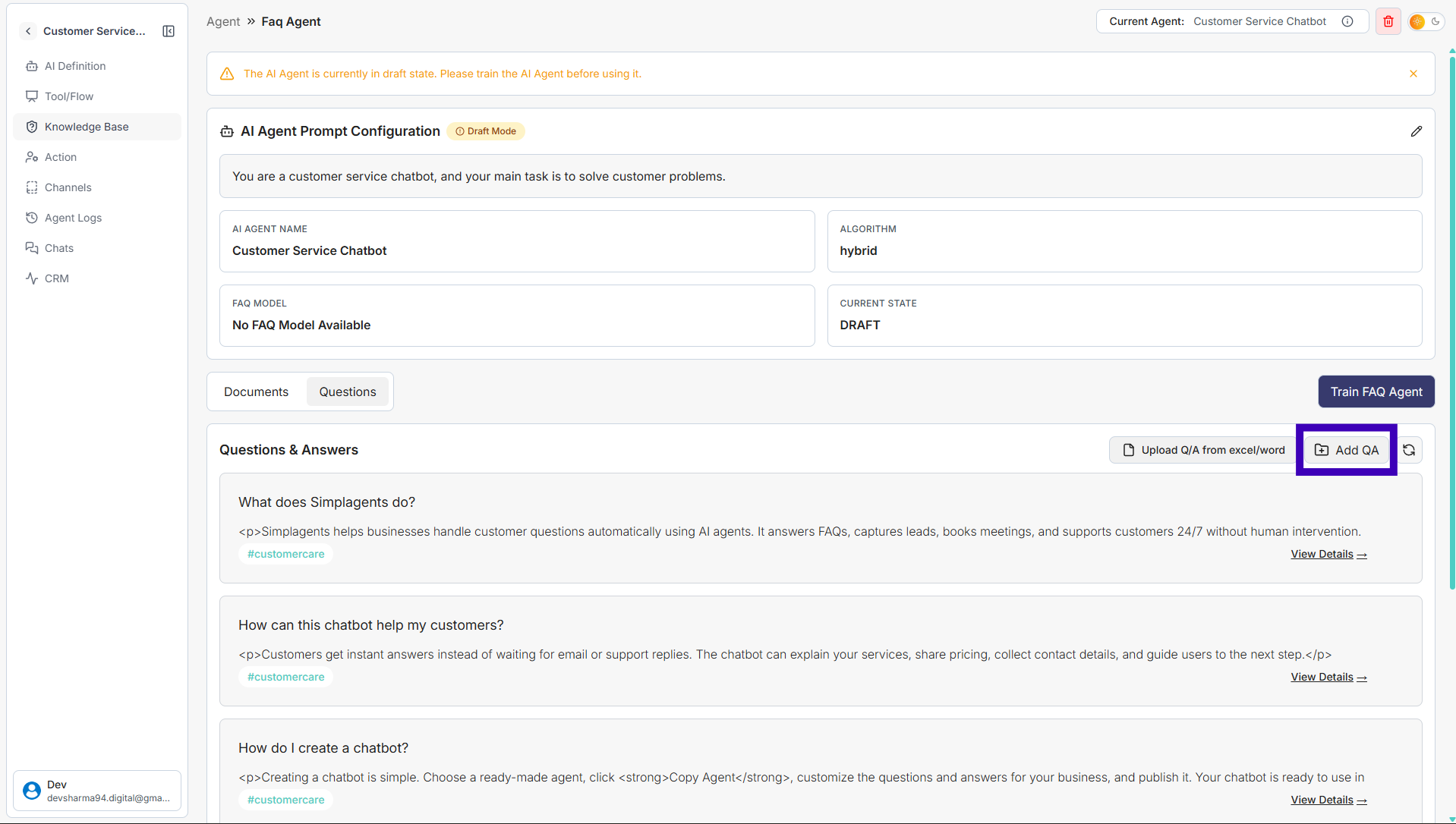
Step 4: Click Add Question
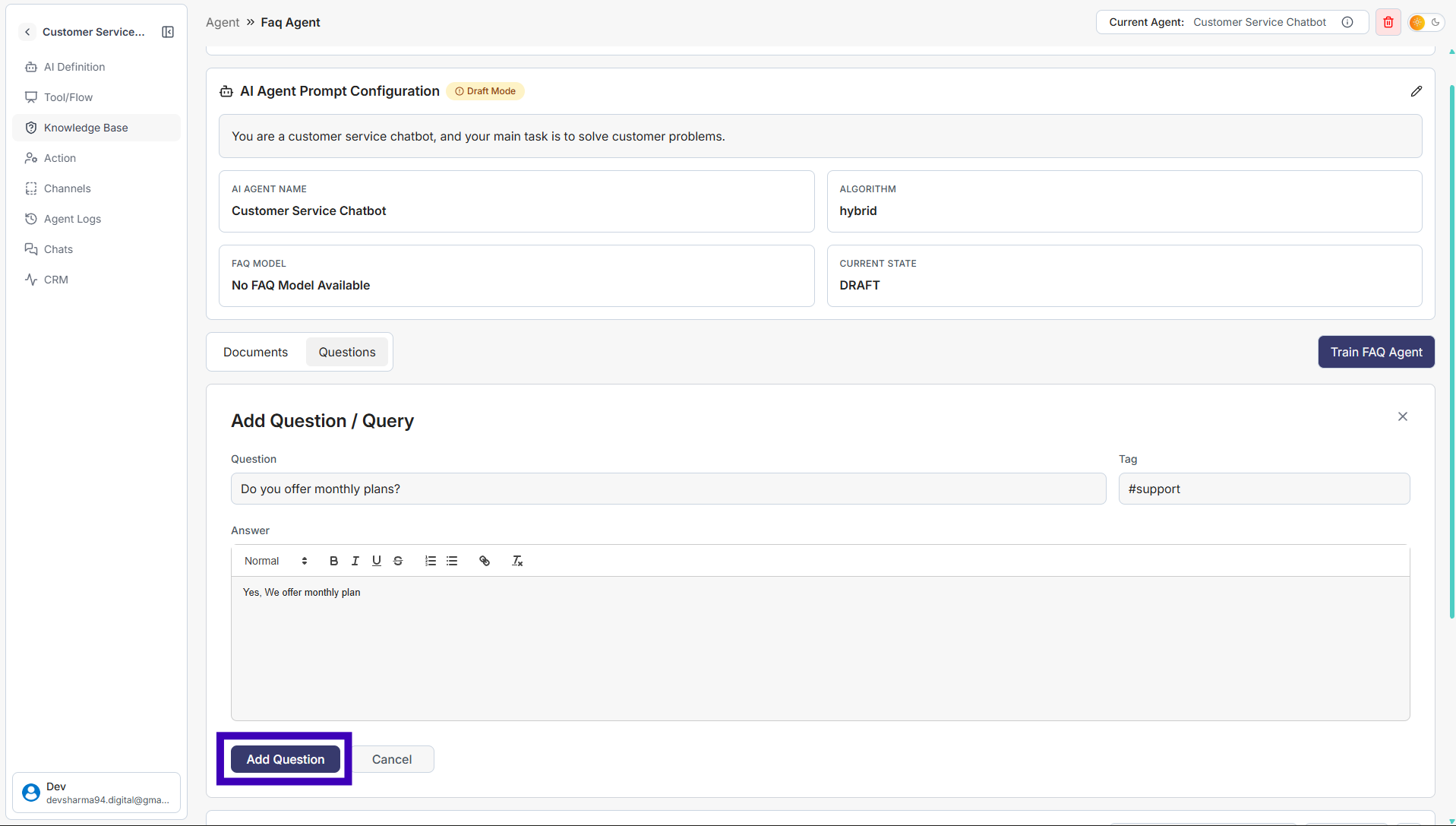
Step 5: Fill in all details: Question, Answer and Tag
Step 6: Click Add Question to save
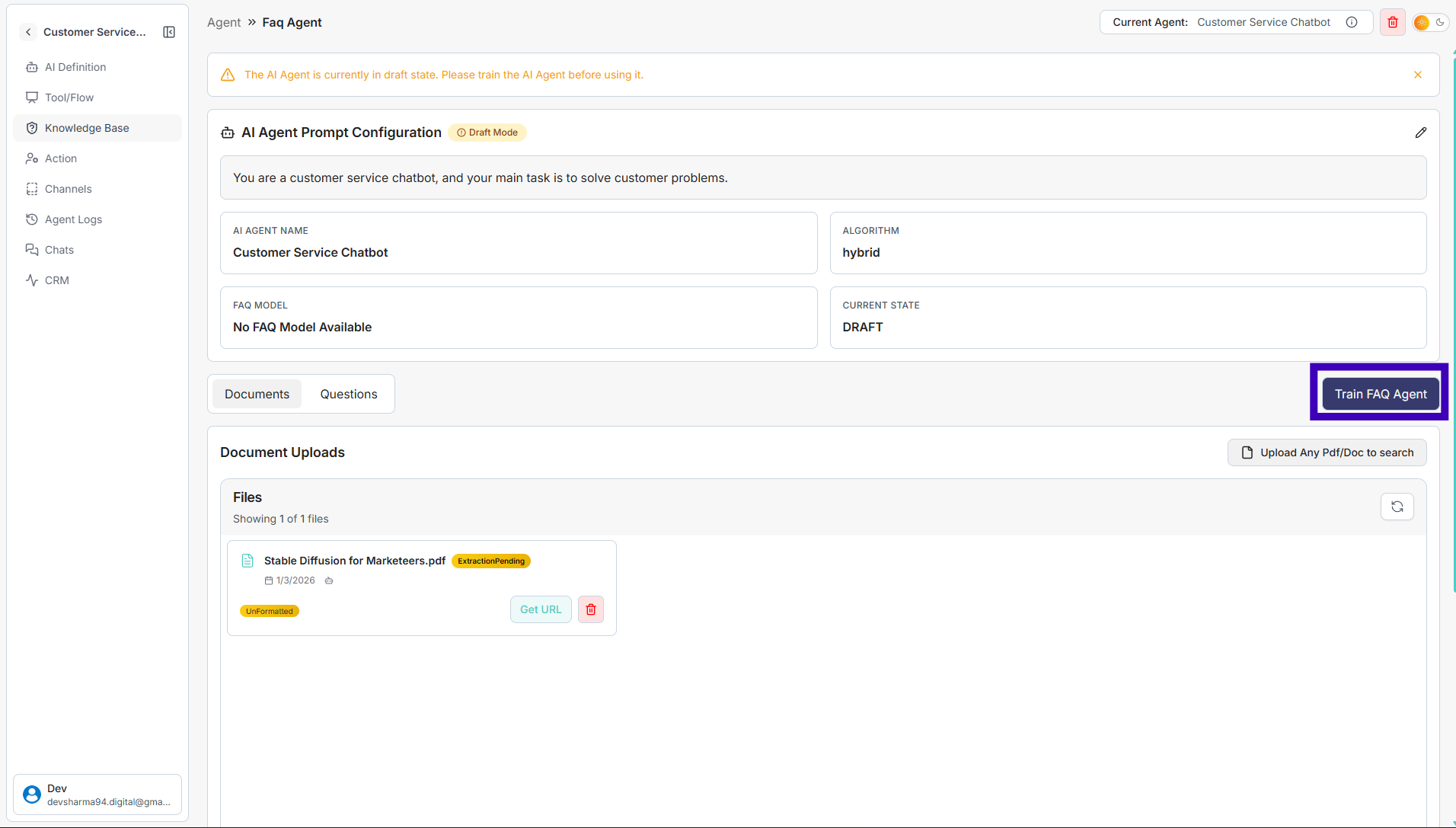
Step 7: Click Train FAQ Agent
Your agent will now use the newly added questions and answers while responding to users.