How to Delete an Agent
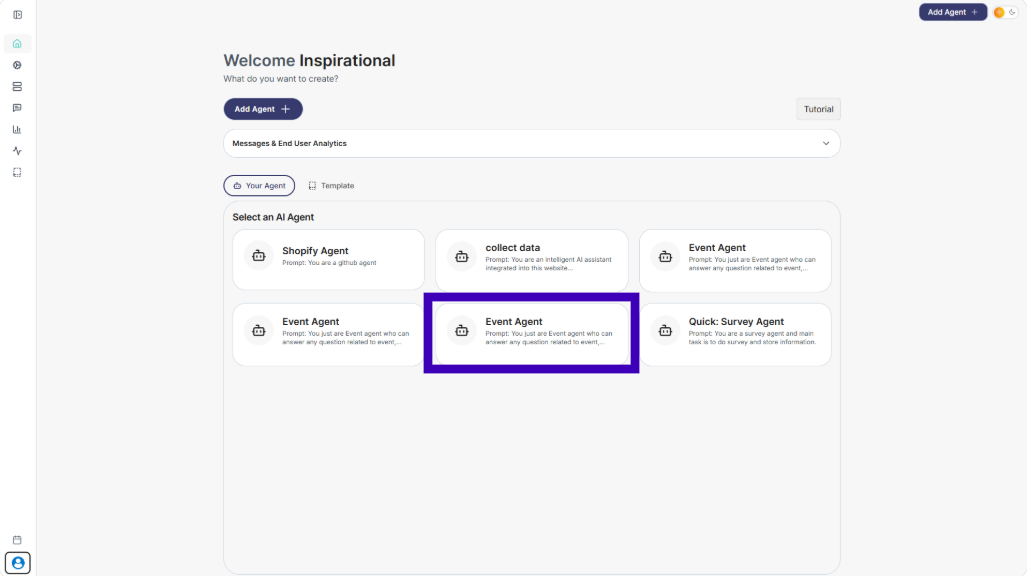
Step 1: Select the Agents that you want to delete
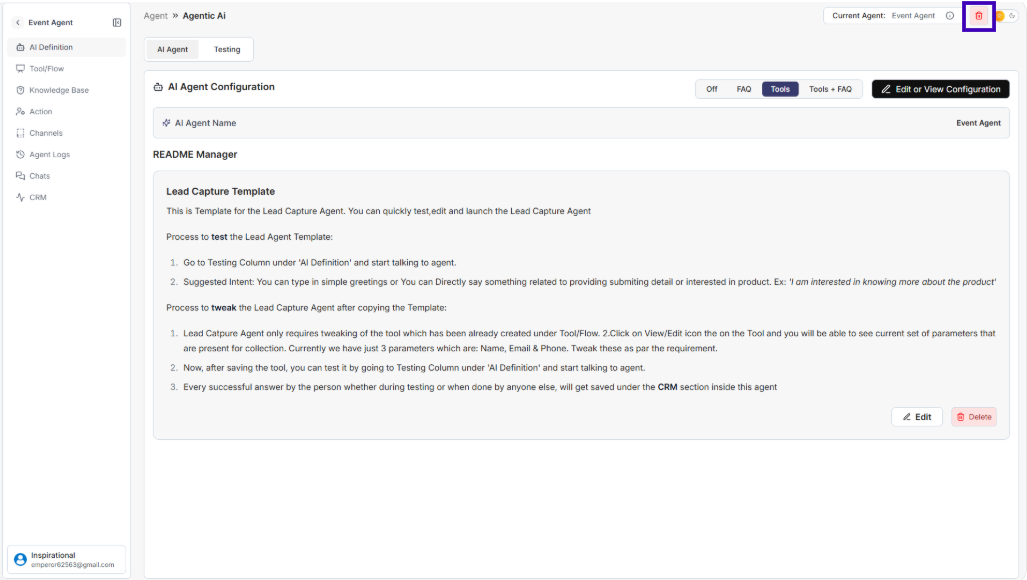
Step 2: In the top-right corner, click the red Delete button
Step 3: A confirmation popup will appear
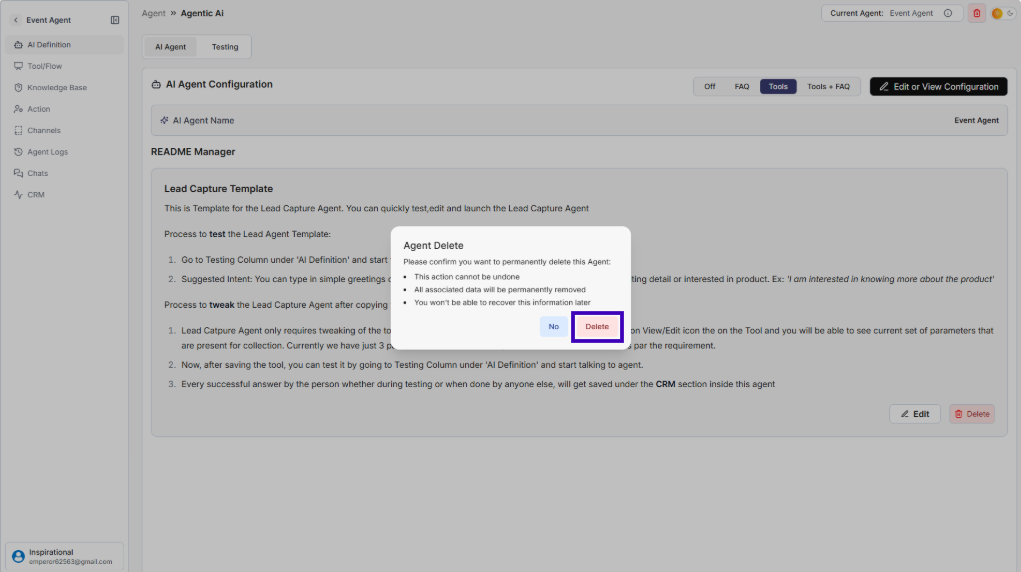
Step 4: Click Delete to permanently remove the agent
⚠️ Once deleted, the agent and its data cannot be recovered.