How to Edit Agent Name and Agent Prompt
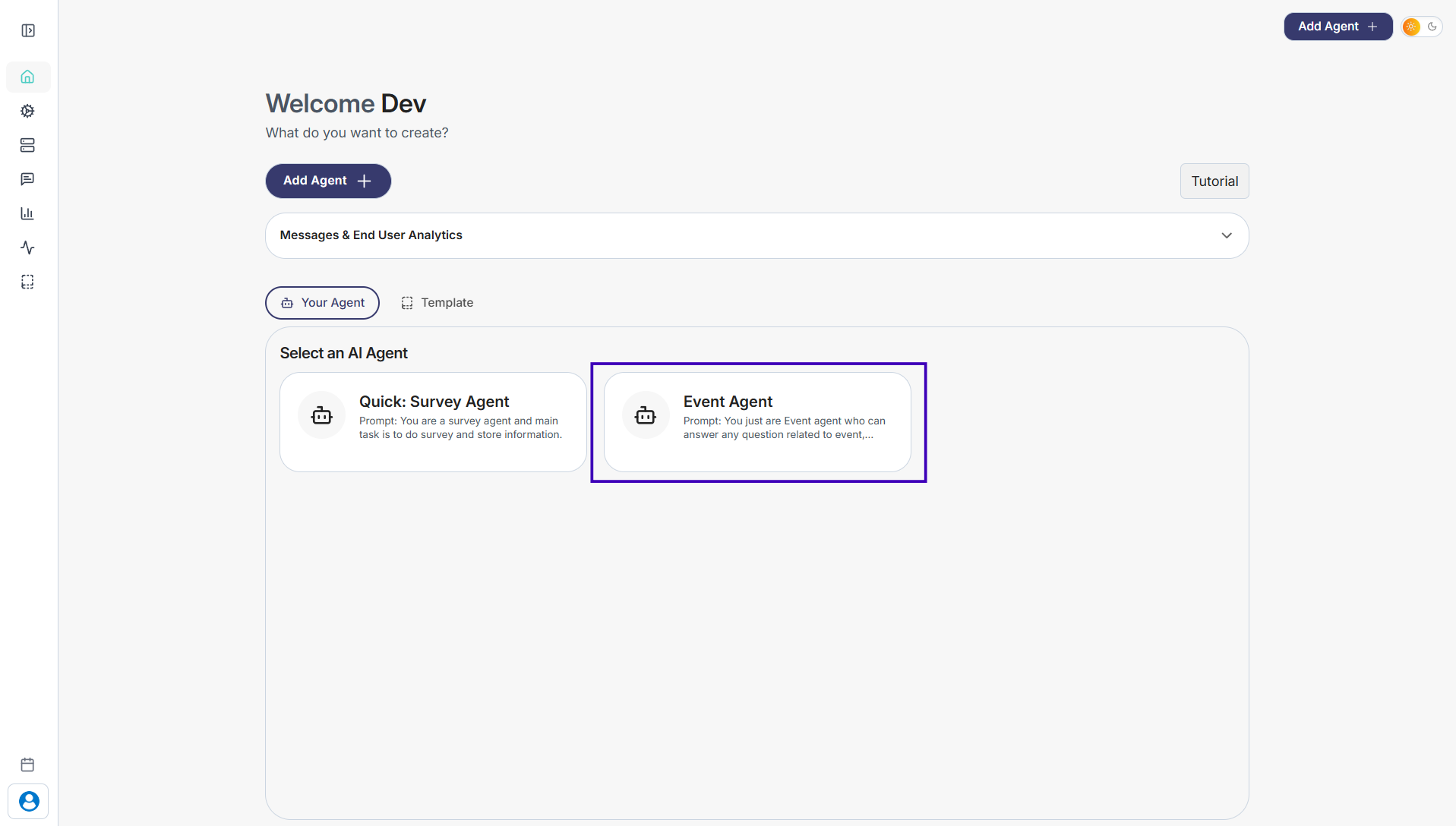
Step 1: Go to Your Agents from the dashboard
Step 2: Select the agent you want to update
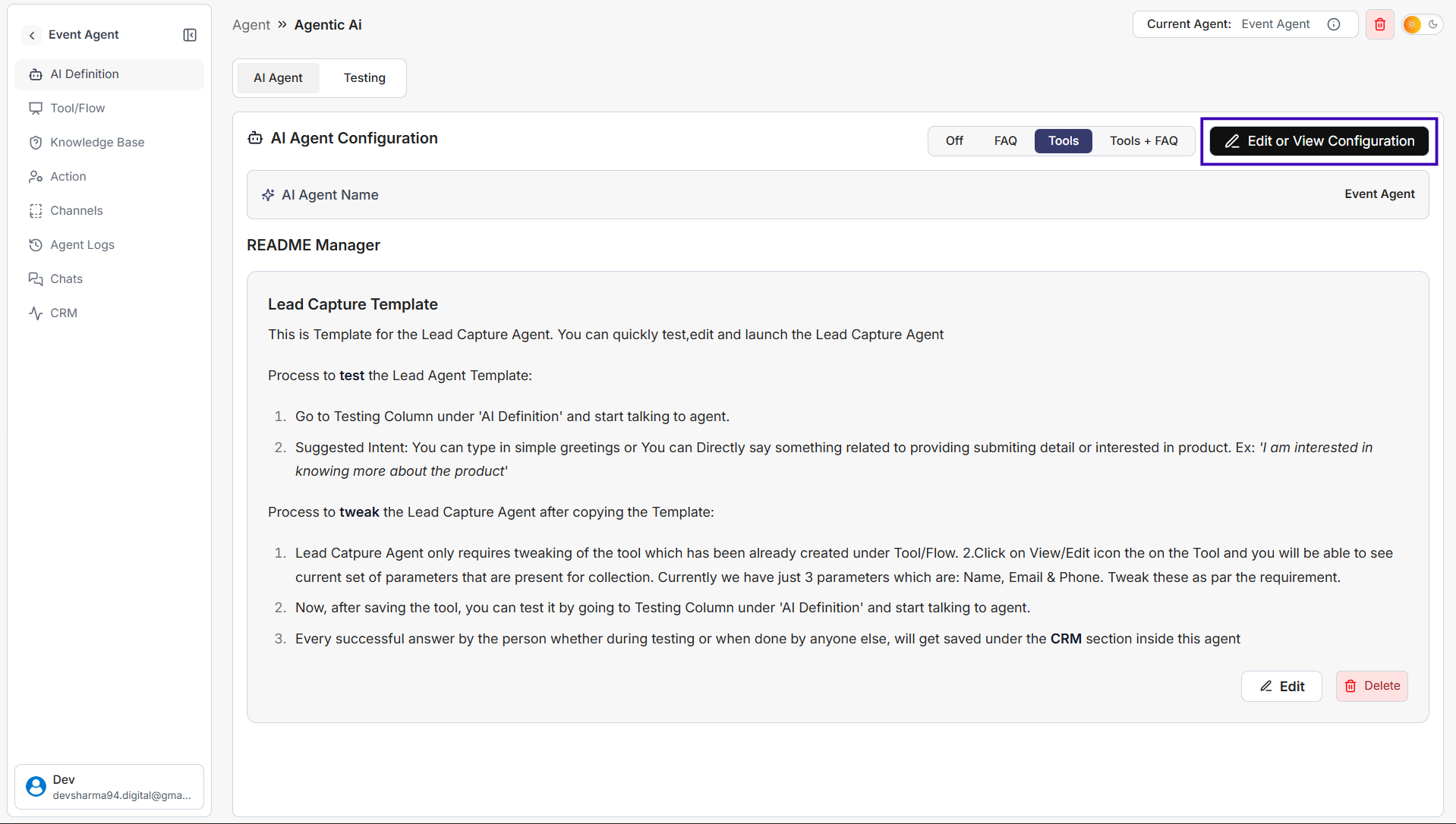
Step 3: Click Edit or View Configuration in the top-right corner
Step 4: In the configuration screen: Update the Agent Name to whatever you prefer Edit the Prompt to define how your agent should behave and respond to users
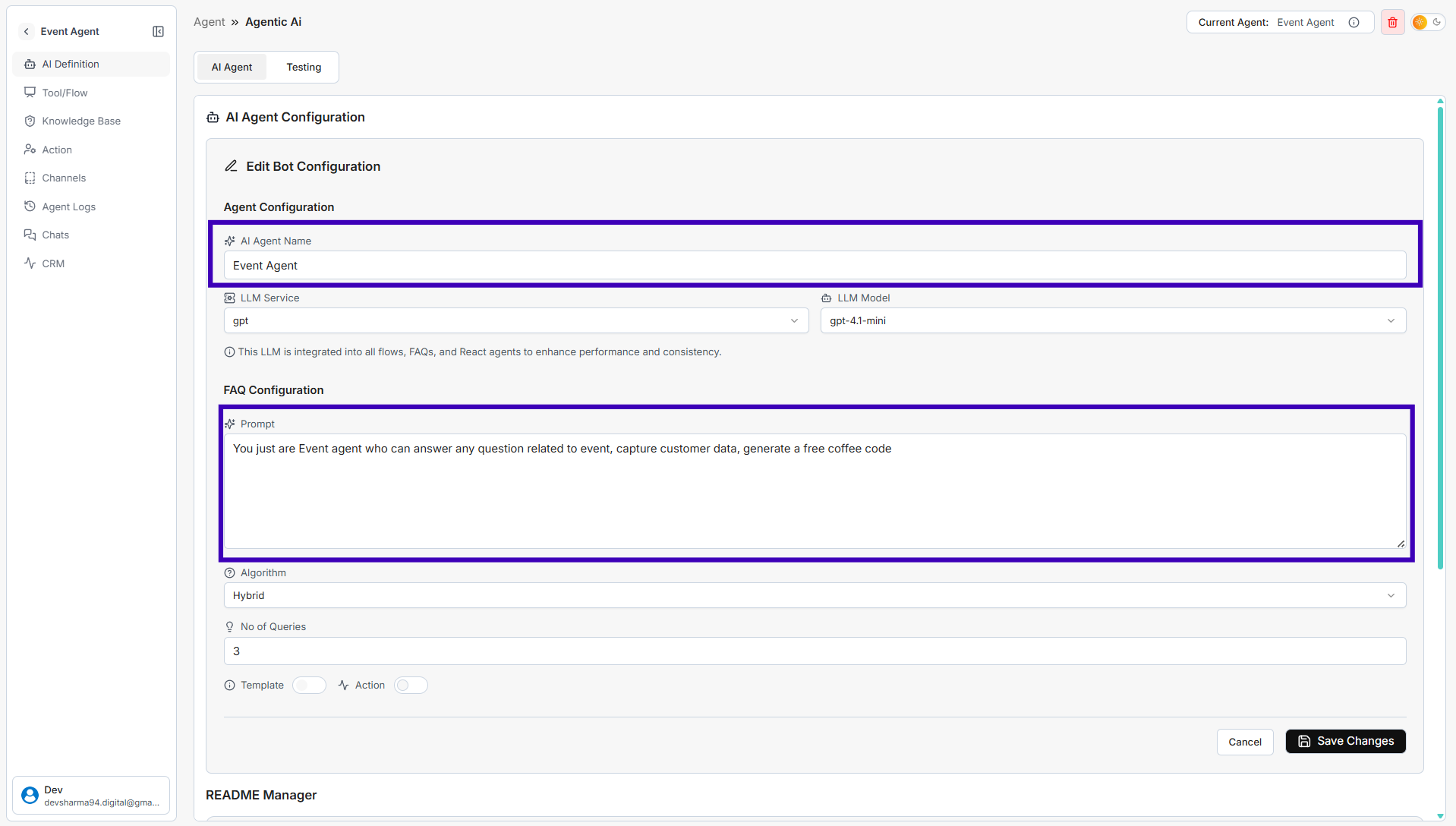
Step 5: Click Save Changes
Your agent will now use the updated name and follow the new instructions while interacting with users.