How to Fix Incorrect Answers from Agent Knowledge
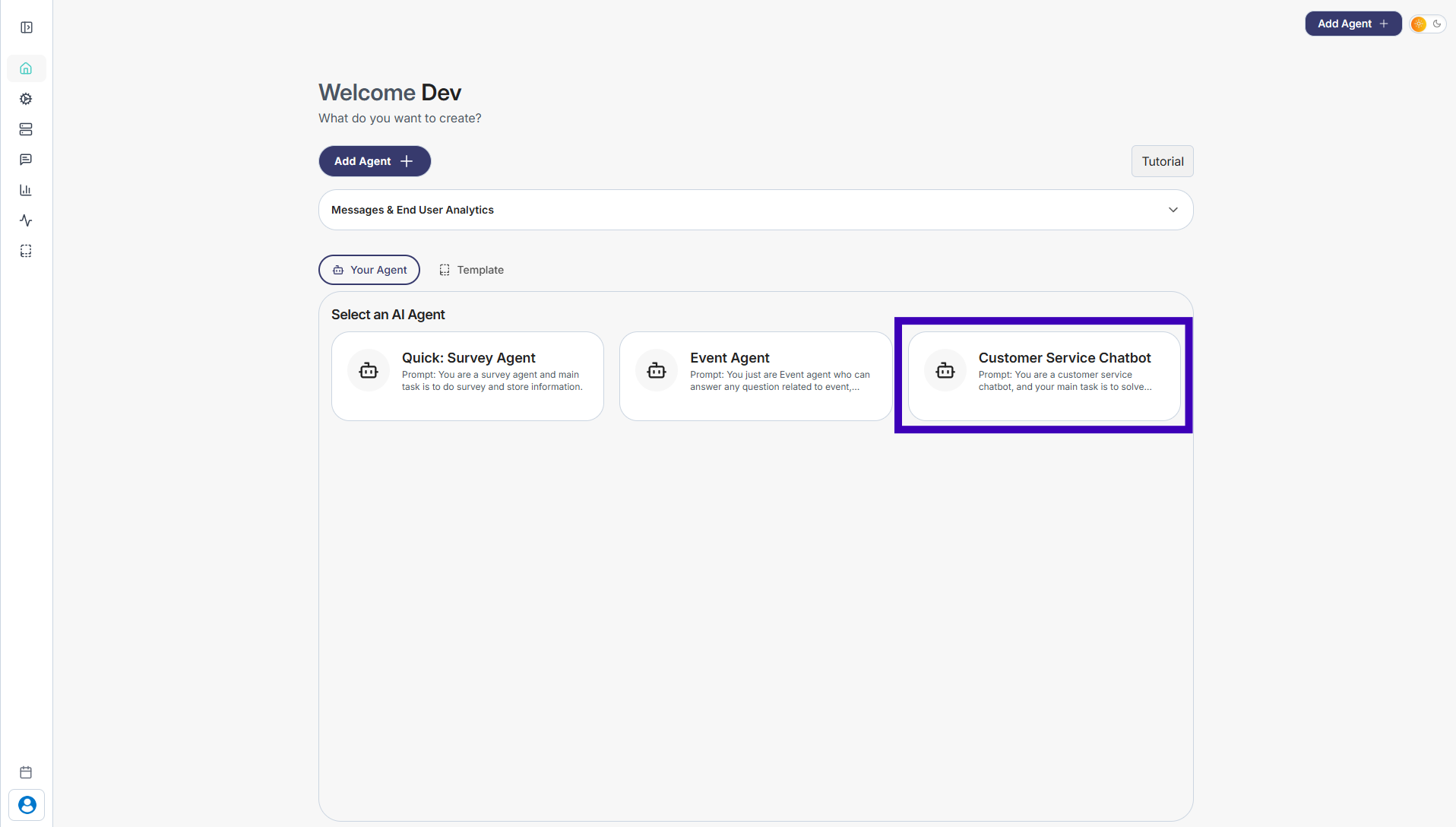
Step 1: Go to Your Agents from the dashboard
Step 2: Select the agent you want to update
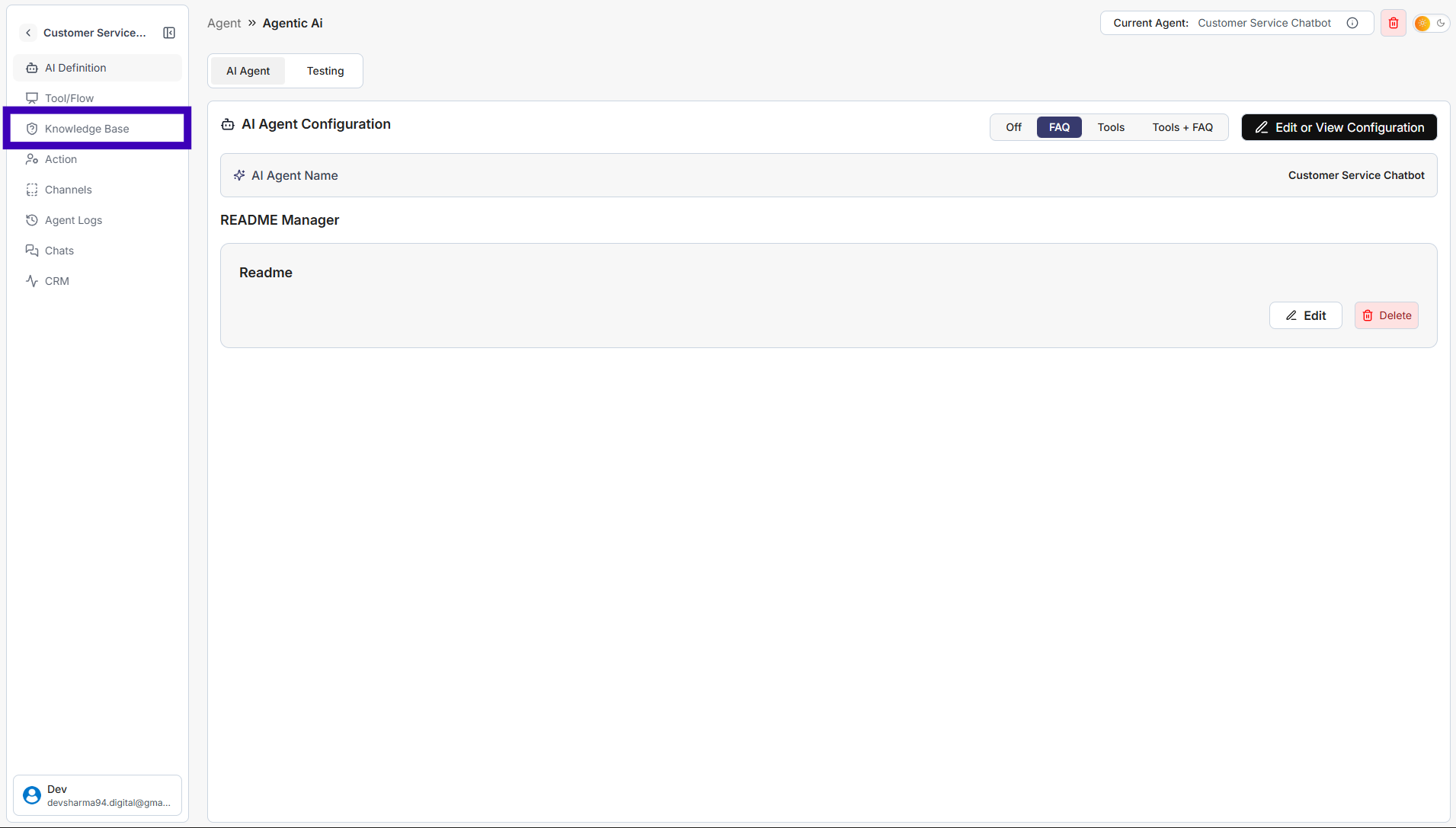
Step 3: From the left sidebar, click Knowledge Base
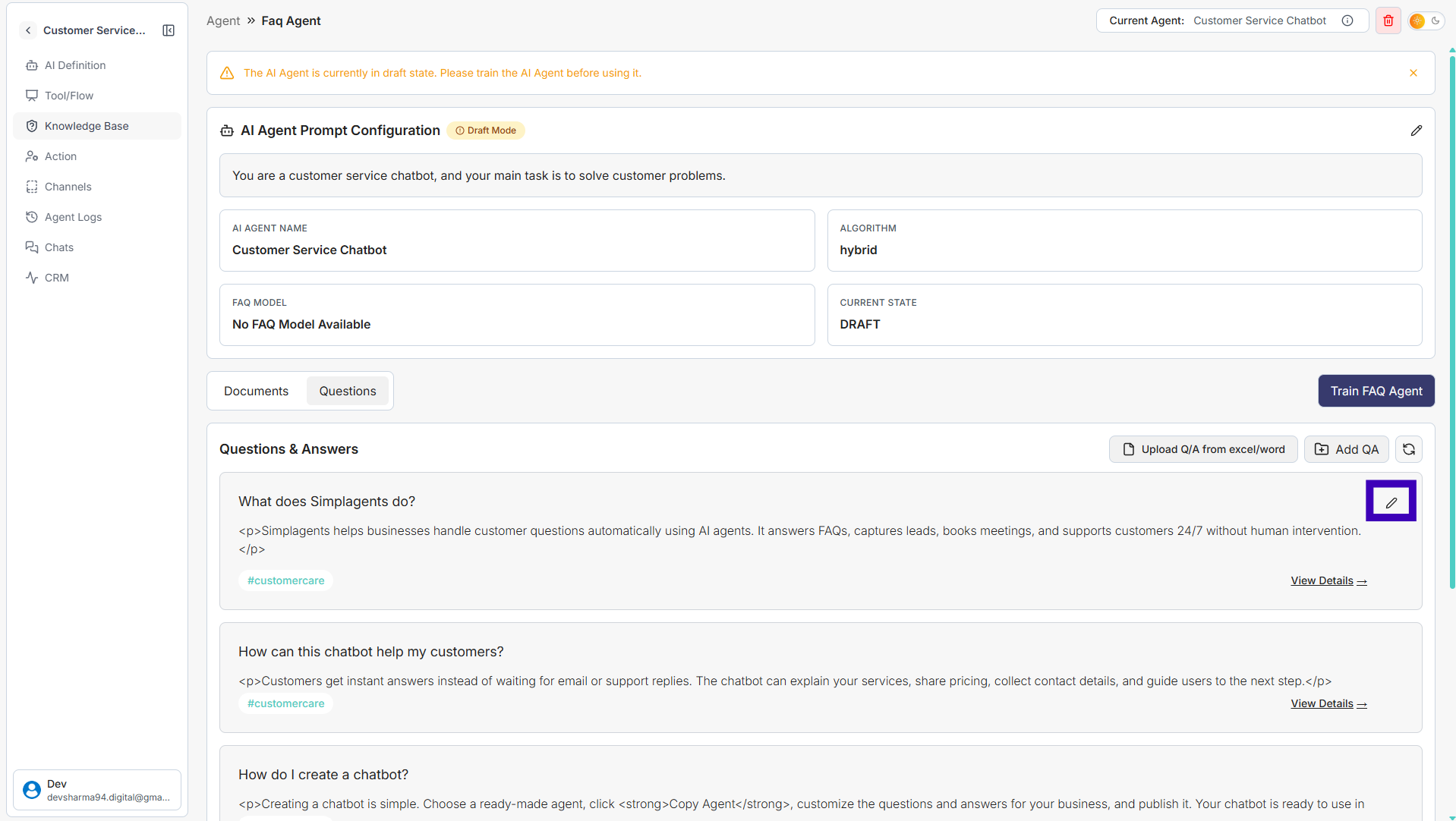
Step 4: Find the question with the incorrect answer
Step 5: Click the Edit (pencil) icon next to that question
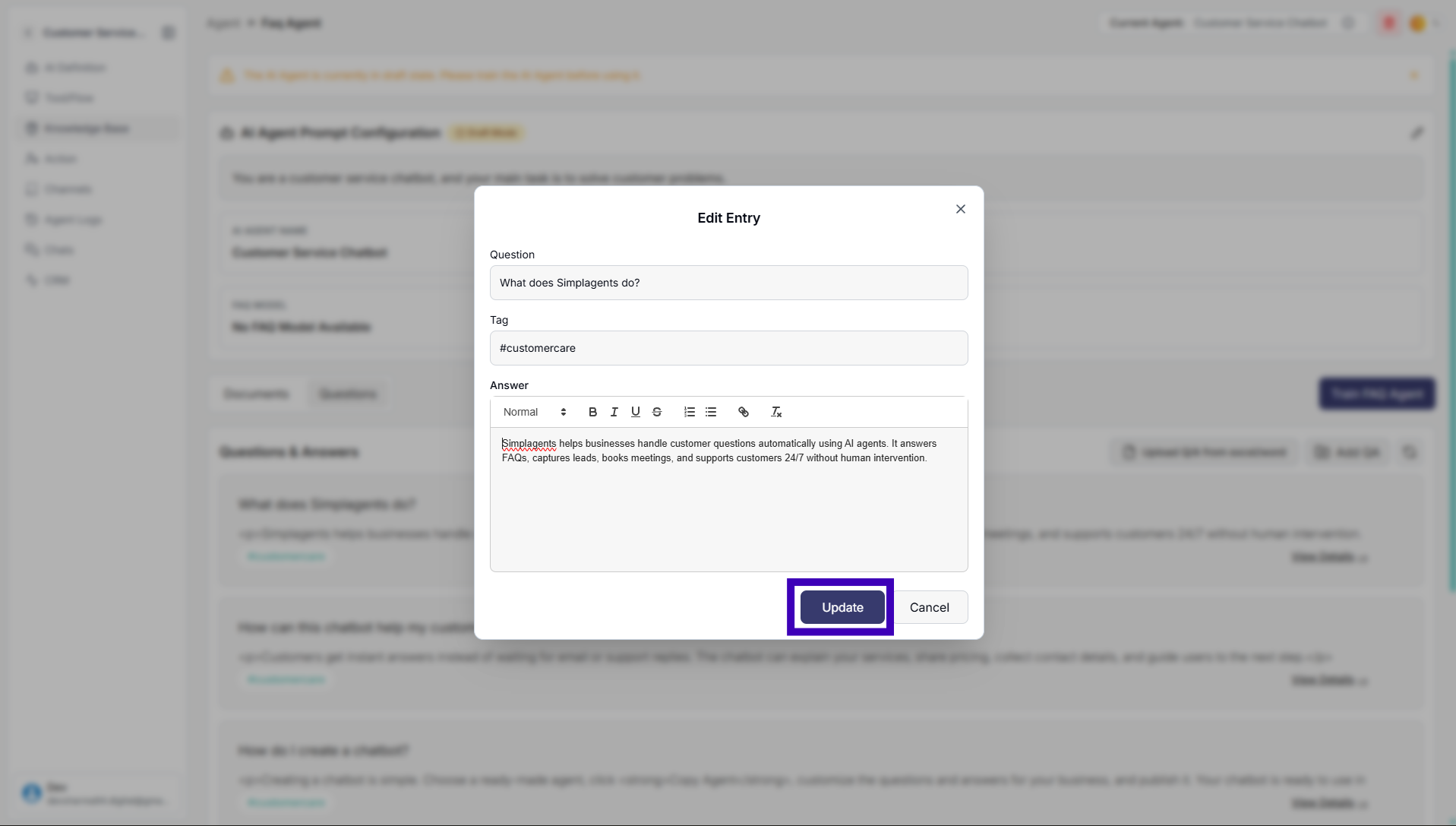
Step 6: Update the question, answer, or tags as needed
Step 7: Click Update to save your changes
The agent will now use the corrected information when answering users.