How to Add a Tool to an Agent
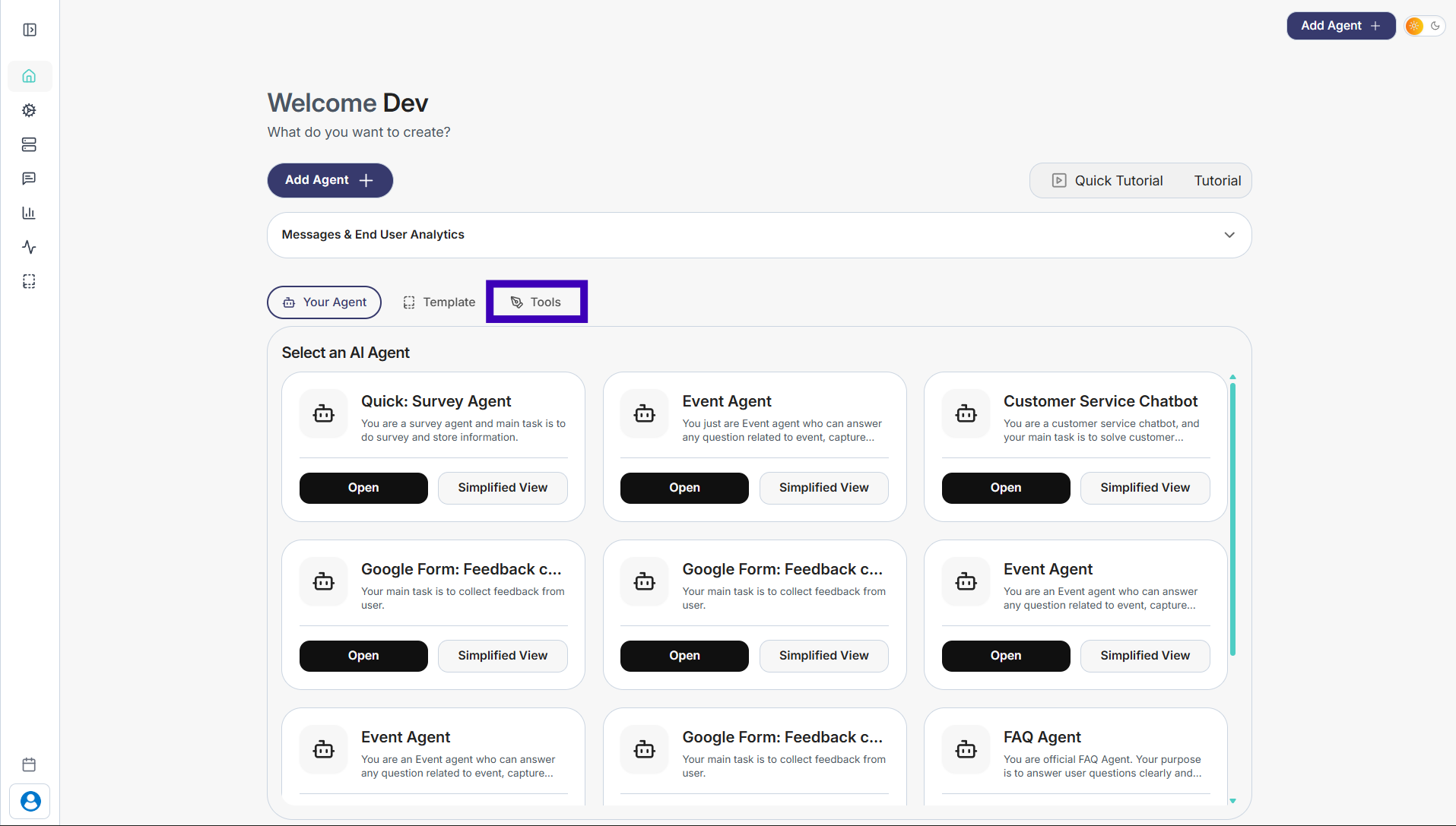
Step 1: From the main dashboard, click the Tools tab at the top.
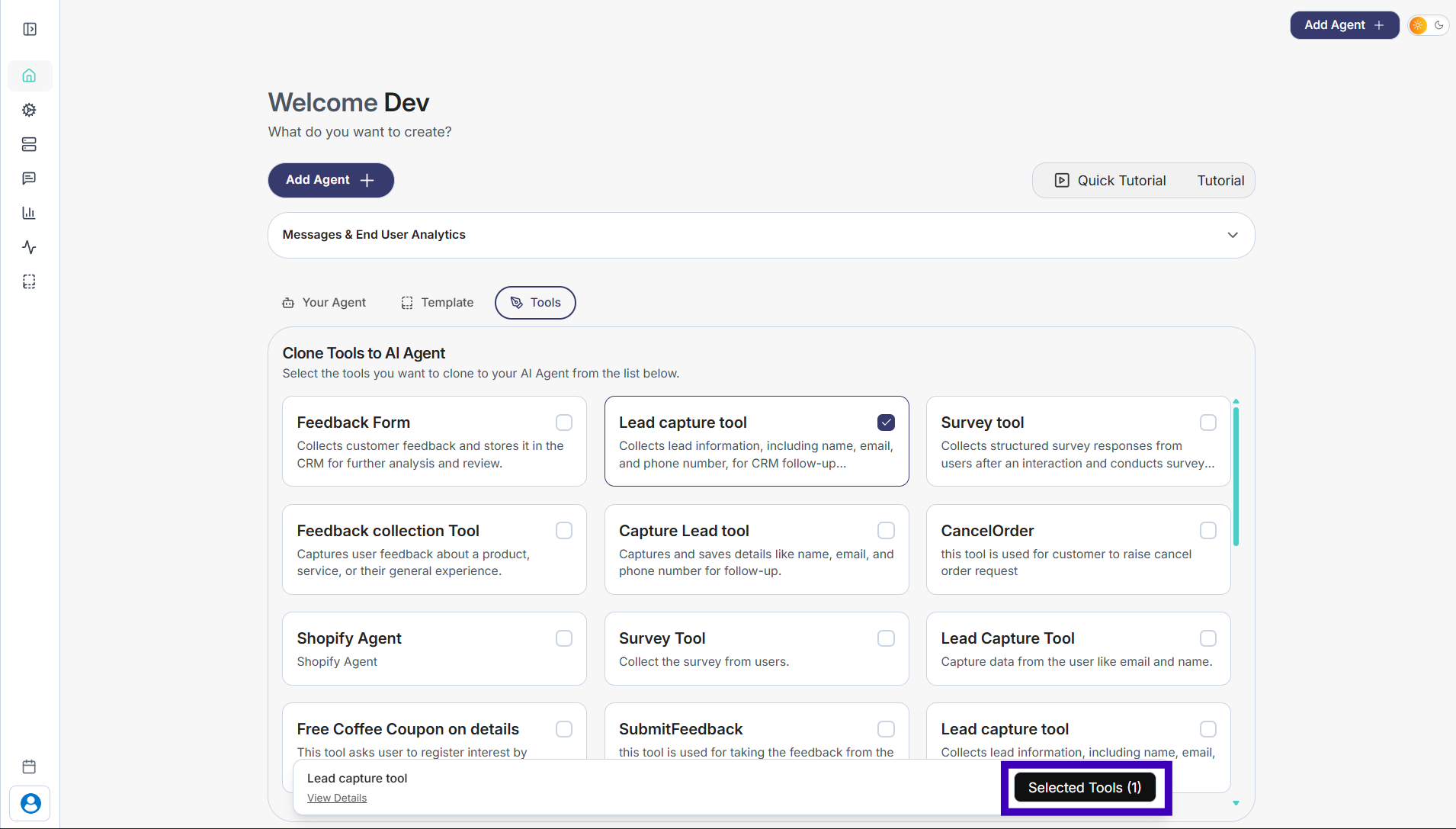
Step 2: Browse the list and select the tool you want to add.
Step 3: Click Selected Tools to continue.
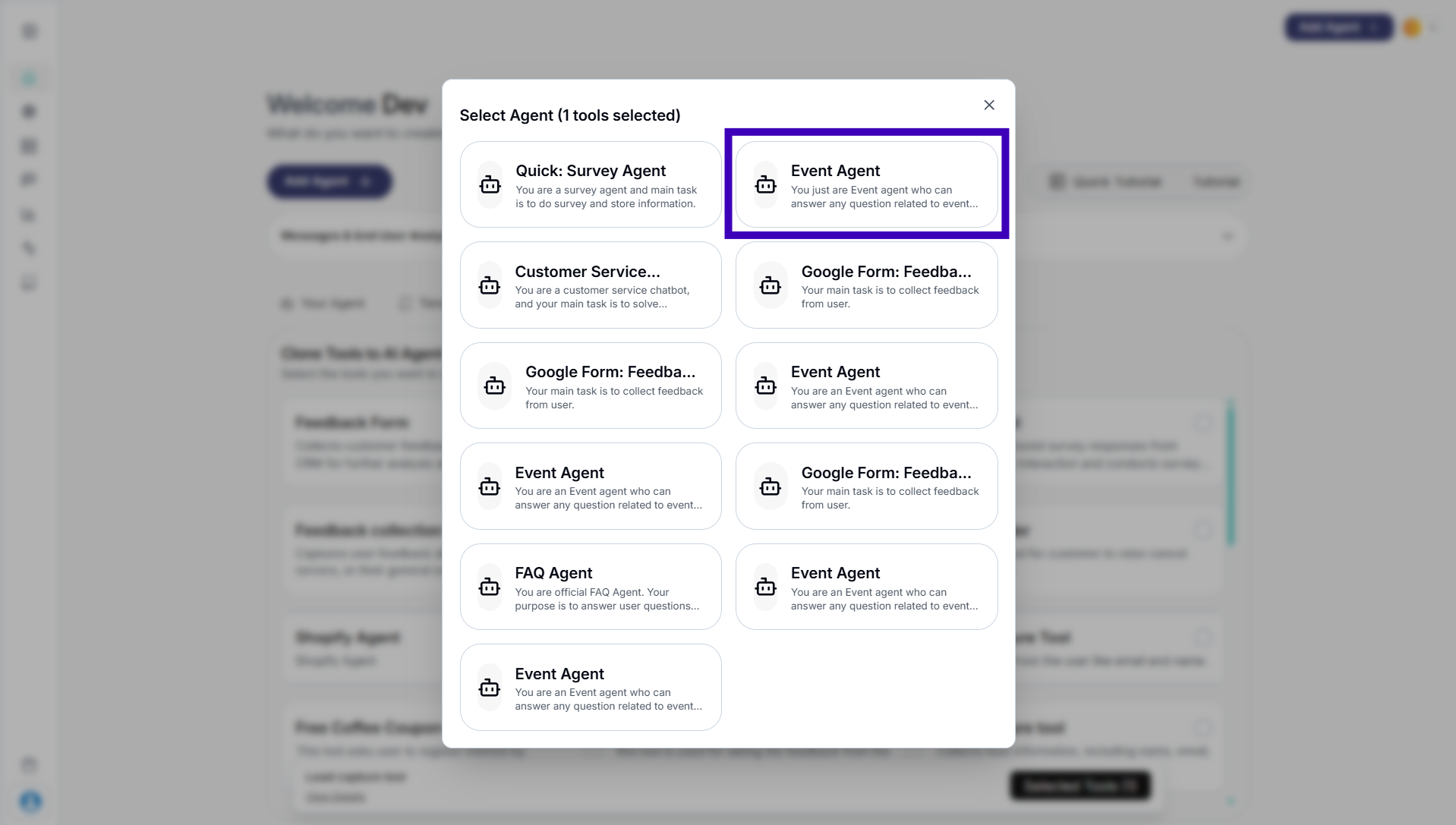
Step 4: Choose the agent where you want this tool to be added.
Step 5: Confirm your selection. The tool is now attached to the selected agent.