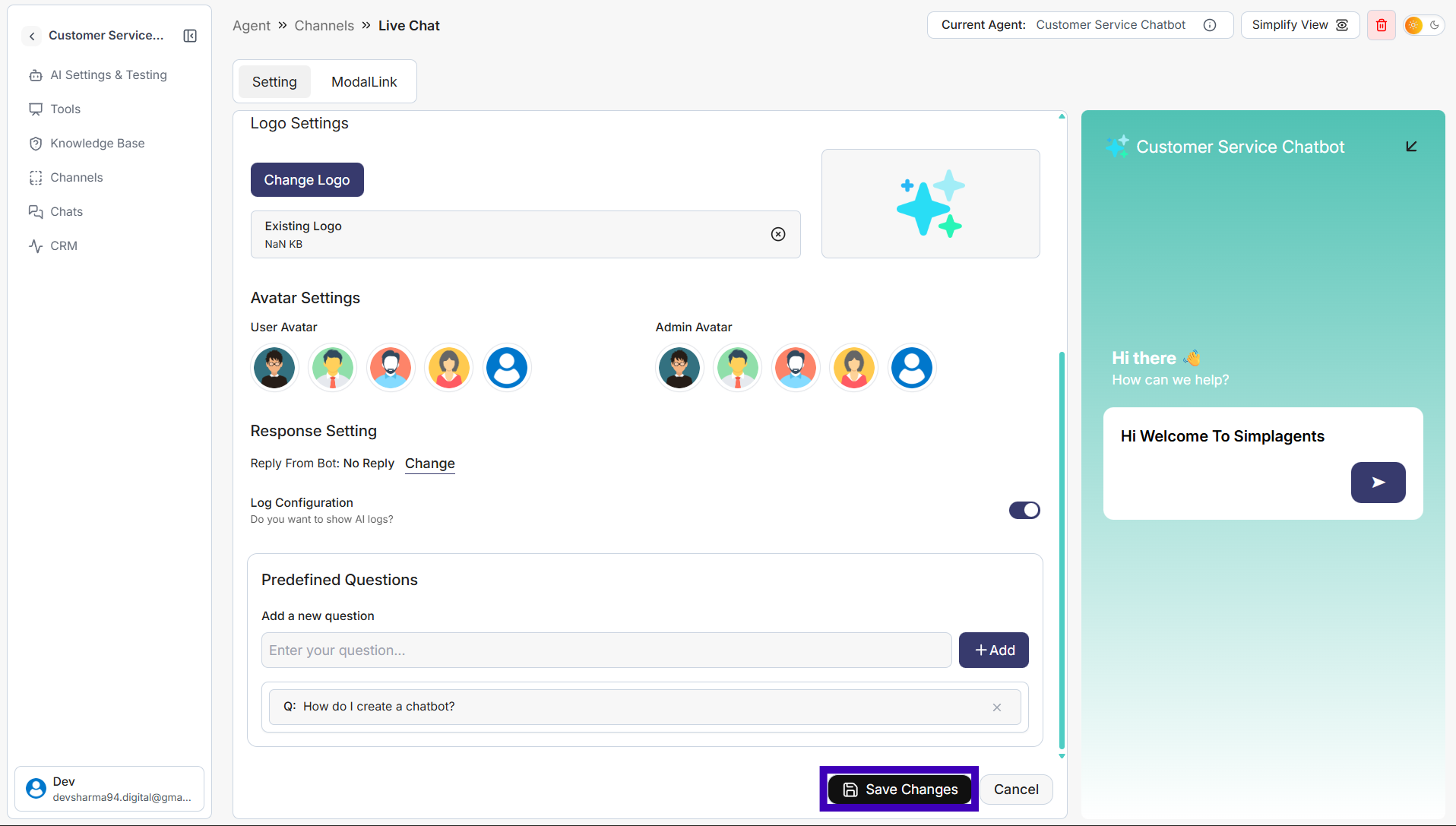
How to Add Predefined Questions to Live Chat
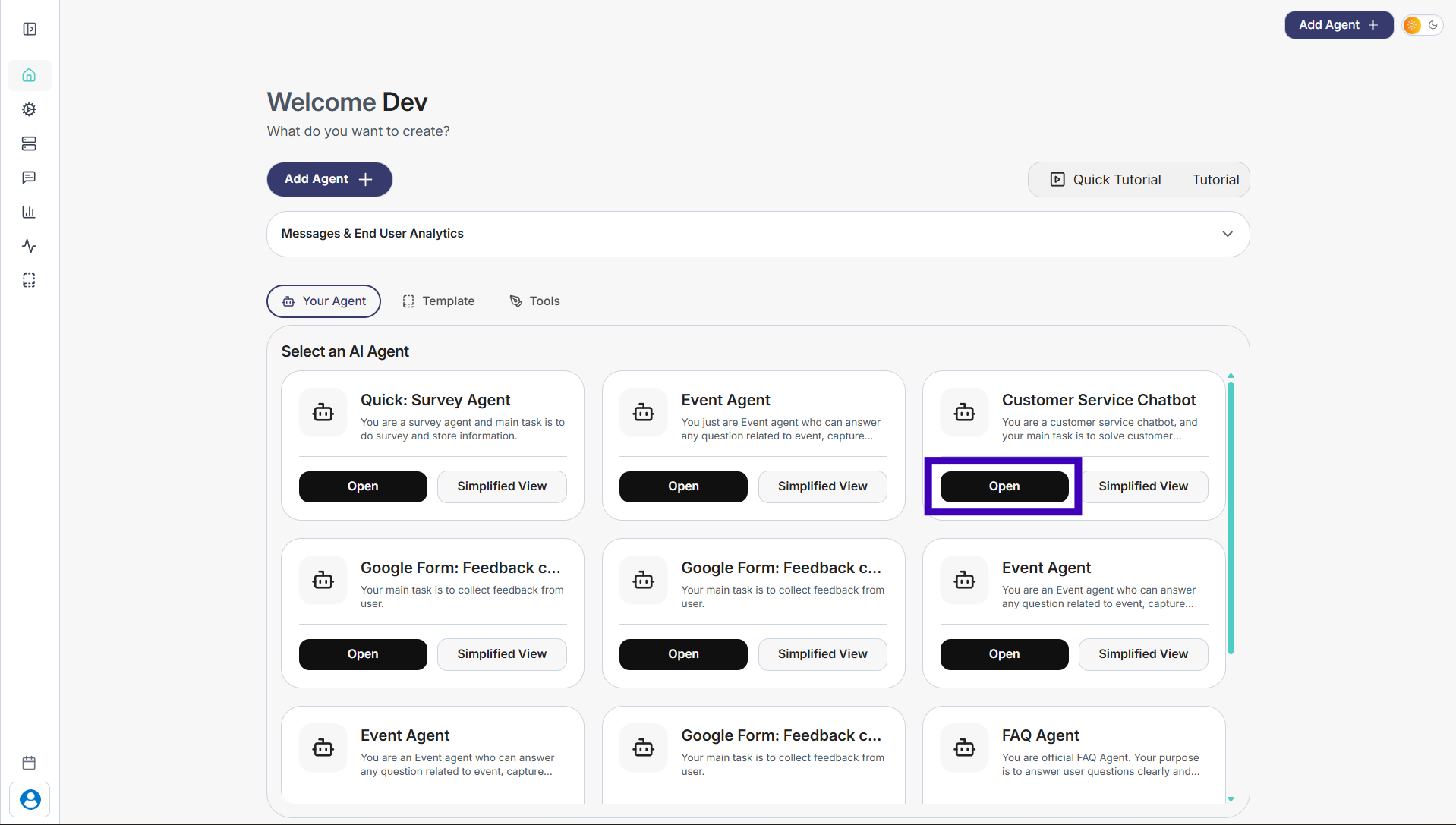
Step 1: Select the agent where you want to add predefined questions
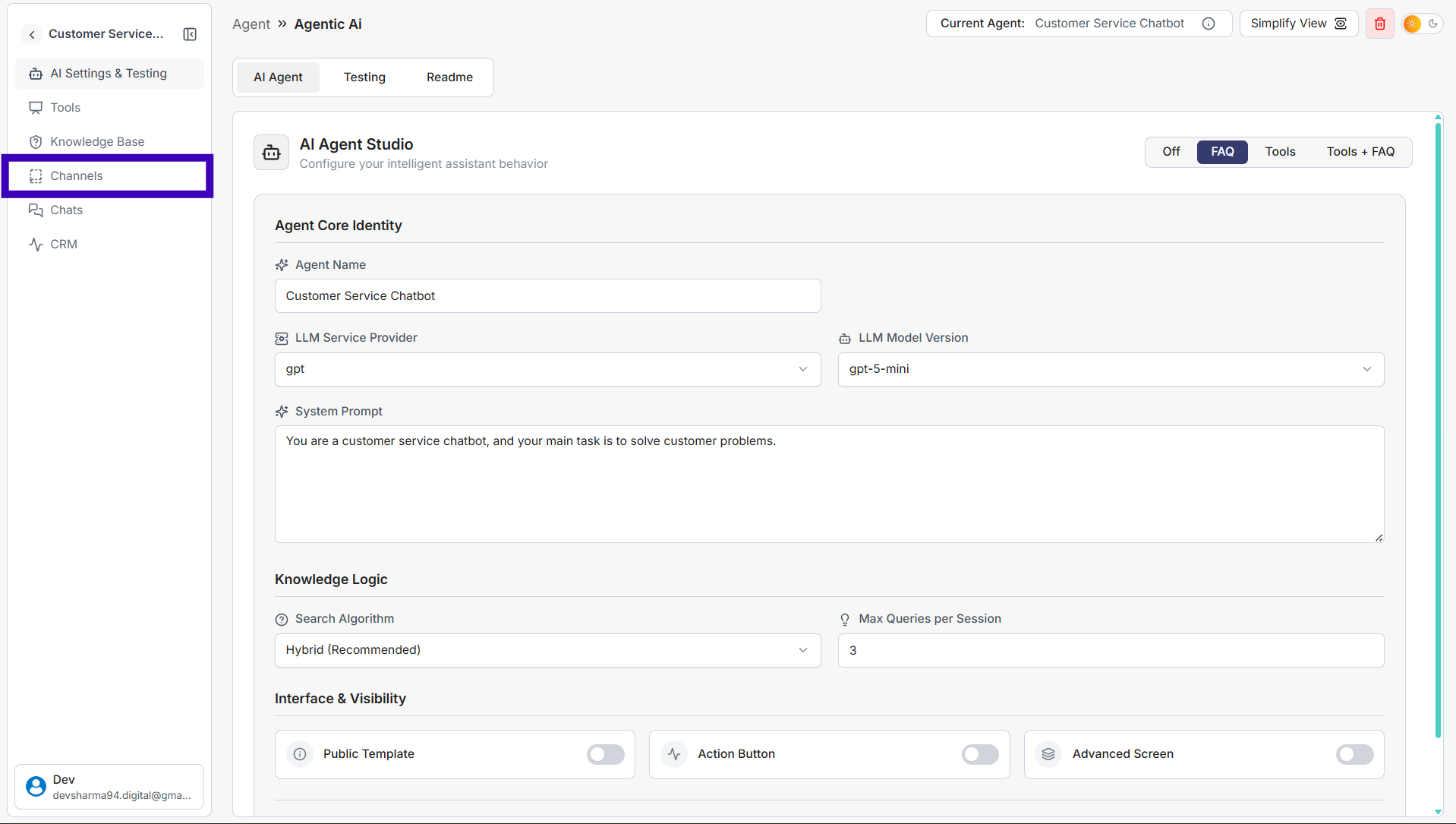
Step 2: From the left-side menu, click Channels
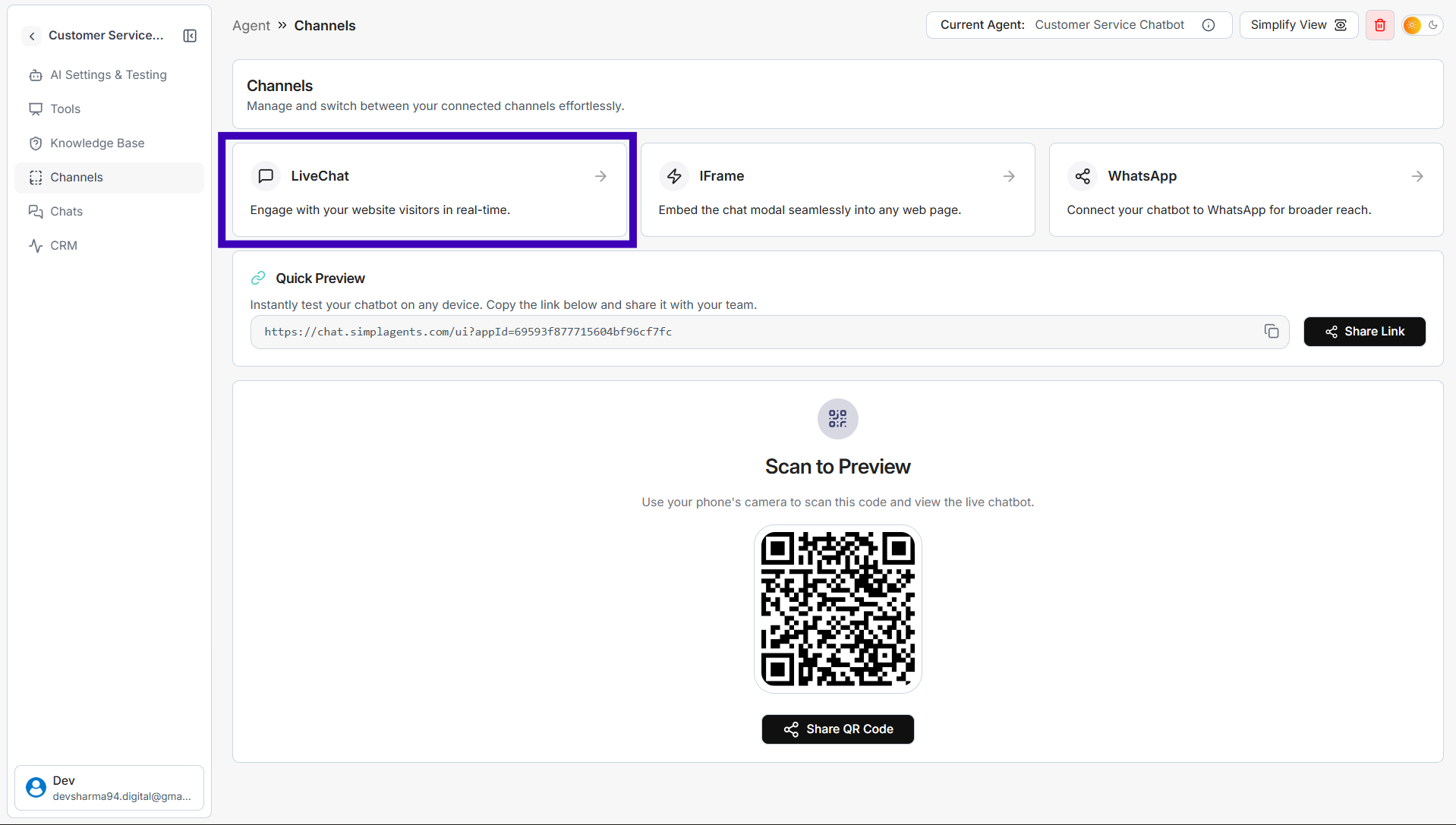
Step 3: Click Live Chat
Step 4: Scroll down to the Predefined Questions section
Step 5: In the Add a new question field, type your question
Step 6: Click Add
Step 7: After adding all required questions, click Save Changes