How to edit a tool in an agent
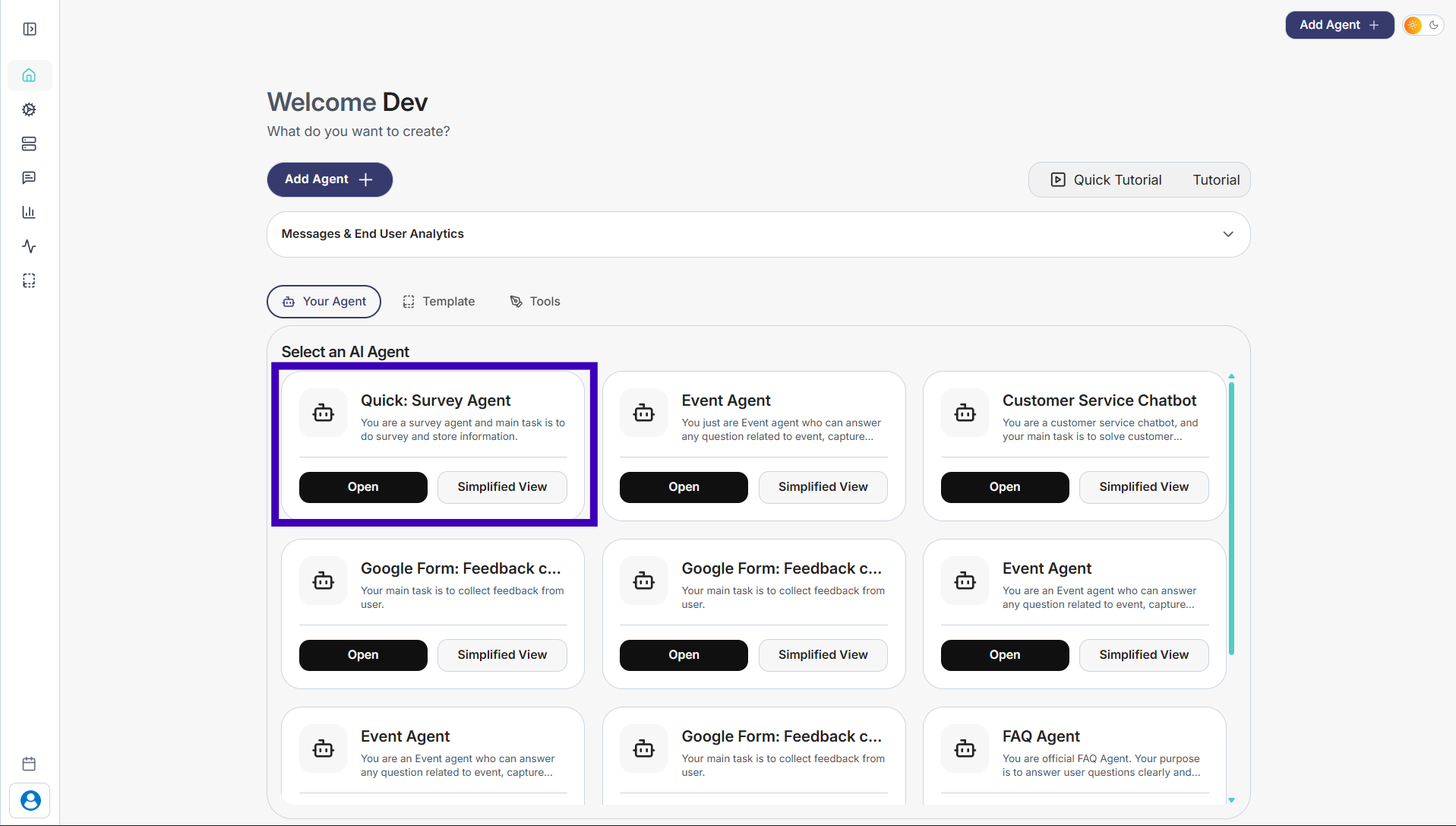
Step 1: Select the agent where the tool is already added.
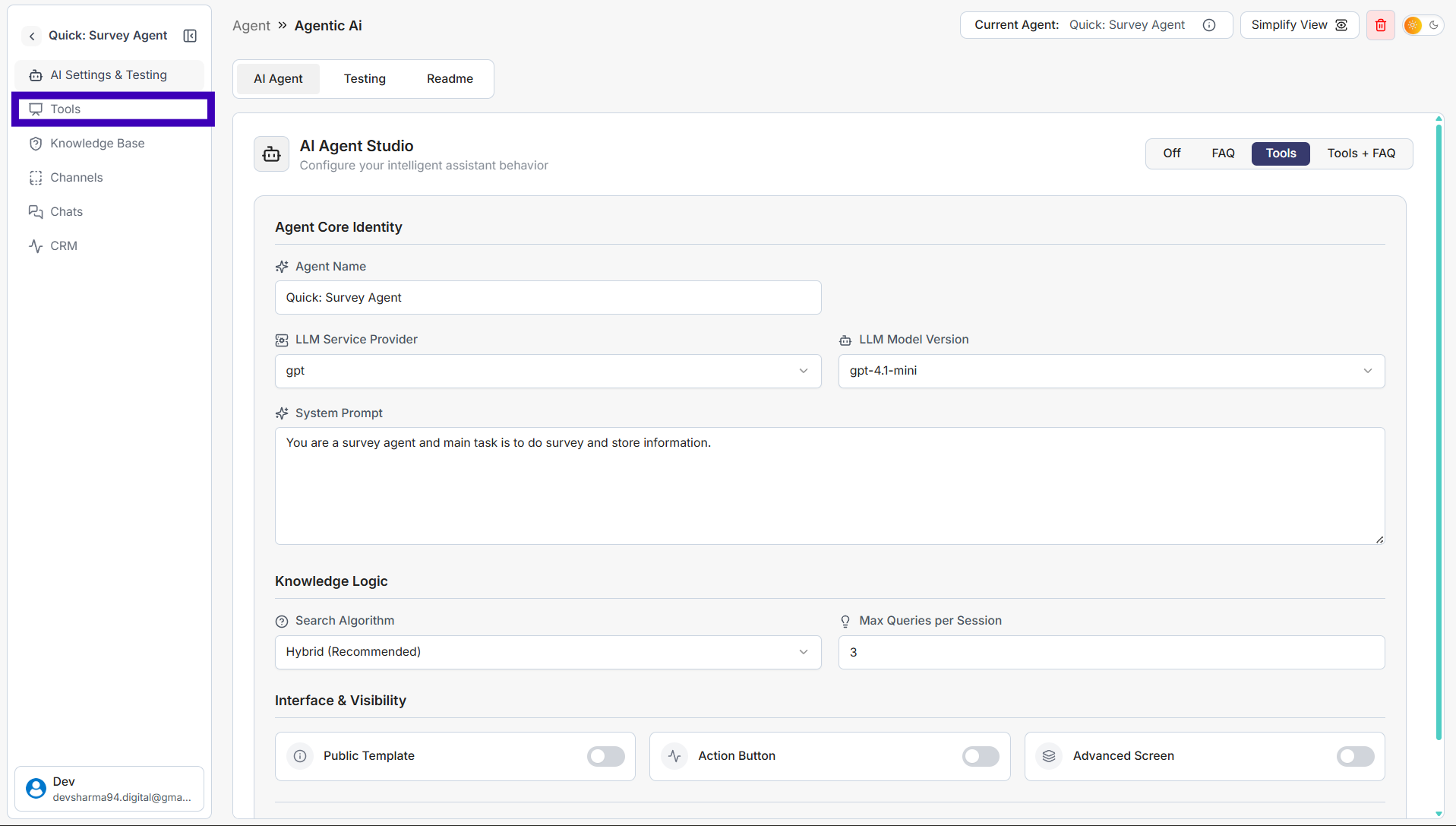
Step 2: From the left side menu, click Tools.
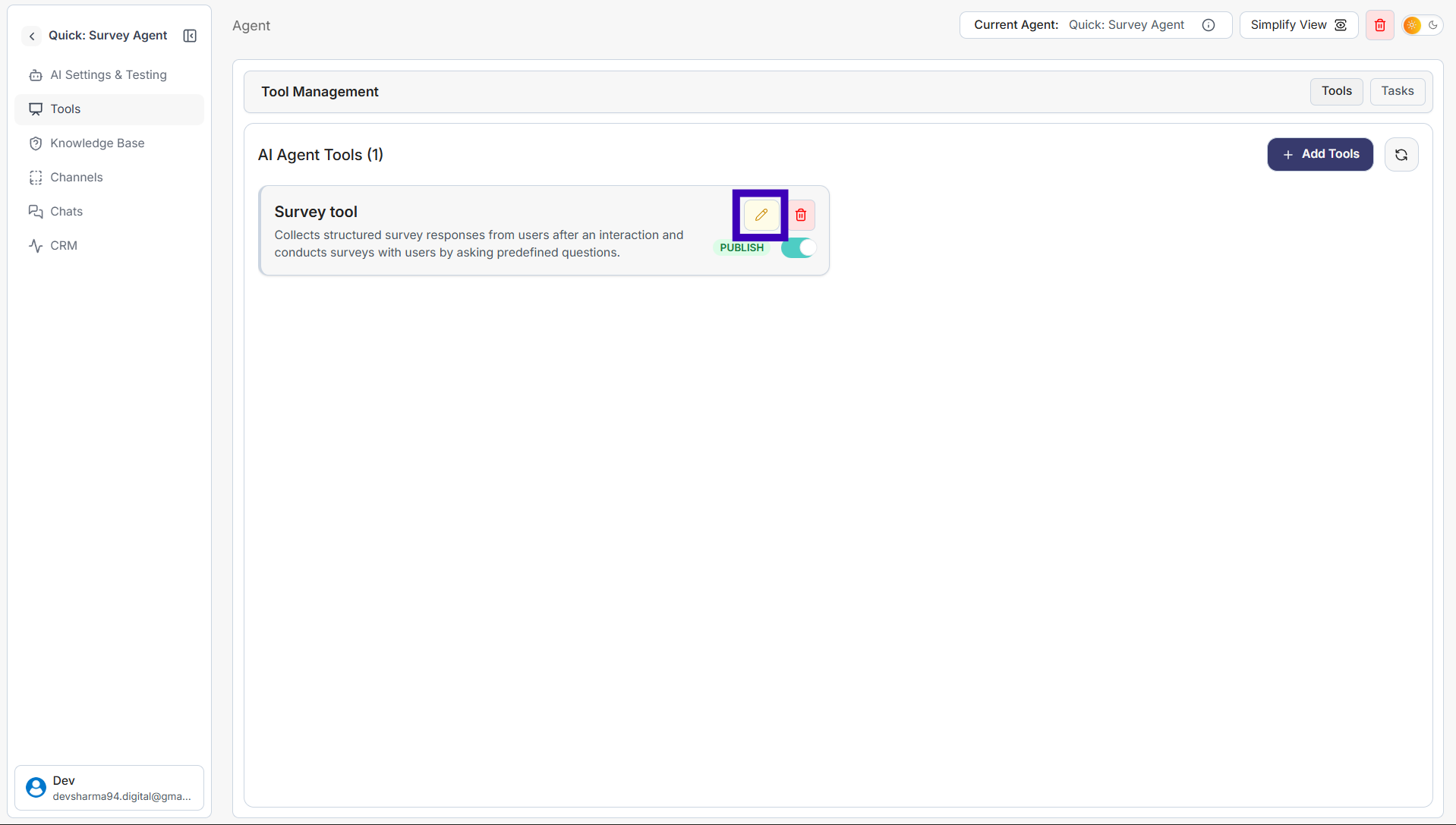
Step 3: Find the tool you want to edit and click the pencil (edit) icon.
Step 4: Update the tool as needed: • Change the tool name • Edit the description • Add or modify fields and parameters
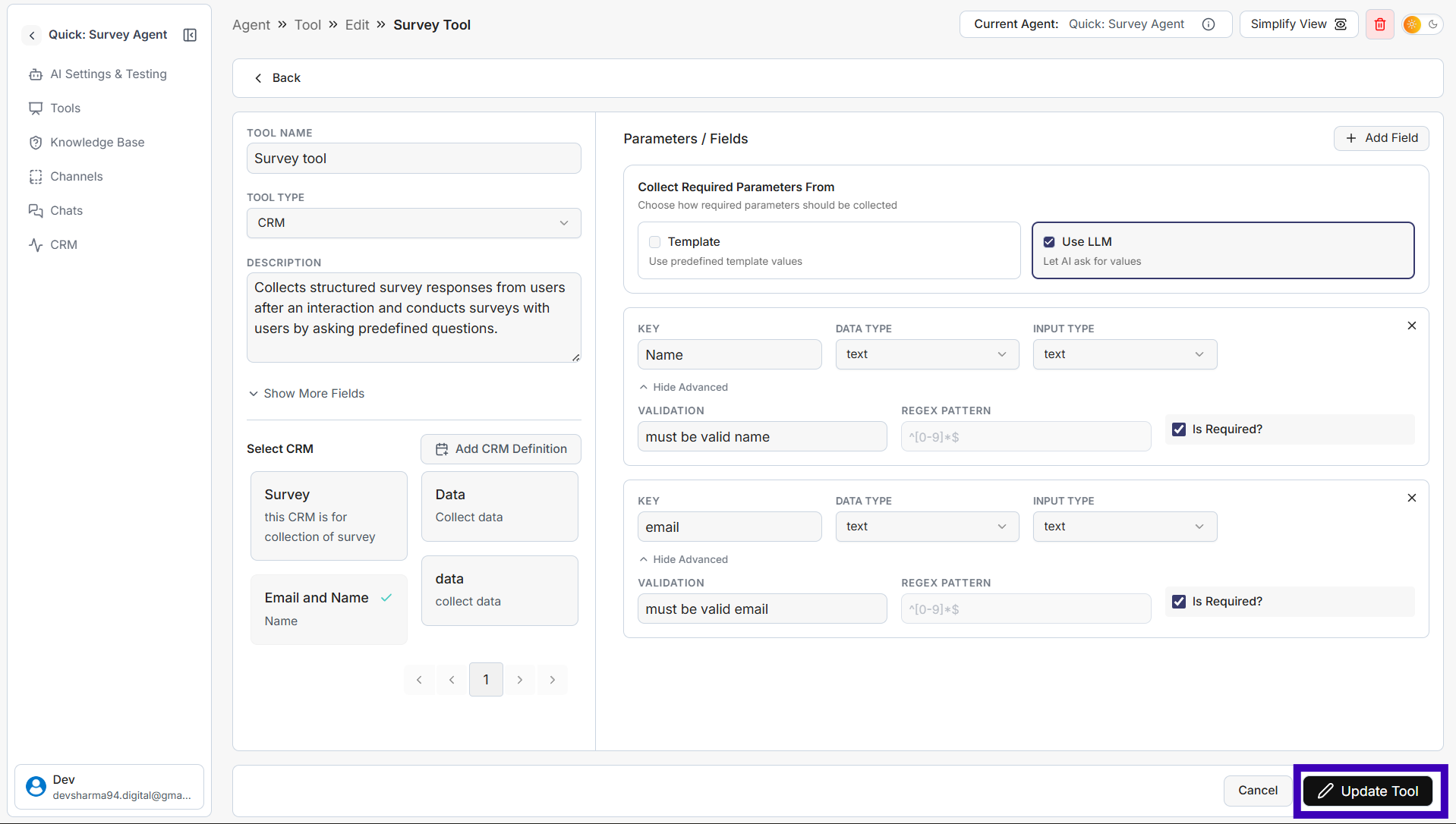
Step 5: Click Update Tool to save your changes.