Loading Navbar...
Get Started
New tool not showing in an agent
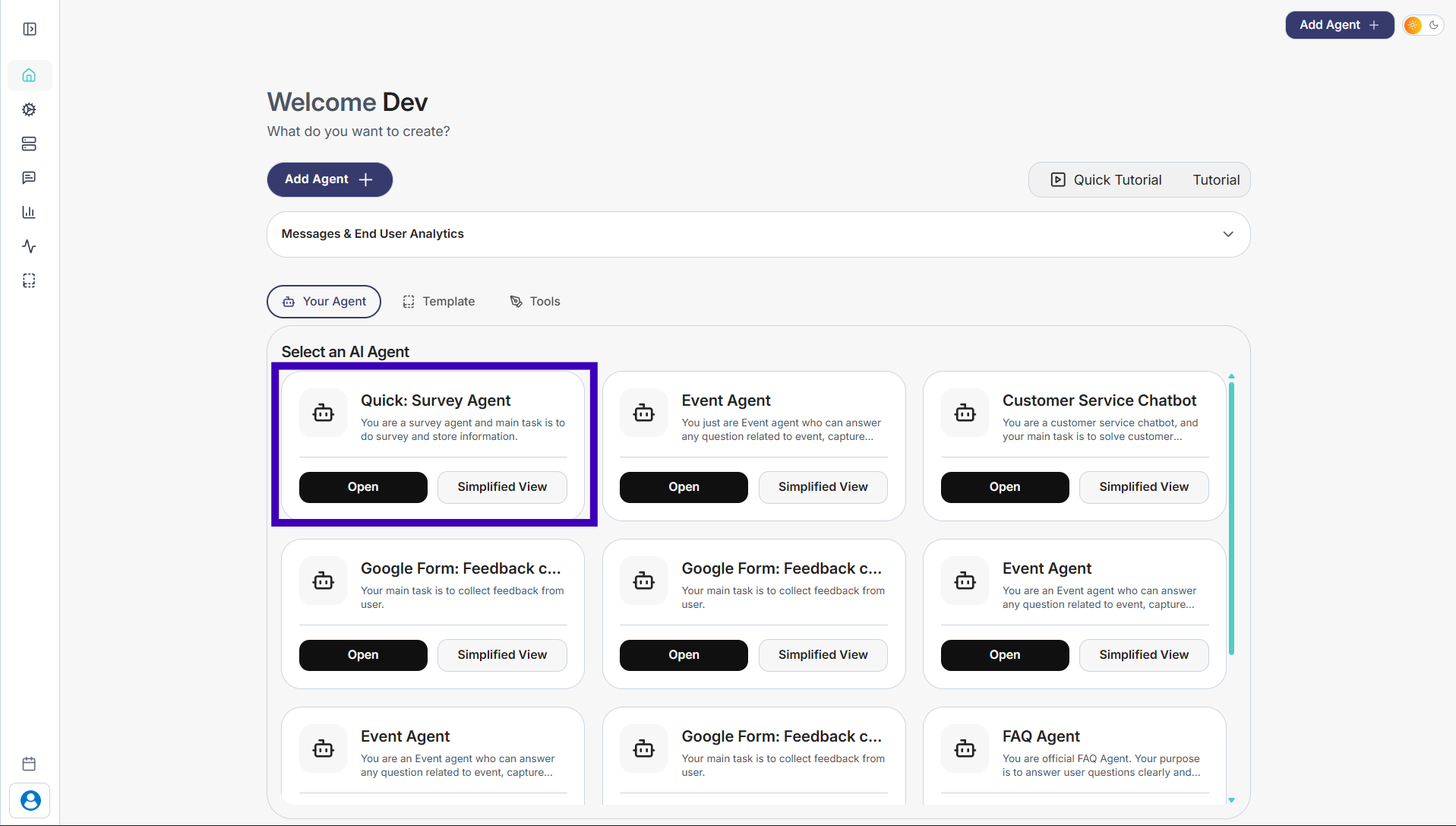
Step 1: Select the agent where the tool is not appearing.
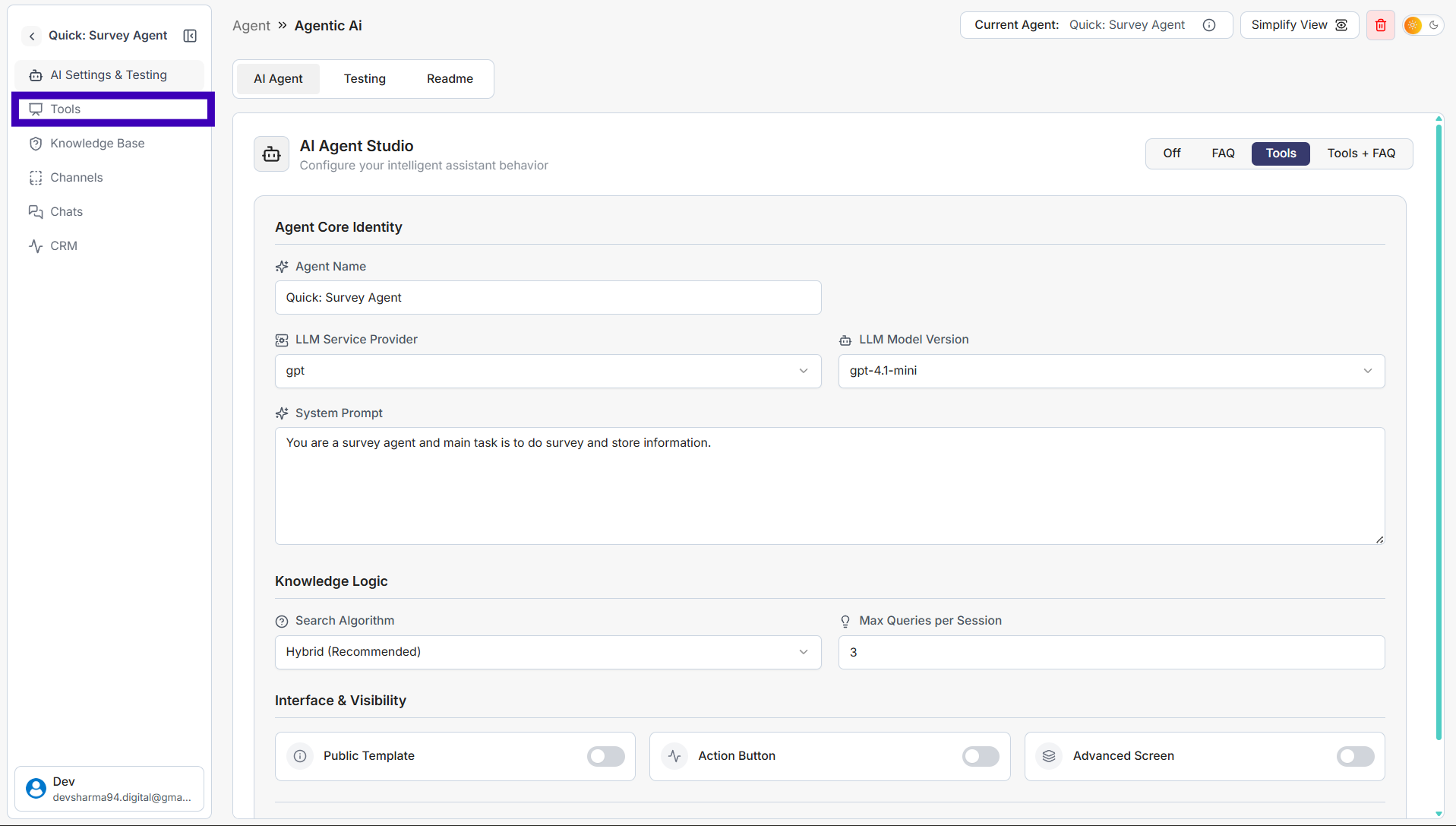
Step 2: Click Tools from the left side menu.
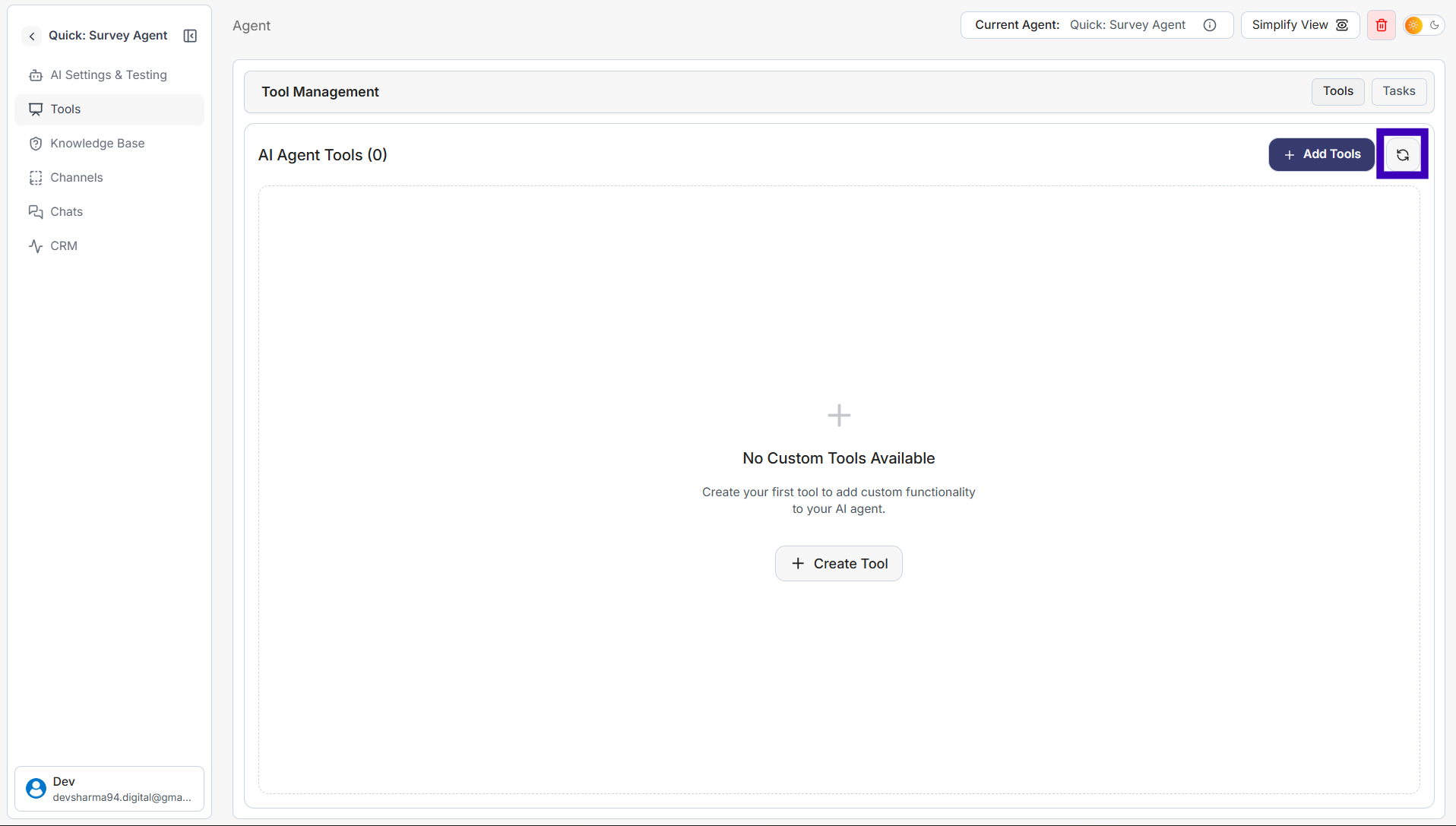
Step 3: Click the Refresh button on the right side.
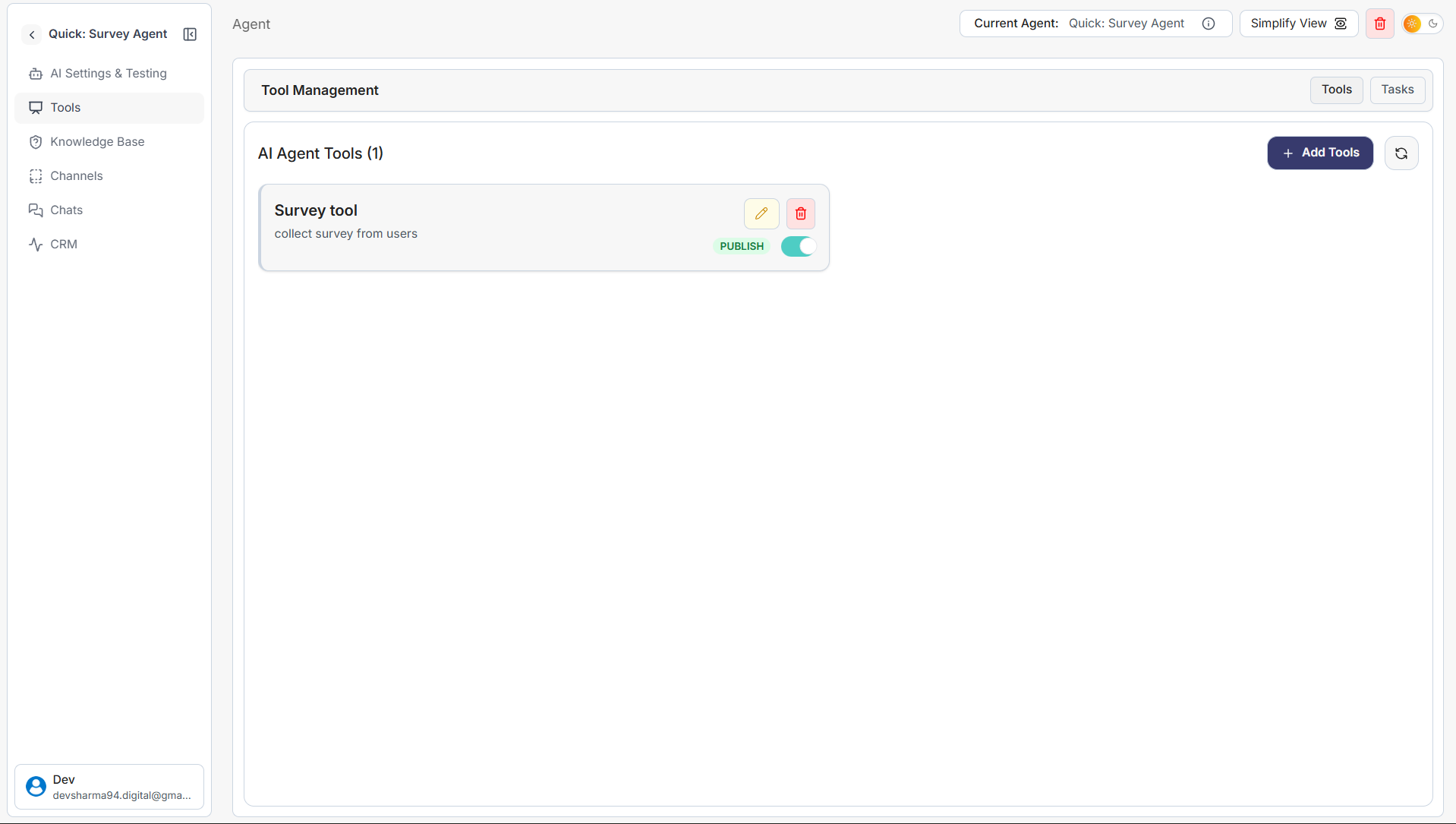
Step 4: The newly added tool will now appear in the agent.
Previous
Next
simplagents
Home
Product
Pricing
Resources
Login
Sign Up
simplagents
Home
Product
Technology
Resources
Documentation
Login
Sign Up