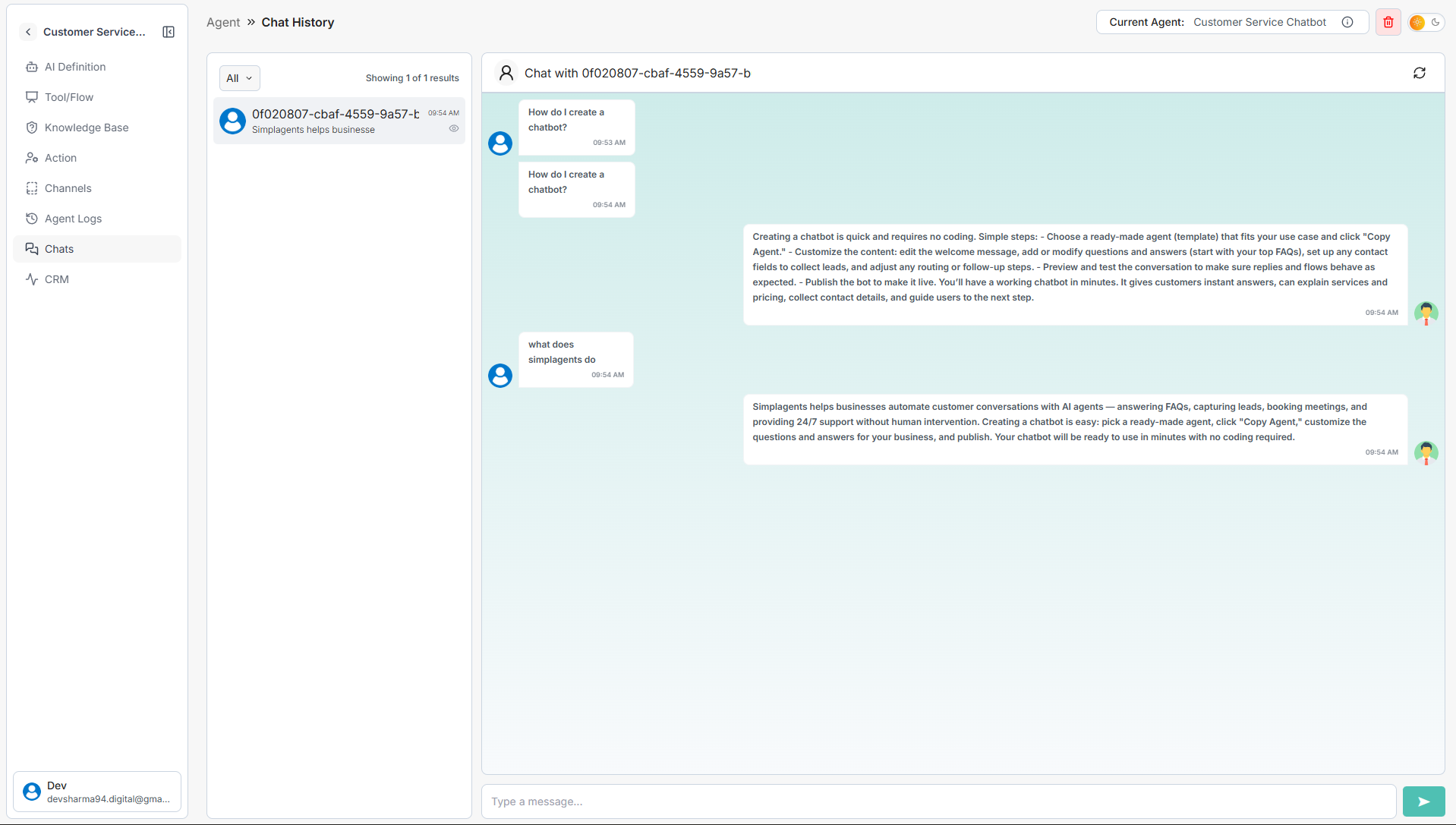
How to See Conversation Logs
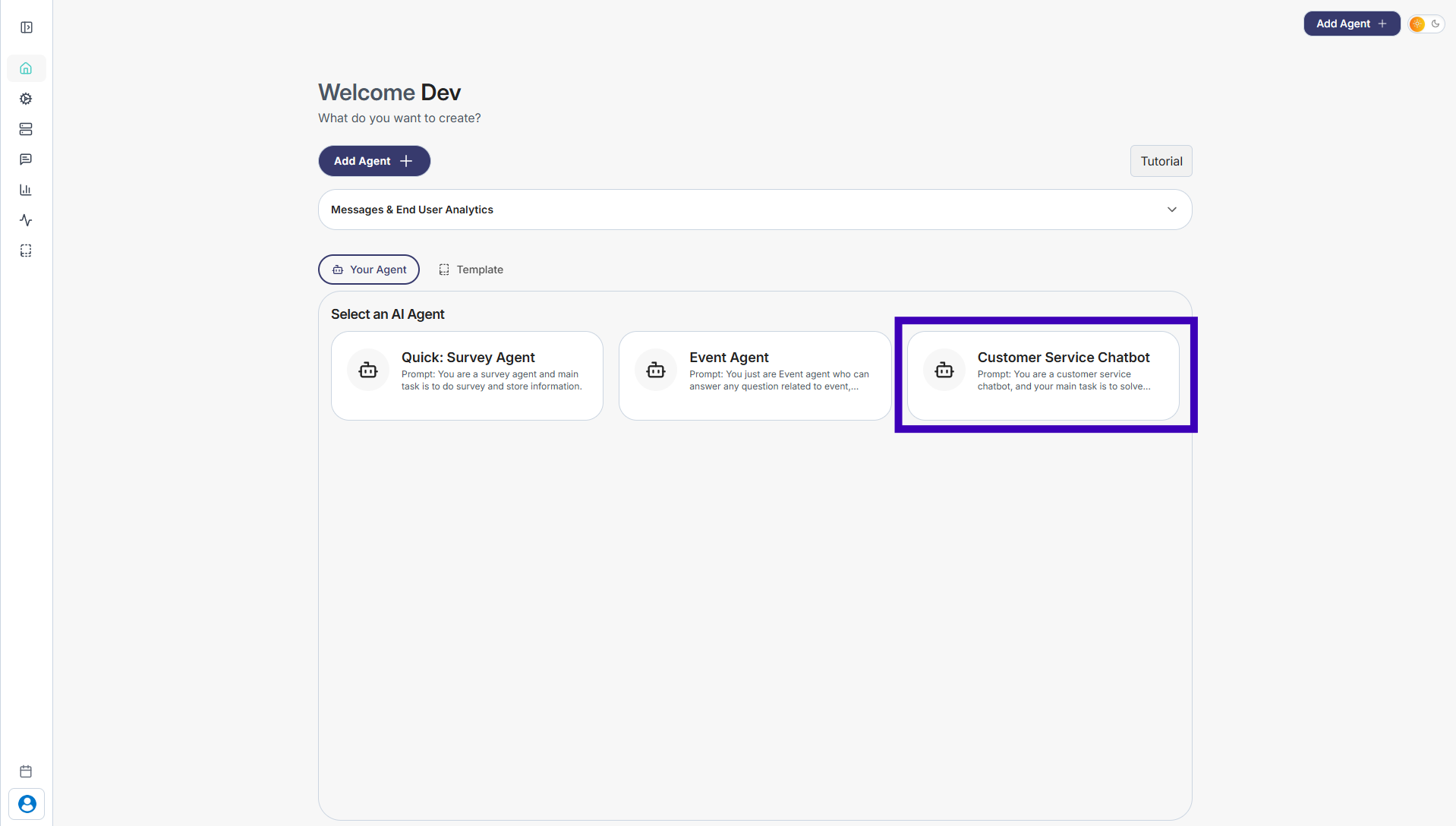
Step 1: Go to Your Agents from the dashboard
Step 2: Select the agent whose conversations you want to review
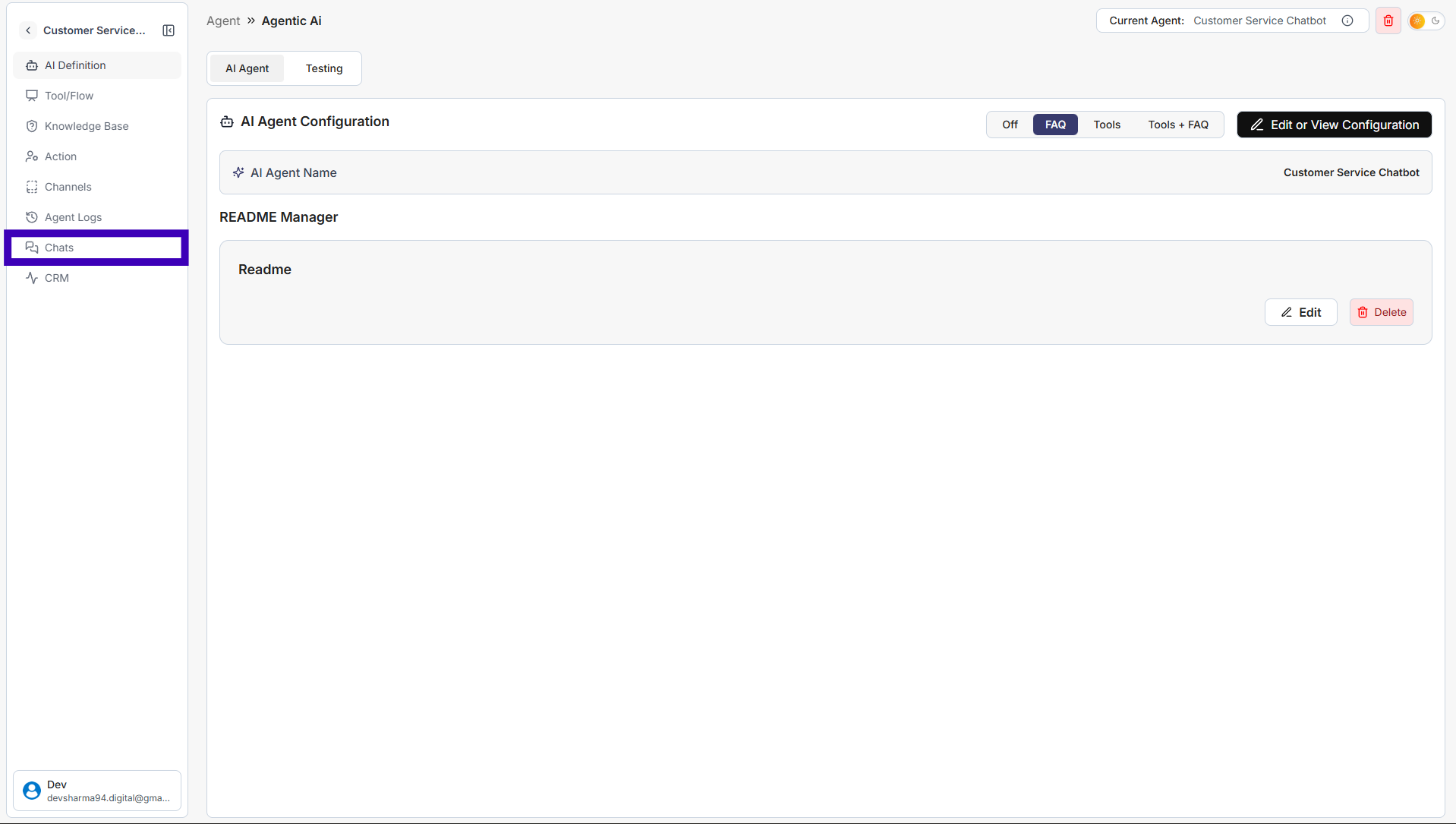
Step 3: From the left sidebar, click Chats
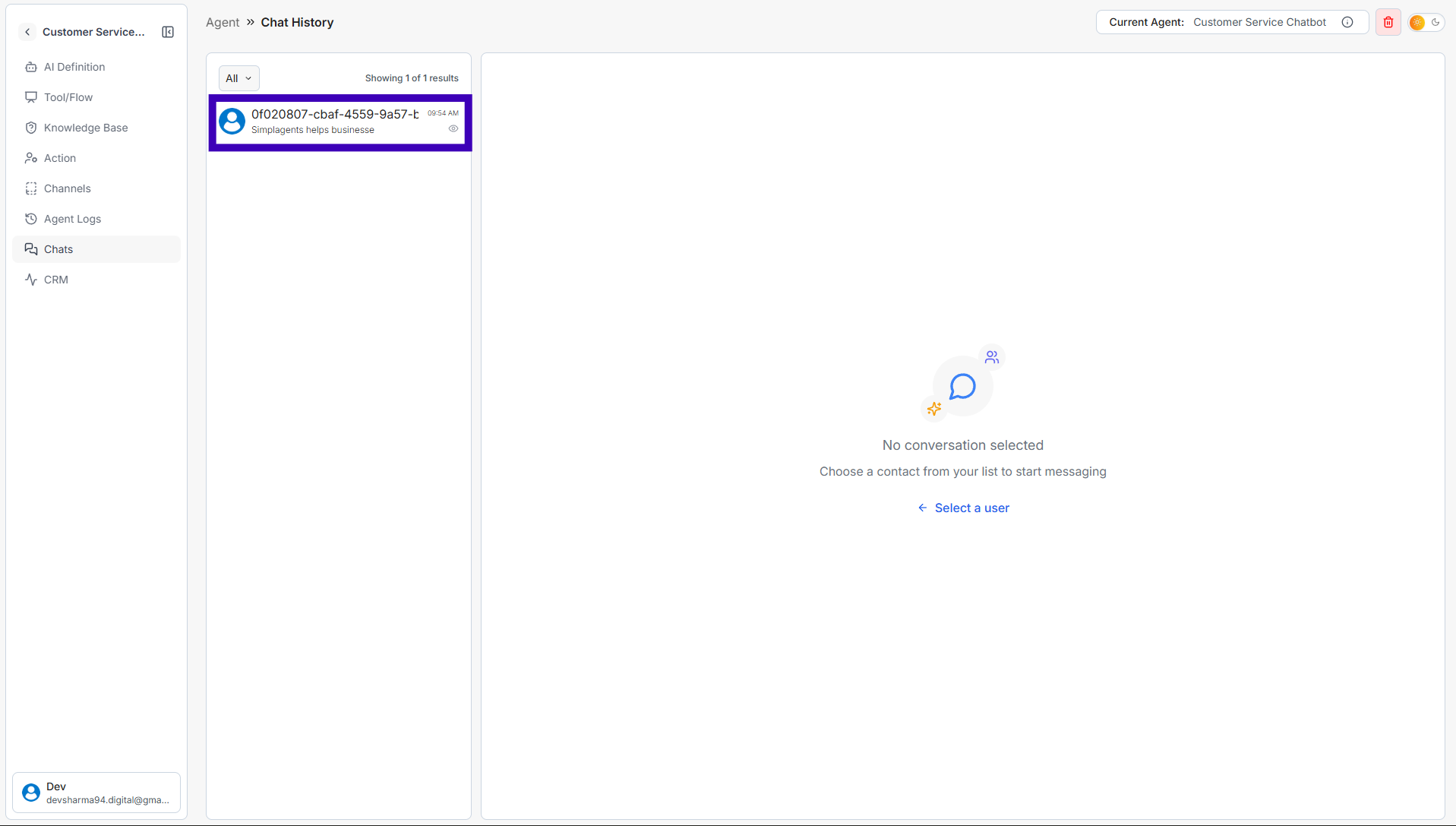
Step 4: You’ll see a list of user conversations
Step 5: Click on any chat to view the full conversation history