How to Set a Meeting
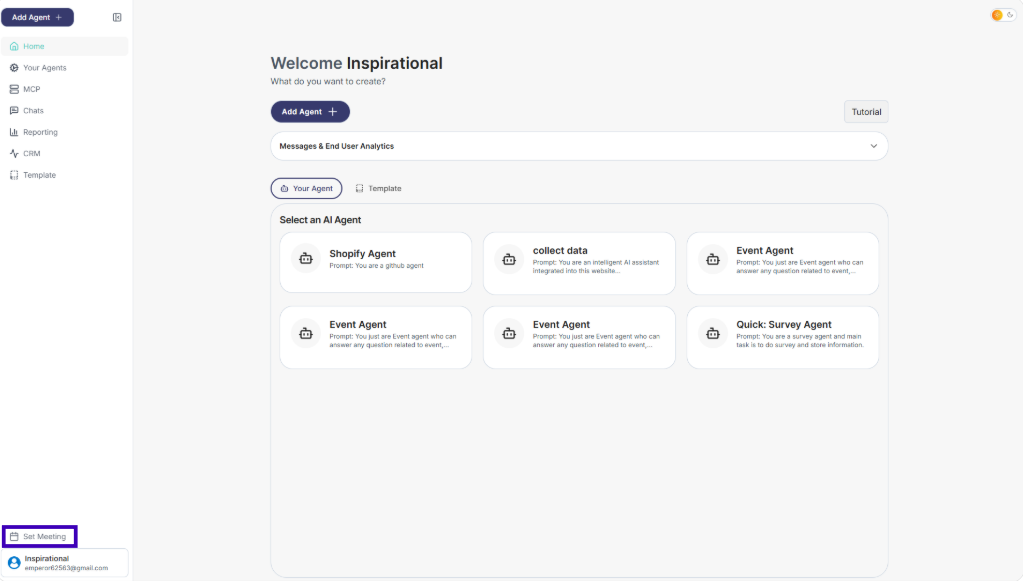
Step 1: From the main dashboard, look at the bottom-left sidebar
Step 2: Click Set Meeting
Step 3: Fill in the required details: Name Email Date and time Meeting details (optional)
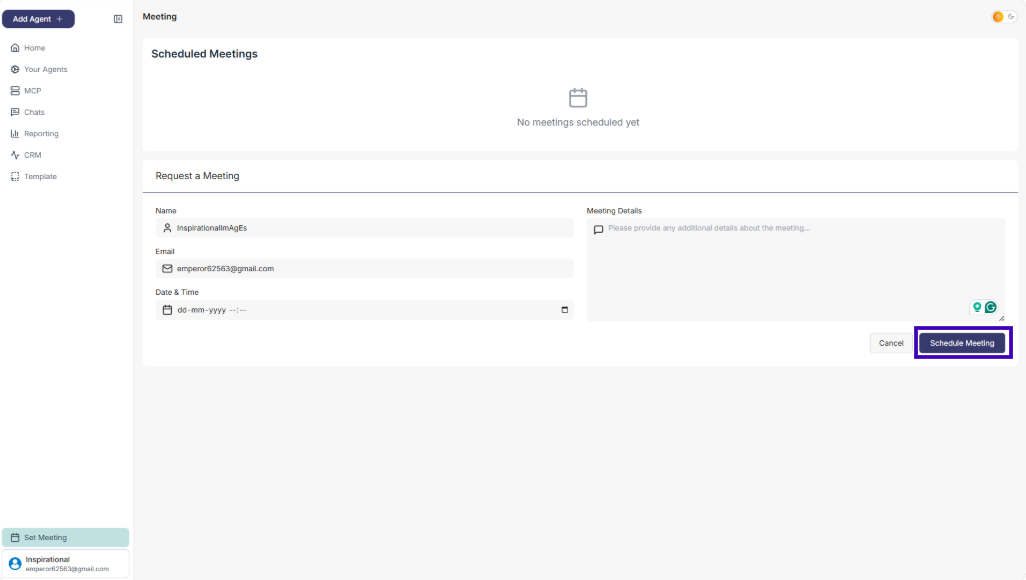
Step 4: Click Schedule Meeting
Your meeting will be booked and listed under Scheduled Meetings.