How to Upload Files to Agent Knowledge
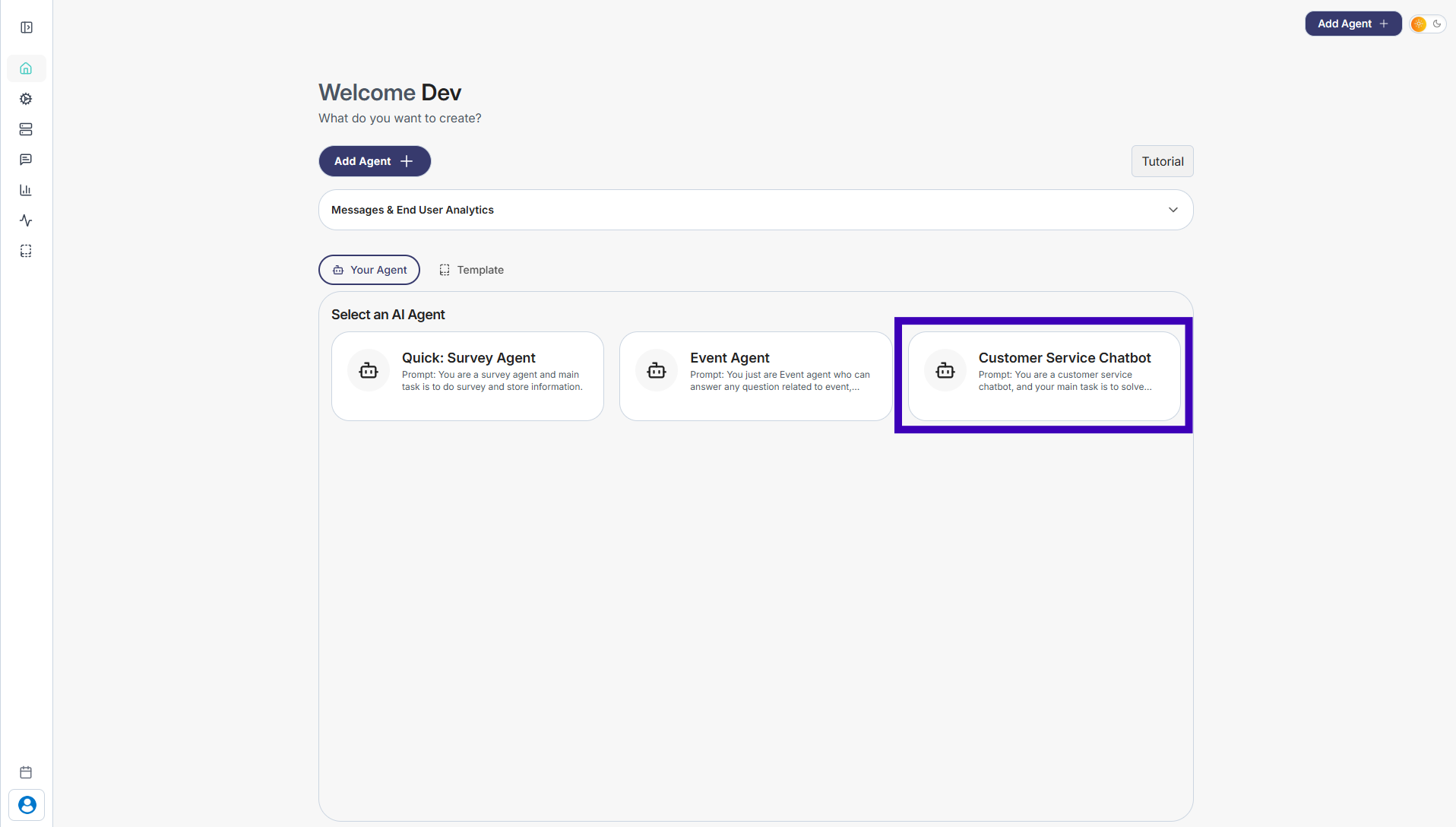
Step 1: Go to Your Agents from the dashboard
Step 2: Select the agent you want to add knowledge to
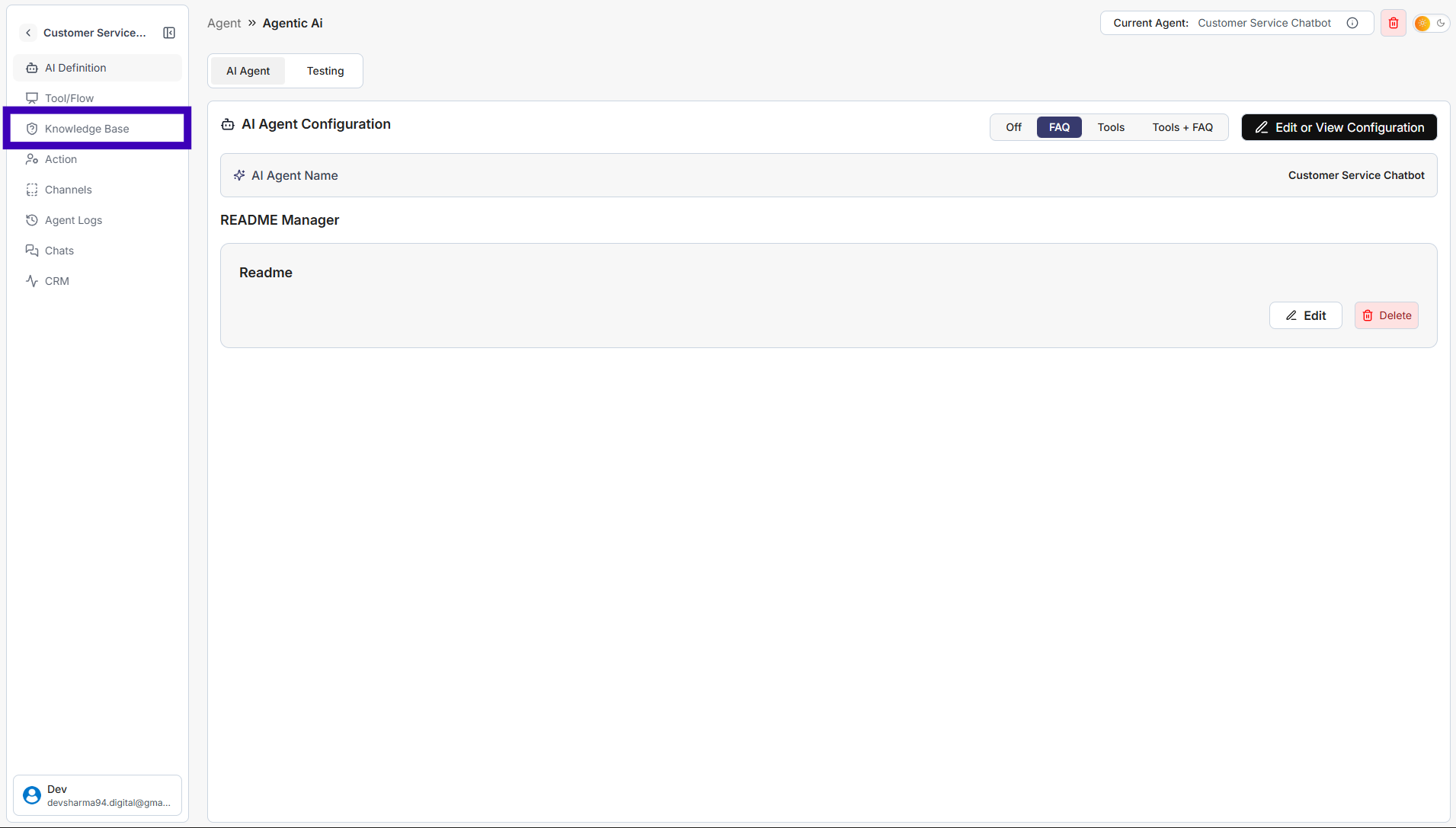
Step 3: From the left sidebar, click Knowledge Base
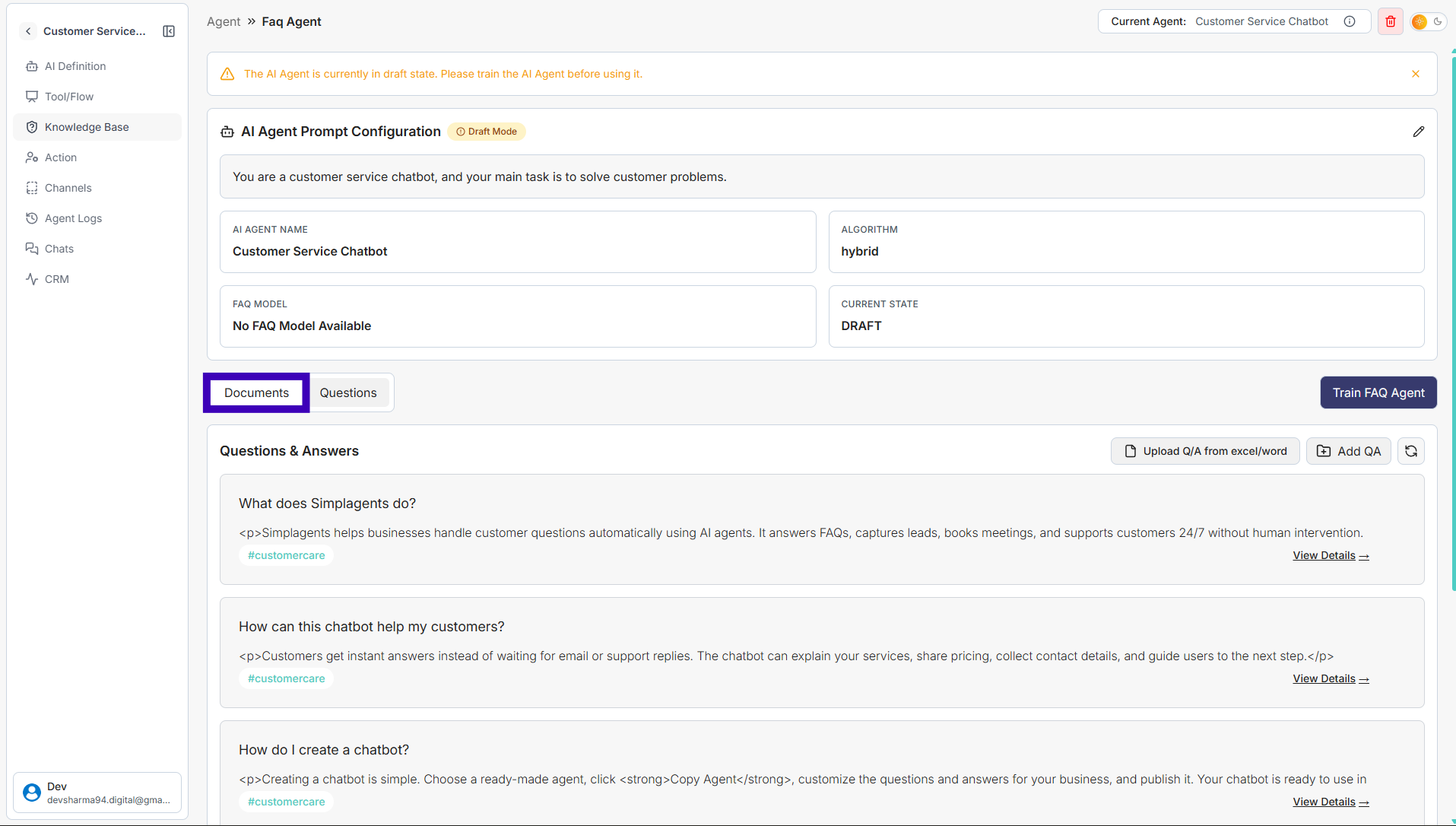
Step 4: Open the Documents tab
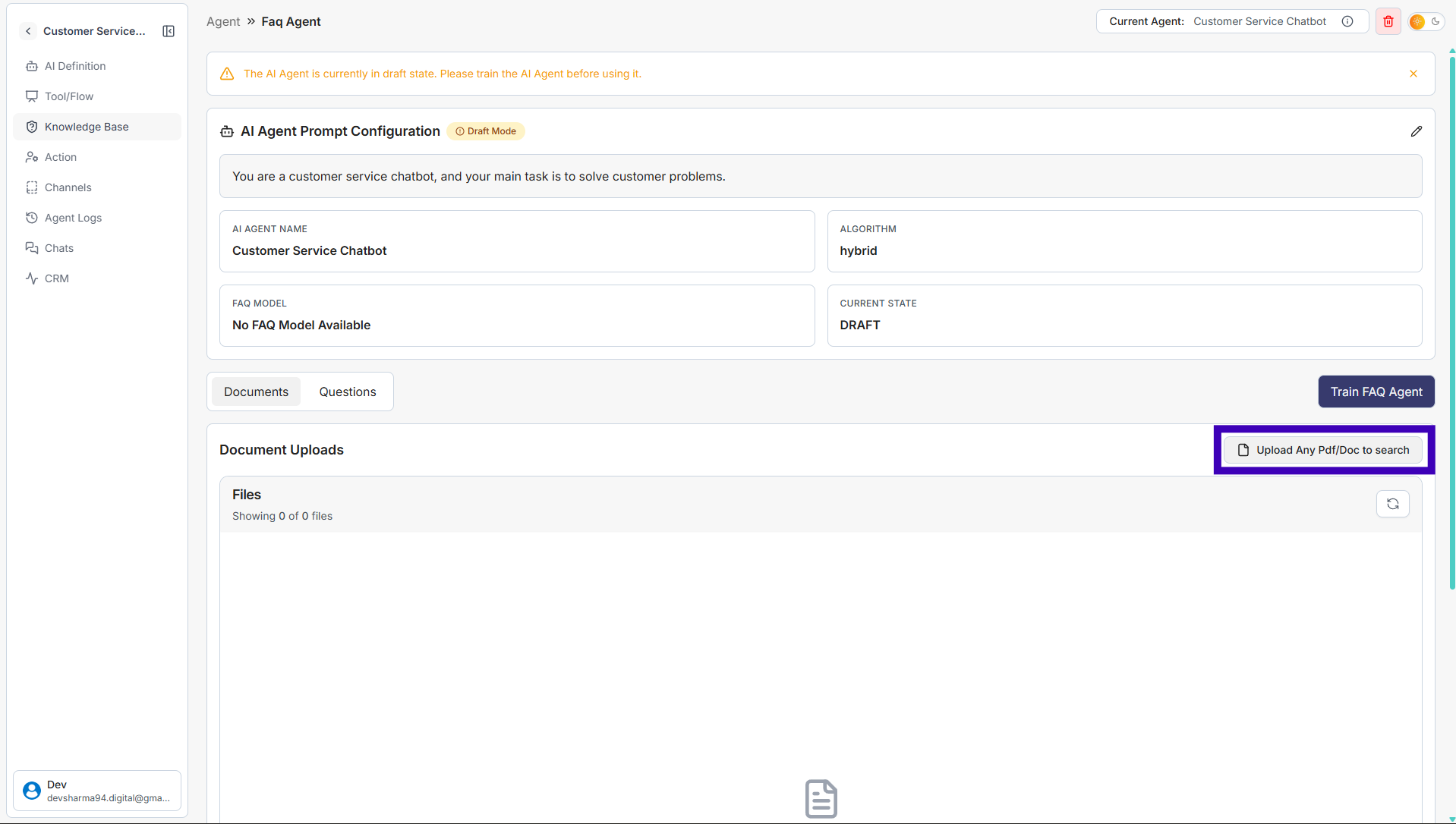
Step 5: On the right side, click Upload PDF/Doc
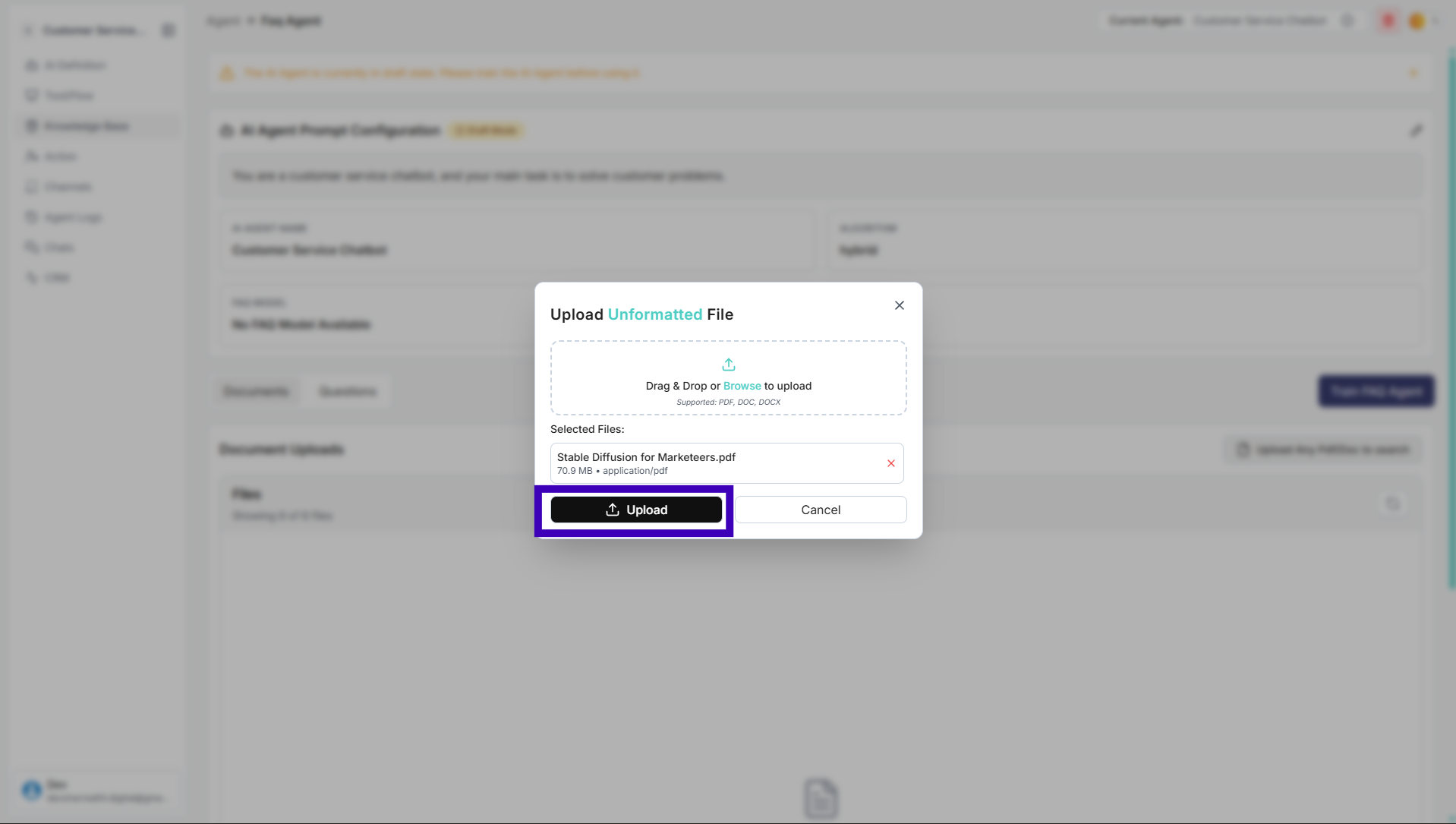
Step 6: Select your file and click Upload
Step 7: Once the file is uploaded, click Train FAQ Agent
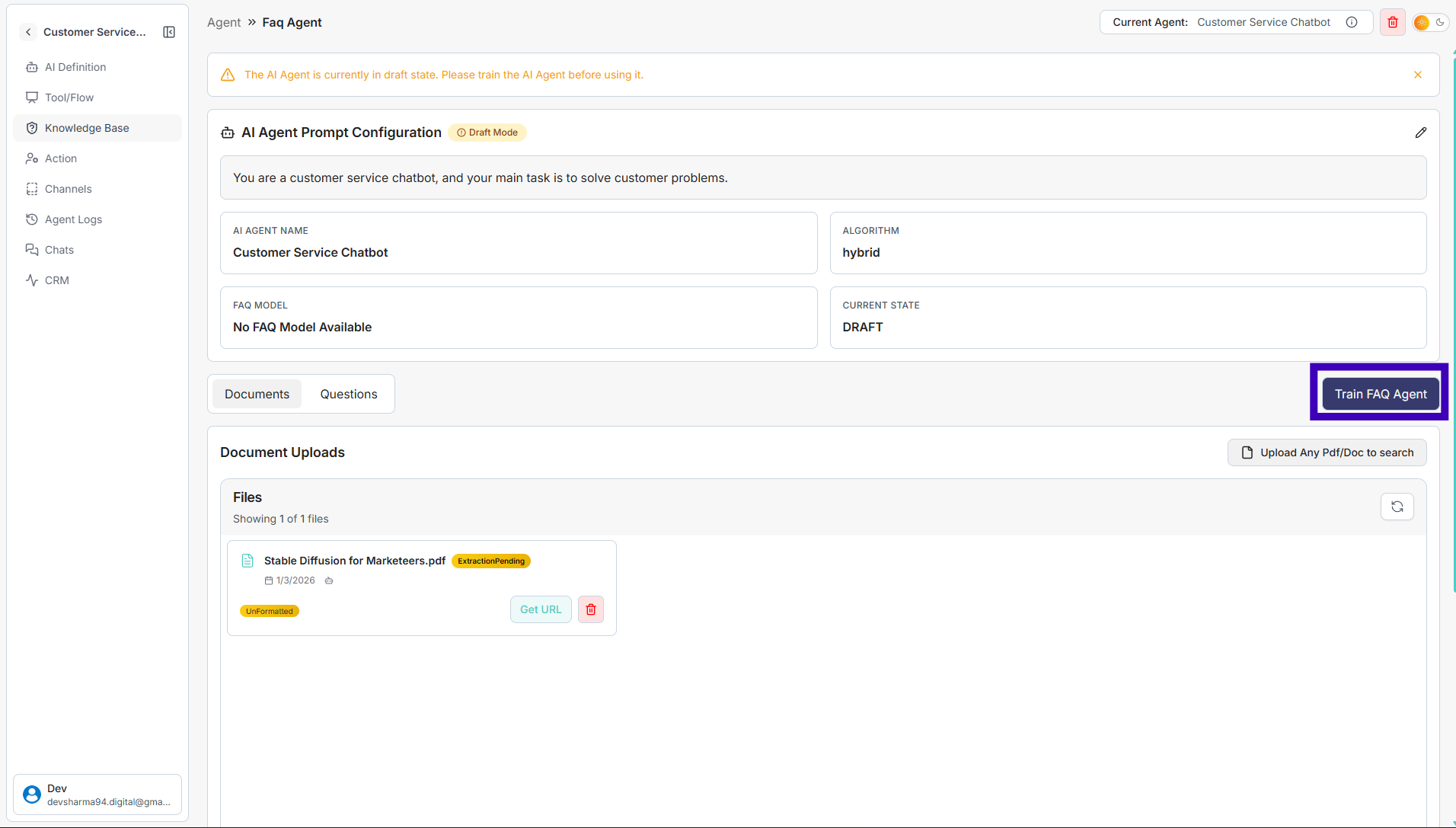
Your agent will process the document and start using it to answer user questions.